
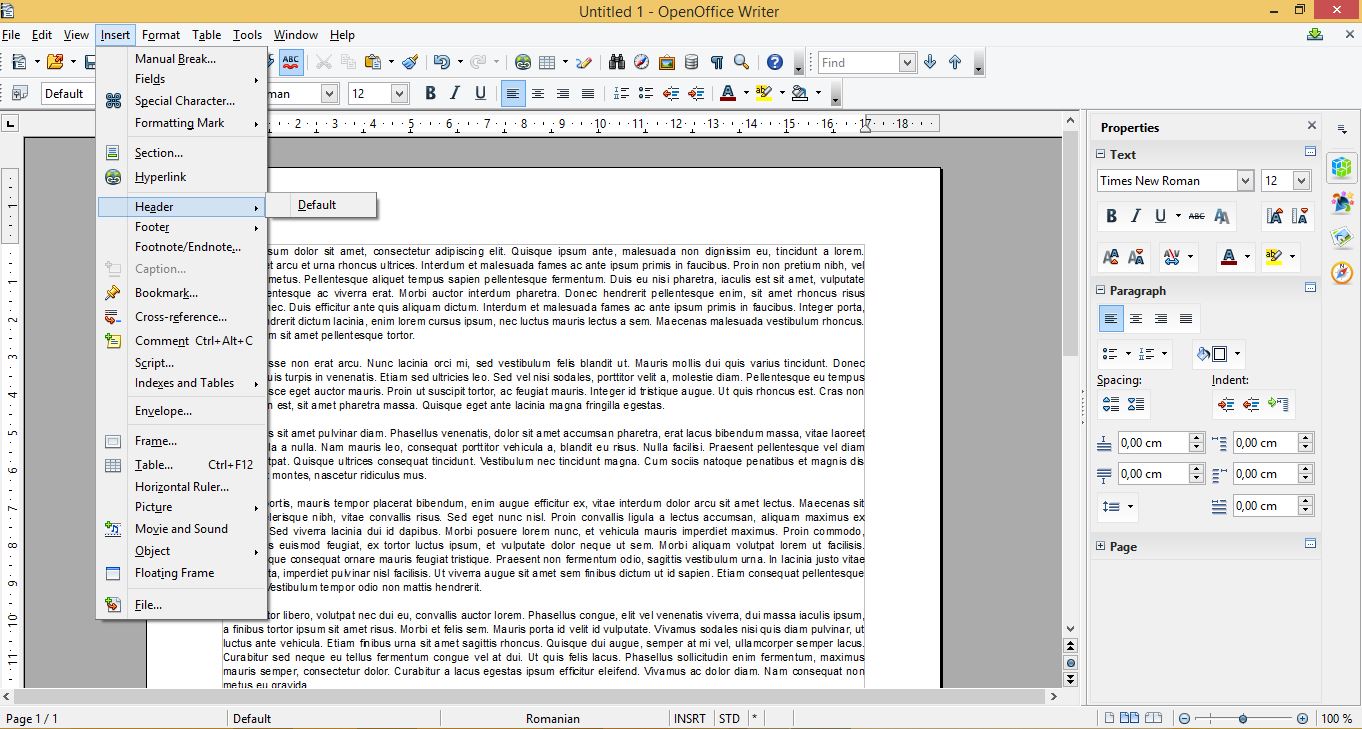
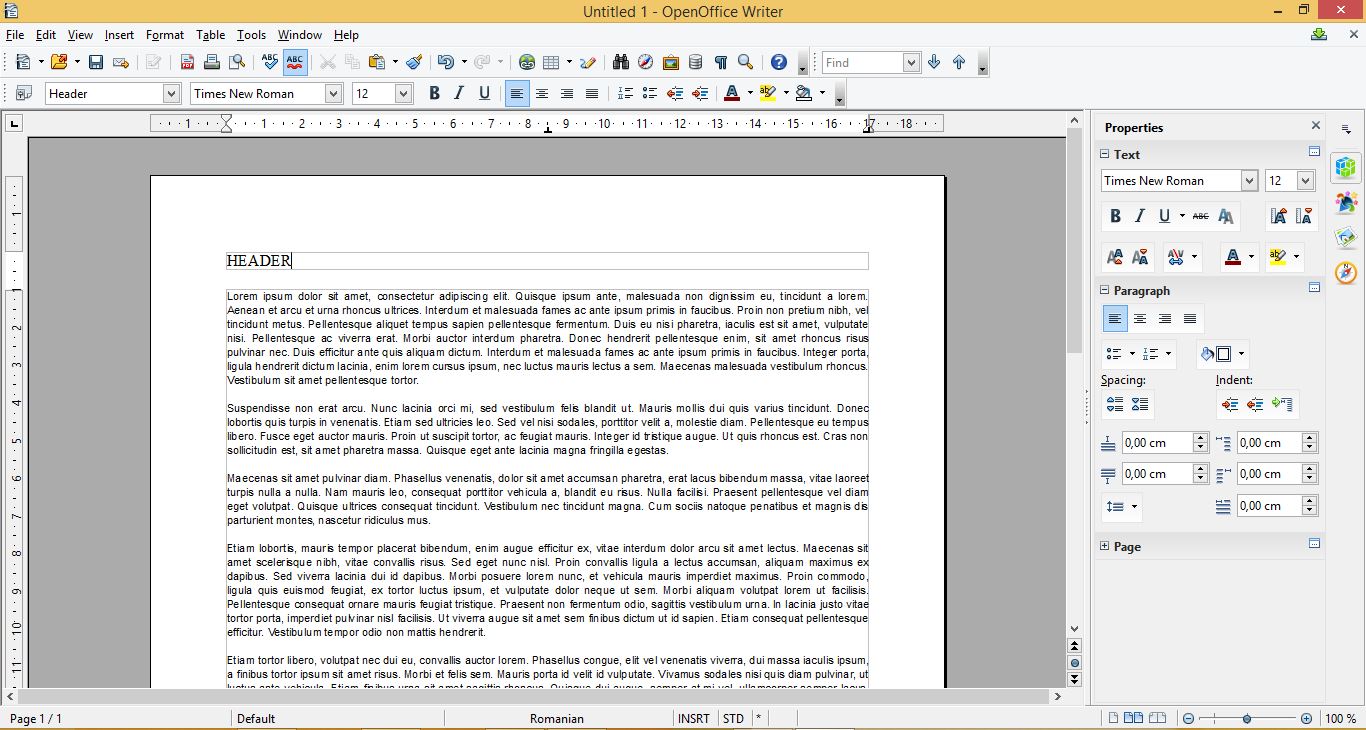
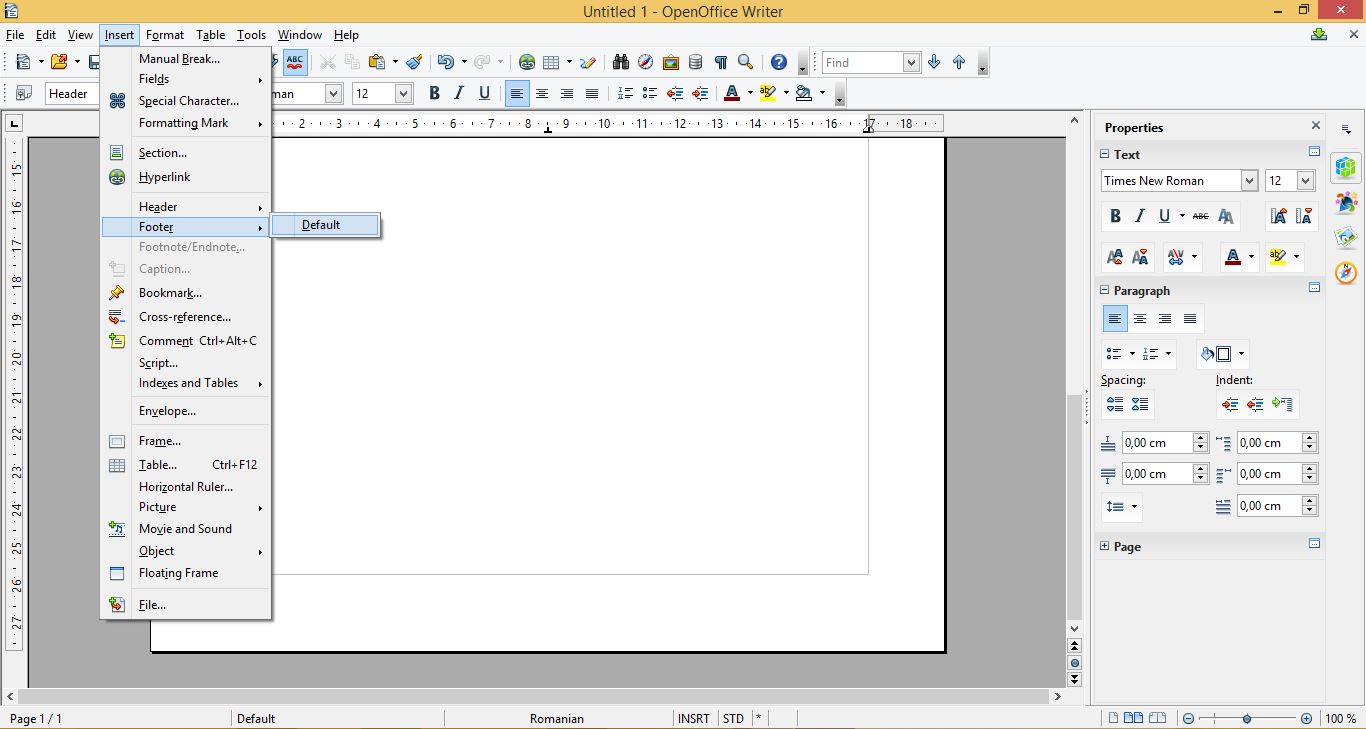
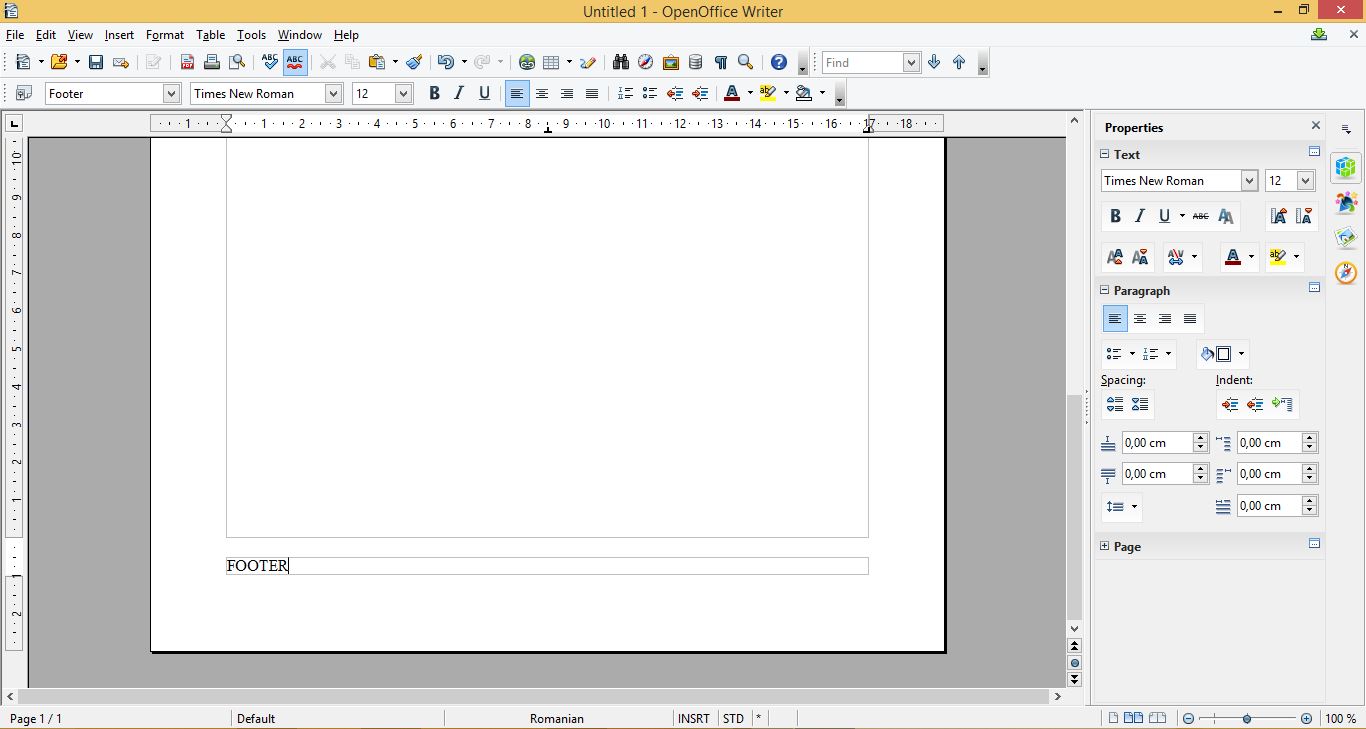
Inserare Header/Footer in OpenOffice Writer Data 02/06/2015 Autor Filip R Categorie Configurare program, Aplicatii specifice, Stații de lucru -10 1507 Configurare noua (How To) SituatieOpenOffice este alternativa gratuita la suita Microsoft Office. Acest tutorial va arata cum sa adaugati header si footer in OpenOffice Writer Solutie Pasi de urmat Pentru a adauga un header se apasa pe tab-ul Insert, apoi se alege Header si Default Se completeaza campul nou aparut cu informatie pentru header Pentru a adauga un footer se apasa pe tab-ul Insert, apoi se alege Footer si Default Se completeaza campul nou aparut cu informatii pentru footer Tip solutiePermanent Voteaza Up Down (23 din 55 persoane apreciaza acest articol) ShareTweetShare Despre Autor Filip R Solutii Asemanatoare How to add Custom Text in Excel Header and Footer in Excel on Windows 10/11 2 How to open Headers and Footers from the Insert Tab in Excel on Windows 10/11 2 How to open Headers and Footers from the View Tab in Excel on Windows 10/11 2 How to open Headers and Footers from the Page Layout Tab in Excel on Windows 10/11 2 How to share files safely using OneDrive links 0 4 Wi-Fi fixes that actually stop random slowdowns and drops 0 Leave A Comment? × Cancel Reply Save my name, email, and website in this browser for the next time I comment. five × four =
Leave A Comment?