
Situatie
Solutie
Here, I’m going to use that API to fetch similar data about Spotify listening habits, presenting it in a simple format for consumption. The final output won’t quite rival Wrapped for looks, but it will demonstrate the basic principles behind getting hold of the data and formatting it.
Using the Spotipy library to simplify most of the backend process, the final code is straightforward and easy to tailor to your own needs.
All the code is in a GitHub repository for you to download and use or modify as you wish. The Spotipy library is a wrapper of the Spotify API, letting you use it without some of the more awkward low-level details. In particular, it handles the OAuth process for you.
I recommend using a virtual environment so you can install spotipy locally. Once you’ve done so, just run this command:
pip install spotipy
And how do I access the Spotify API?
With a Spotify account, you can log in to the Spotify for Developers Dashboard and start by creating an app.
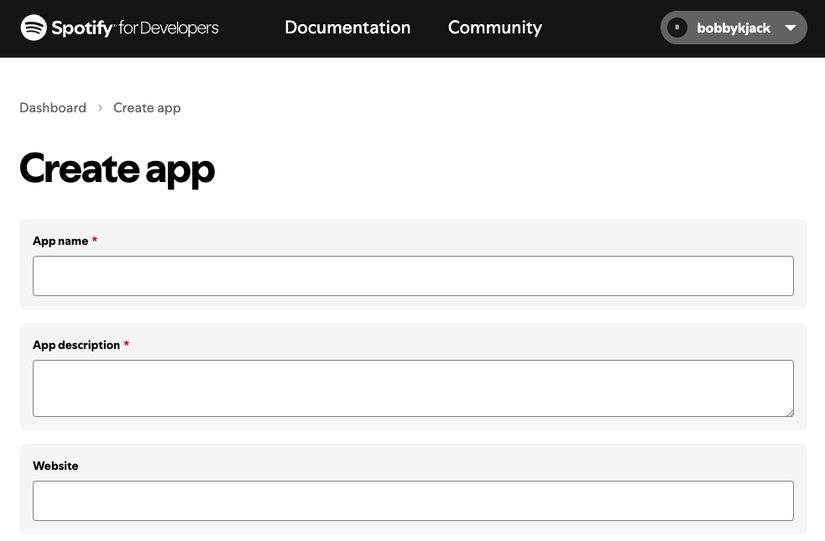
The value of the redirect URI shouldn’t matter for this demo; even if you get an error during the process, the command-line app should still work.
Once you’ve created your app, take note of the Client ID and Client secret, both of which are shown on your app’s “Basic Information” page.
You should now have everything you need to use Spotipy in your app. The easiest way to authenticate is by setting these environment variables:
export SPOTIPY_CLIENT_ID='your-spotify-client-id'
export SPOTIPY_CLIENT_SECRET='your-spotify-client-secret'
export SPOTIPY_REDIRECT_URI='your-app-redirect-url'
How you do so is up to you: in your bashrc file, a shell script you run, or even directly on the command line. This project includes a sample envvars.sh file that you can complete and source using . envvars.sh.
A Simple Spotify Wrapped App
With everything set up, we can explore the code and see how it makes use of the API.
The first function I define is init, which returns an instance of the Spotify class, passing the relevant environment variables to authenticate the user. The first time you run the app, you’ll go through the process of authorising it with your Spotify account.
def init():
    return spotipy.Spotify(
        auth_manager=SpotifyOAuth(scope="user-library-read,user-top-read")
    )
The next function—print_preamble—simply prints a heading and a table of contents, in Markdown format. This is slightly easier than printing directly to HTML, and Markdown can be a useful intermediate format, provided your needs are fairly simple. You can use a tool like glow to view this Markdown output in the terminal, read it in a text editor, or convert it to HTML.
The following pair of functions does everything we need to interface with the API itself, and that’s not much!
def get_artists(sp, time):
return sp.current_user_top_artists(limit=50, time_range=time)Another pair of functions follows, this time to generate output for either artists or tracks, given an array. Each function extracts image URLs from API data, which typically contains three images for each item, in descending sizes.
Each function also links items using their Spotify URL: item["external_urls"]["spotify"]. This will take you to the Spotify web app to explore an artist further or play a track. In a more polished version, this might play a track using Spotify’s Web Playback SDK.
def print_artists(artists):
for idx, item in enumerate(artists["items"]):
imgurl = item["images"][0]["url"]
url = item["external_urls"]["spotify"]
print("1.  [" + item["name"] + "](" + url + ")")
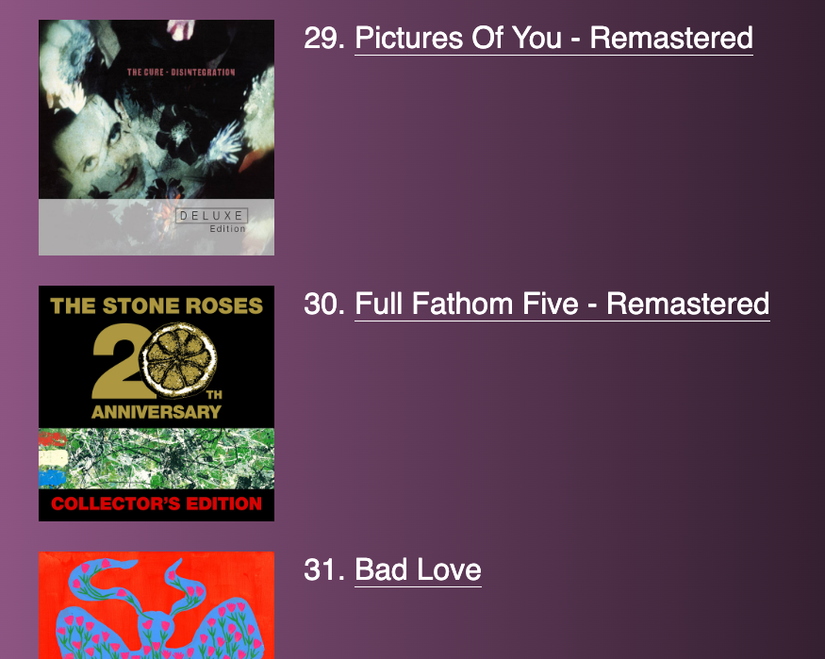
All that remains is to call this set of functions, in order, to fetch whatever data we require. Since I’m reporting on everything, I make a total of six API calls: three to fetch artist trends for the short, medium, and long term, and three to fetch tracks. You can, of course, vary this however you wish.
sp = init()

print_preamble()
print("\n## Top artists")
print("\n### Short term (~4 weeks)")
print_artists(get_artists(sp, "short_term"))
To demonstrate something a tiny bit more advanced, I’ve also included a section on genre popularity. The print_genre_stats function simply counts the genres of the user’s 50 most-listened to artists from the past year, sorts them, and extracts the top 10.
def print_genre_stats(artists):
    all_genres = {}

    for idx, item in enumerate(artists["items"]):
        for idx2, genre in enumerate(item["genres"]):
            if genre in all_genres:
                all_genres[genre] += 1
            else:
                all_genres[genre] = 1

    all_genres = sorted(all_genres.items(), key=lambda x: x[1], reverse=True)

    for i in range(10):
        print("- " + all_genres[i][0] + " (" + str(all_genres[i][1]) + ")")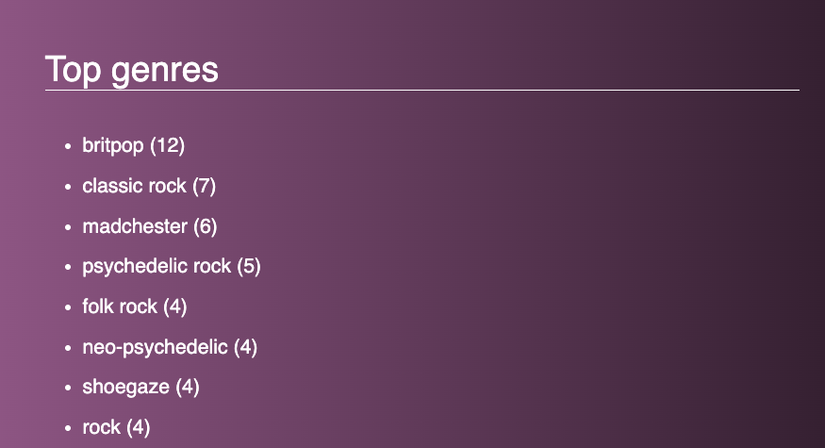
You can run the program with a simple:
python spotcon.py
To get a useful markdown file instead, just redirect the output:
python spotcon.py > spotcon.md
As I mentioned earlier, there are lots of things you can do with a markdown file, but I recommend converting it to HTML using pandoc:
pandoc -s -f markdown -t html5 -o spotcon.html spotcon.md -c style.css
This command uses the style sheet from the repository to approximate a Spotify experience that’s slightly nicer than plain HTML.
There are plenty of next steps for this project: improve the end design, integrate web playback, add more data, or generate graphs to visualize the data. The Spotify API heavily restricts what it reports on under “top items,” but you can get additional data like a user’s followed artists or their saved albums.
Leave A Comment?