
Situatie
To prevent Windows 11 from showing the page to finish setting up your device, follow these steps:
Solutie
1. Open Settings on Windows 11.
2. Click on System.
3. Click the Notifications page.
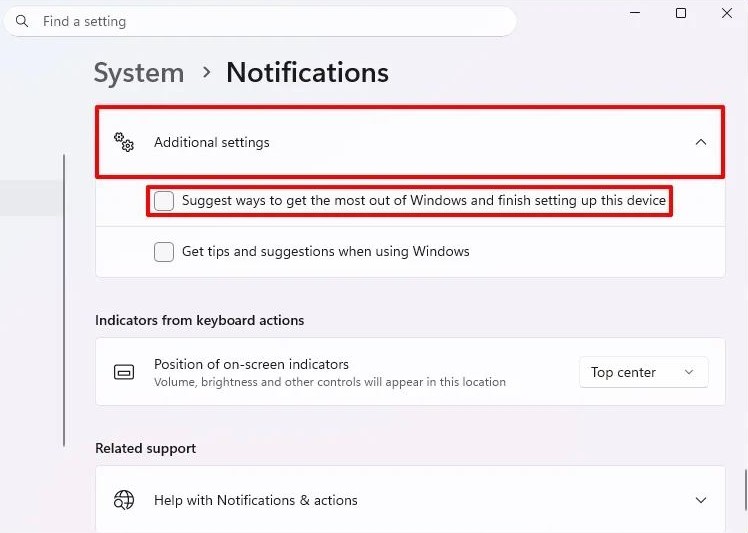
4. Click on Additional settings at the bottom of the page.
5. Clear the “Suggest ways to get the most out of Windows and finish setting up this device” option to disable the finish setting up device message.
6. (Optional) Clear the “Show the Windows welcome experience after updates and when signed in to show what’s new and suggested” option.
7. (Optional) Clear the “Get tips and suggestions when using Windows” option.
Once you complete the steps, you should no longer see the “Let’s finish setting up your device” page upon login after installing an update or restarting the computer.
Leave A Comment?