
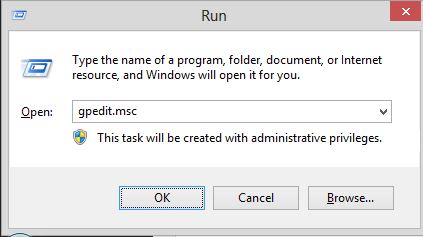
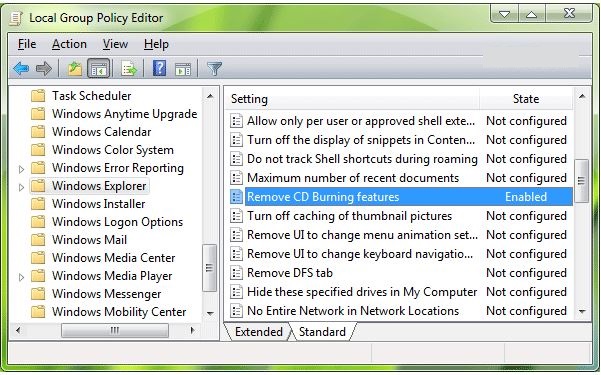
Cum eliminam meniul Burn din Windows Explorer folosind Group Policy Data 14/09/2015 Autor Cristian V Categorie Configurare OS, OS - Windows, Stații de lucru 13 1545 Configurare noua (How To) SituatieDorim eliminarea meniului Burn pentru a nu mai putea sa fie scrise CD-uri din windows Solutie Pasi de urmat Accesam Start-Run si scriem gpedit.msc Accesam User Configuration -> Administrative Templates -> Windows Components -> Windows Explorer Selectam Remove CD Burning Features si il setam ca enabled Tip solutiePermanent Voteaza Up Down (33 din 53 persoane apreciaza acest articol) ShareTweetShare Despre Autor Cristian V Solutii Asemanatoare ESP32 Offline Text-to-Speech 4 ESP32 Offline Voice Recognition 3 Cum dezinstalam eficient aplicatii in Windows -1 After installing Windows 11, the computer boots very slowly and some applications take a long time to open 1 Fișierele sunt șterse automat pe Windows 11 4 Fișierele de recuperare BIOS nu pot fi găsite sau fișierele sunt corupte 3 Leave A Comment? × Cancel Reply Save my name, email, and website in this browser for the next time I comment. nine × one =
Leave A Comment?