
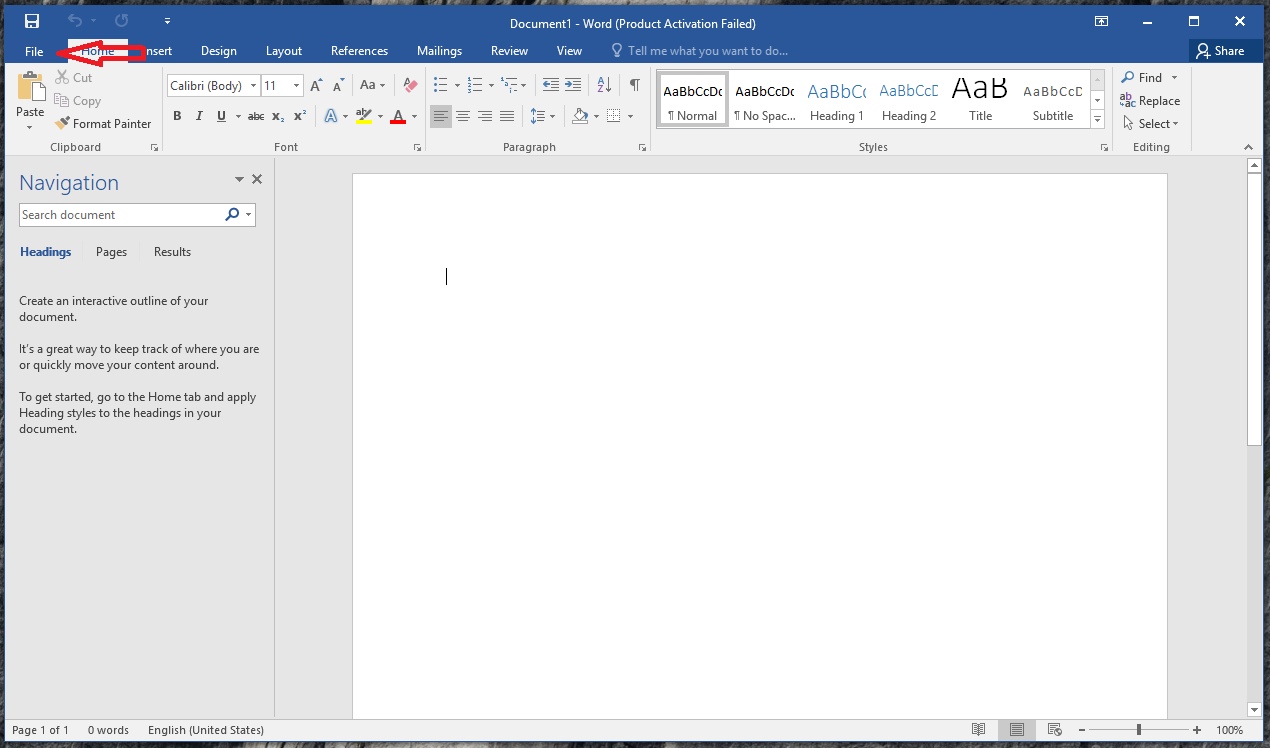
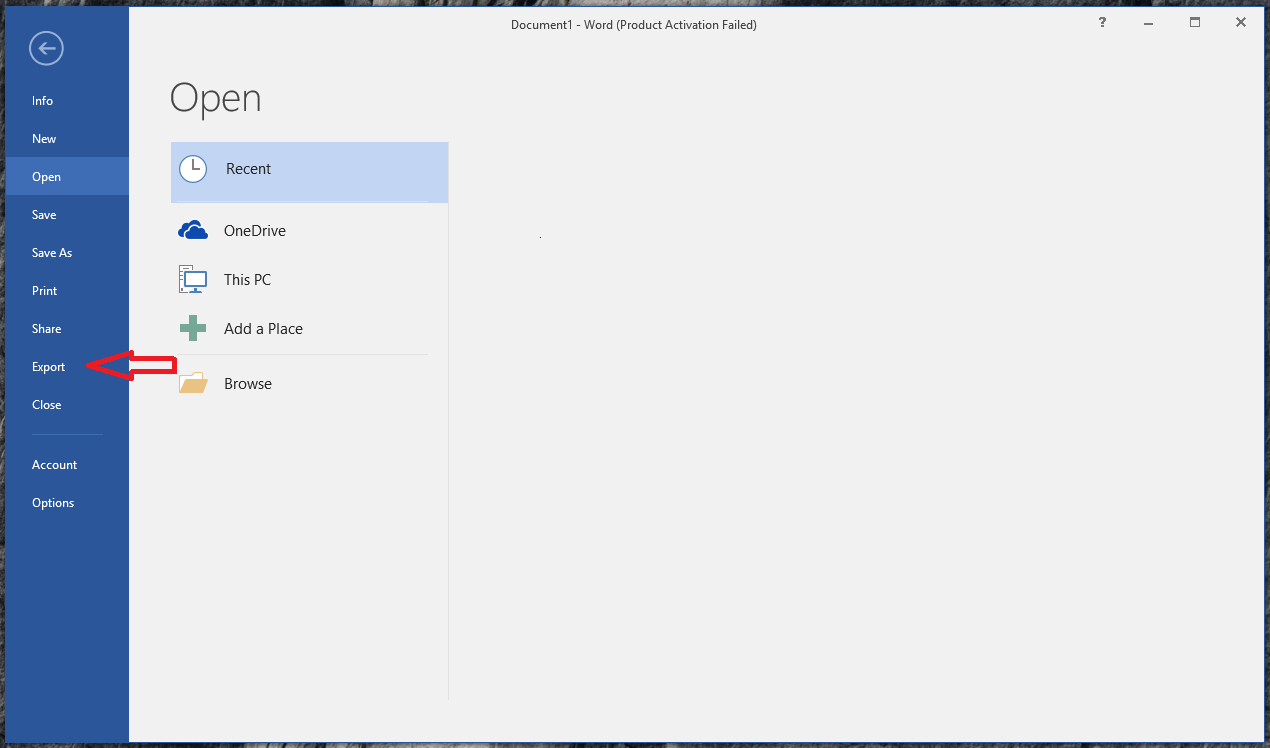
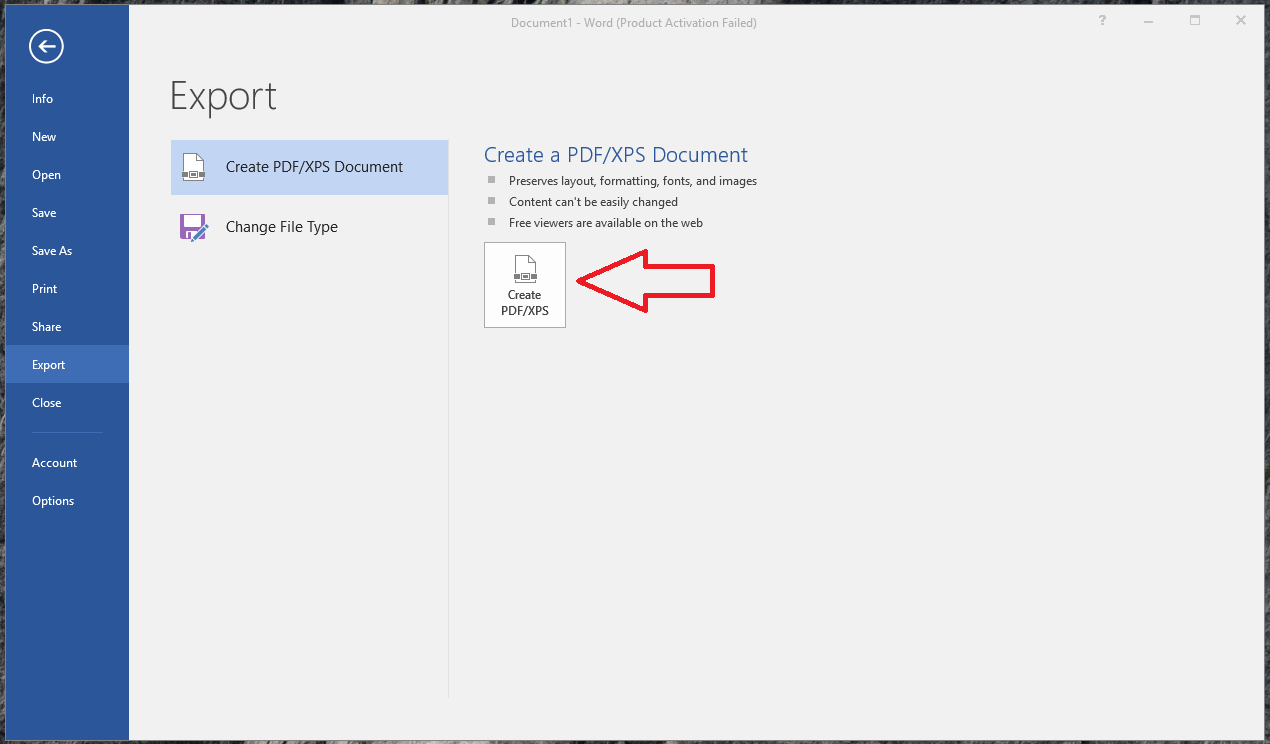
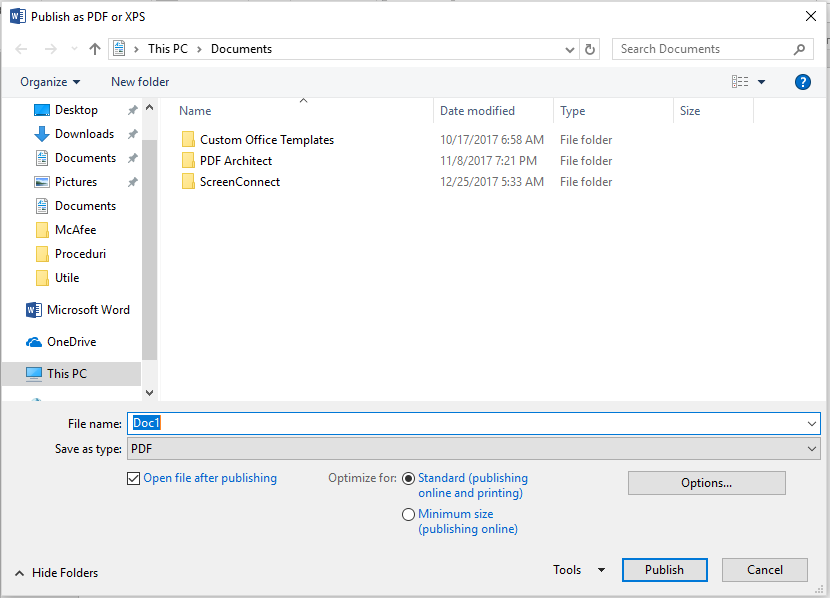
How to convert Word to PDF Data 11/02/2018 Autor Ionut Pavel Categorie OS - Windows -2 1002 Configurare noua (How To) SituatieConvertirea unui Document Word in format PDF Solutie Pasi de urmat Deschidem aplicația Word după care selectam “File” Aici avem mai multe opțiuni unde selectam “Export” După care selectam “Export PDF/XPS” In final ne apare o fereastra unde putem salva și denumi documentul in format PDF. Tip solutiePermanent Etichetare: askitaskit.roExport PDF/XPSHow to convert Word to PDFword to pdf Voteaza Up Down (21 din 44 persoane apreciaza acest articol) ShareTweetShare Despre Autor Ionut Pavel Solutii Asemanatoare Bring your Windows Desktop to life with Wallpaper Engine 5 How to move Taskbar to top or side on Windows 11 4 How to fix high CPU usage in Firefox / Chrome 0 How to fix Hypervisor Error in Windows 10/11 by Checking Drive for File System Errors 5 How to fix Hypervisor Error in Windows 10/11 by restarting Hyper-V Services 1 How to fix Hypervisor Error in Windows 10/11 by running Windows Memory Diagnostic Tool 2 Leave A Comment? × Cancel Reply Save my name, email, and website in this browser for the next time I comment. eight − 4 =
Leave A Comment?