
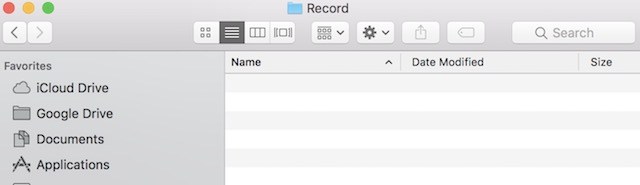
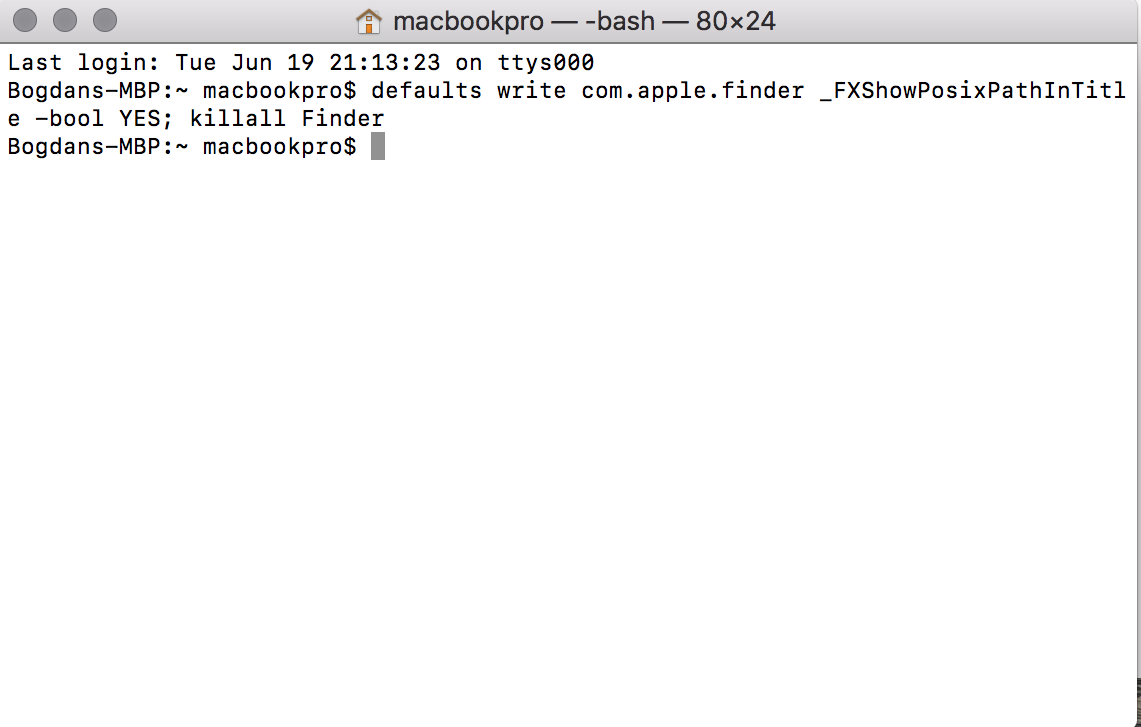
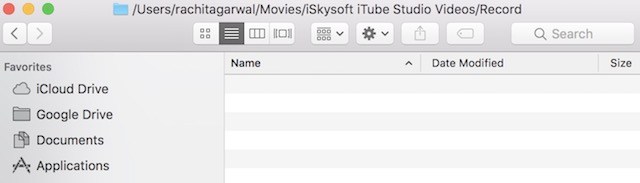
Cum sa arati calea completa in ‘Finder’ Data 22/07/2018 Autor sava bogdan Categorie Soluții -9 695 Configurare noua (How To) SituatieNu poti vedea calea completa a fisierului si vezi doar numele lui. Solutie Pasi de urmat In primul rand trebuie sa deschidem Finder. Pentru a scoate calea la iveala trebuie sa deschidem consola si sa inseram urmatoarea comanda: Dupa ce am introdus comanda de mai sus in loc de numele folderului, va aparea calea: Tip solutiePermanent Etichetare: #Apple #OSX #MacBook #Review Voteaza Up Down (11 din 31 persoane apreciaza acest articol) ShareTweetShare Despre Autor sava bogdan Solutii Asemanatoare Cum schimbati “Initiator Name” in iSCSI 5 ESP32 Web Server guide 1 Fix Windows without losing your Files 5 6 ways to speed up email management in Outlook 2 Cum selectezi si editezi text dintr-o imagine pe Windows 11 -2 My iPhone kept running out of storage—this was the only thing that fixed it -1 Leave A Comment? × Cancel Reply Save my name, email, and website in this browser for the next time I comment. − two = seven
Leave A Comment?