
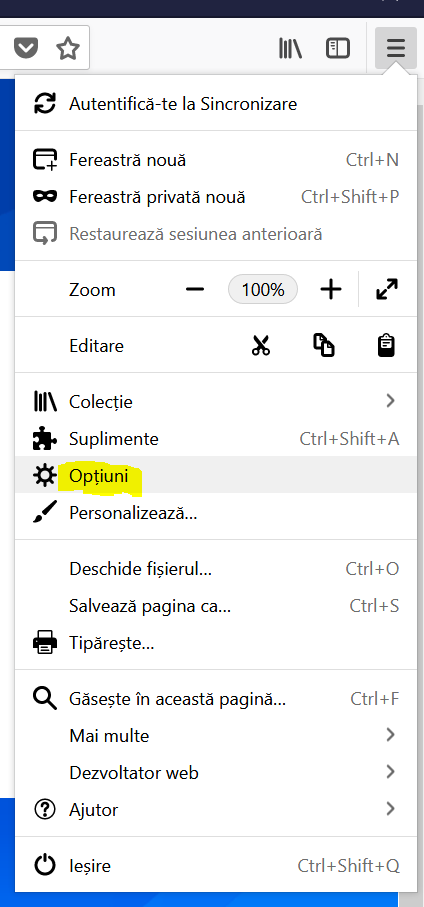
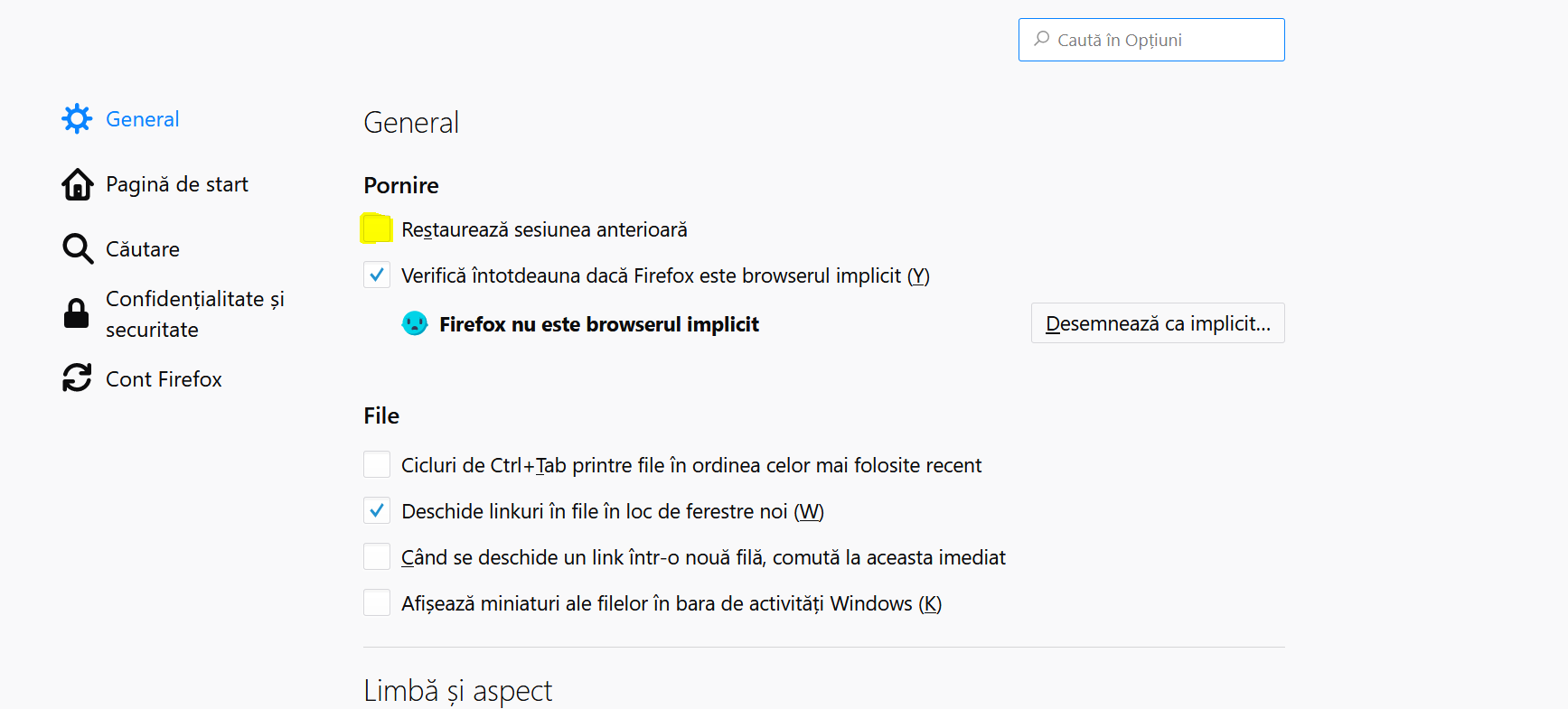
Cum setam functia de restore all sessions pe Firefox Data 10/09/2018 Autor Cristian Anghel Categorie OS - Windows, Configurare program 5 861 Configurare noua (How To) SituatieCum facem sa deschidem paginile pe care le-am avut deschise in Firefox, dar am oprit pc-ul din greseala. Putem urma pasii de mai jos: Backup Nu este necesar. Solutie Pasi de urmat Deschidem Firefox. Accesam meniul prin cele 3 linii orizontale din coltul din dreapta al browser-ului. Dupa accesarea butonului, selectam “Optiuni”. In fereastra nou deschisa bifam optiunea “Restaureaza sesiunea anterioara”. Tip solutiePermanent Etichetare: restaurare Sesiuni firefox; sesiune firefo Voteaza Up Down (22 din 40 persoane apreciaza acest articol) ShareTweetShare Despre Autor Cristian Anghel Solutii Asemanatoare How to fix NVIDIA instant replay not working on Windows 11 via Windows Registry Editor 1 How to fix NVIDIA instant replay not working on Windows 11 via Windows Firewall Settings 2 How to fix NVIDIA instant replay not working on Windows 11 via Windows Security Settings 3 How to fix BSOD Error Rtu53cx22x64.sys by doing a rollback of the driver on Windows 11 2 Implementare Windows Autopilot si Microsoft Intune 2 Fix Windows 11 KB5062553 Update not installing 2 Leave A Comment? × Cancel Reply Save my name, email, and website in this browser for the next time I comment. seven + = thirteen

Leave A Comment?