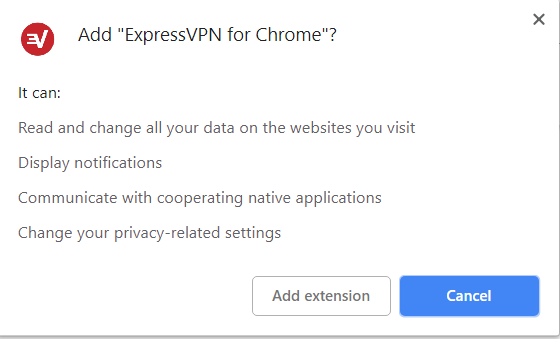
Cum setezi vpn direct din browser cu ajutorul extensiei ExpressVPN Data 23/02/2019 Autor Costinel Cirstea Categorie Soluții, OS - Windows, Configurare program -5 648 Configurare noua (How To) SituatiePentru a utiliza vpn in Chrome, putem folosi extensia ExpressVPN. Pasii de urmat pentru a instala extensia sunt urmatorii: Solutie Pasi de urmat Deschidem o pagina de Google si scriem ExpressVPN Selectati Add to Chrome Selectati Add Extension Tip solutiePermanent Voteaza Up Down (15 din 35 persoane apreciaza acest articol) ShareTweetShare Despre Autor Costinel Cirstea Solutii Asemanatoare How to disable the Drag Tray feature on Windows 11 using the Registry Editor 3 How to disable share Drag Tray at the top of screen on Windows 11 2 5 scurtături din meniul contextual Windows care salveaza timp 1 Tool în taskbar care te scapa de căutările inutile prin meniuri 2 Notificările pot fi oprite cu acest mic utilitar 2 Cum folosești înțelept ChatGPT Atlas 1 Leave A Comment? × Cancel Reply Save my name, email, and website in this browser for the next time I comment. six + = twelve
Leave A Comment?