
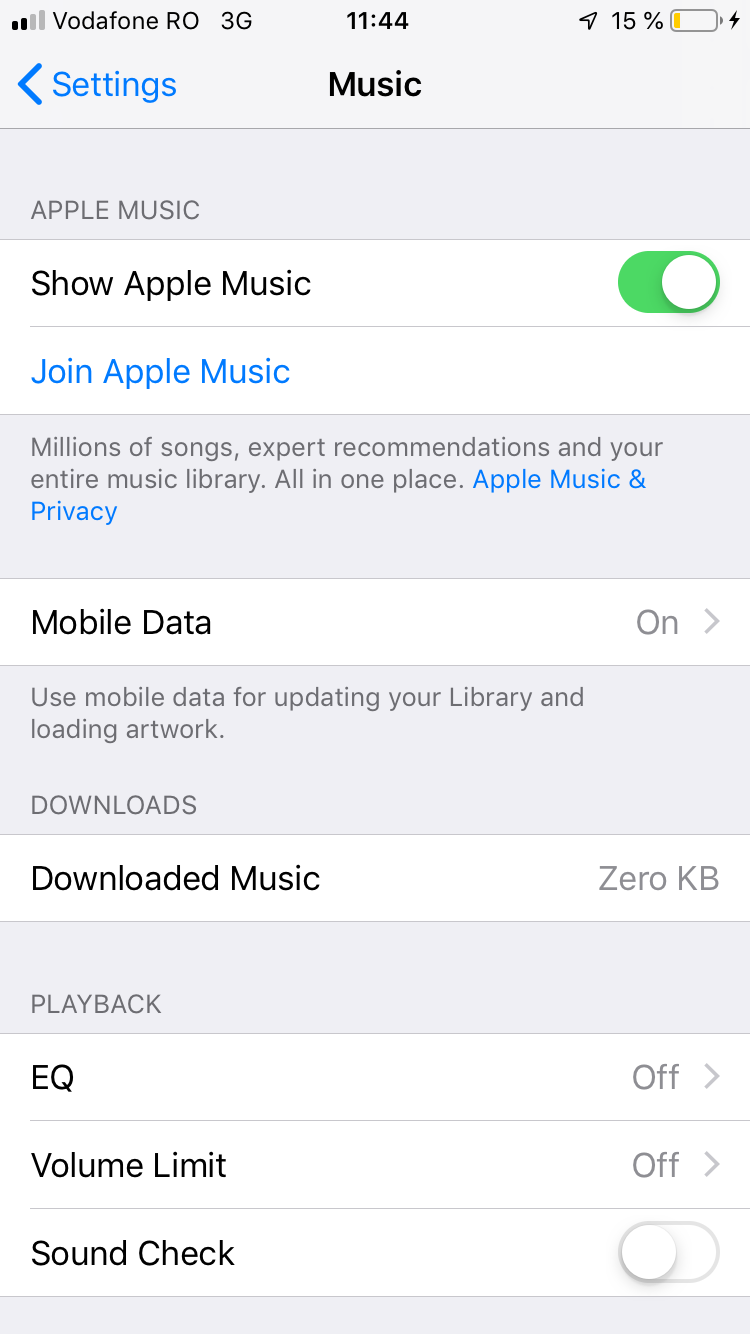
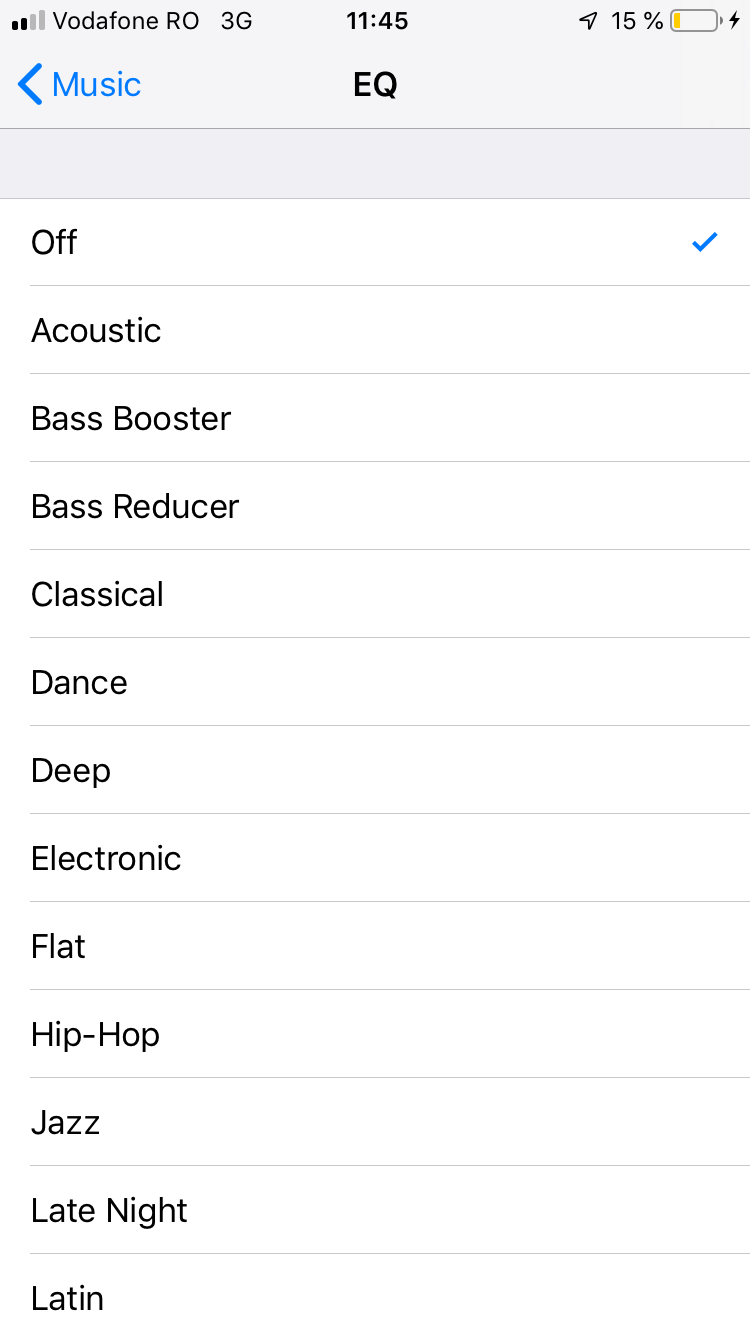
How to adjust Music Equalizer on IOS Devices Data 18/03/2019 Autor silviu babescu Categorie iPhone, Soluții, Mobile -3 1010 Configurare noua (How To) SituatieApple Music has a built in Equalizer setting. Solutie Pasi de urmat First you need to open Settings app on your device and scroll down to “Music” Next you need to tap on “EQ” Now you will see a list of presets. To select one you need to press on it Tip solutiePermanent Voteaza Up Down (34 din 70 persoane apreciaza acest articol) ShareTweetShare Despre Autor silviu babescu Solutii Asemanatoare 3 annoying Windows apps you can replace with an Excel spreadsheet 2 3 Linux commands you’ve overlooked for too long -1 Cum schimbam automat fundalul in Windows in funcție de zi și noapte 1 Cum redimensionam si convertim imagini instant direct din Windows File Explorer 5 Hybrid Cloud Networking: designing reliable connectivity between On-Premises infrastructure and Azure 1 How to turn your Raspberry Pi into an Android TV box 5 Leave A Comment? × Cancel Reply Save my name, email, and website in this browser for the next time I comment. − seven = 1
Leave A Comment?