
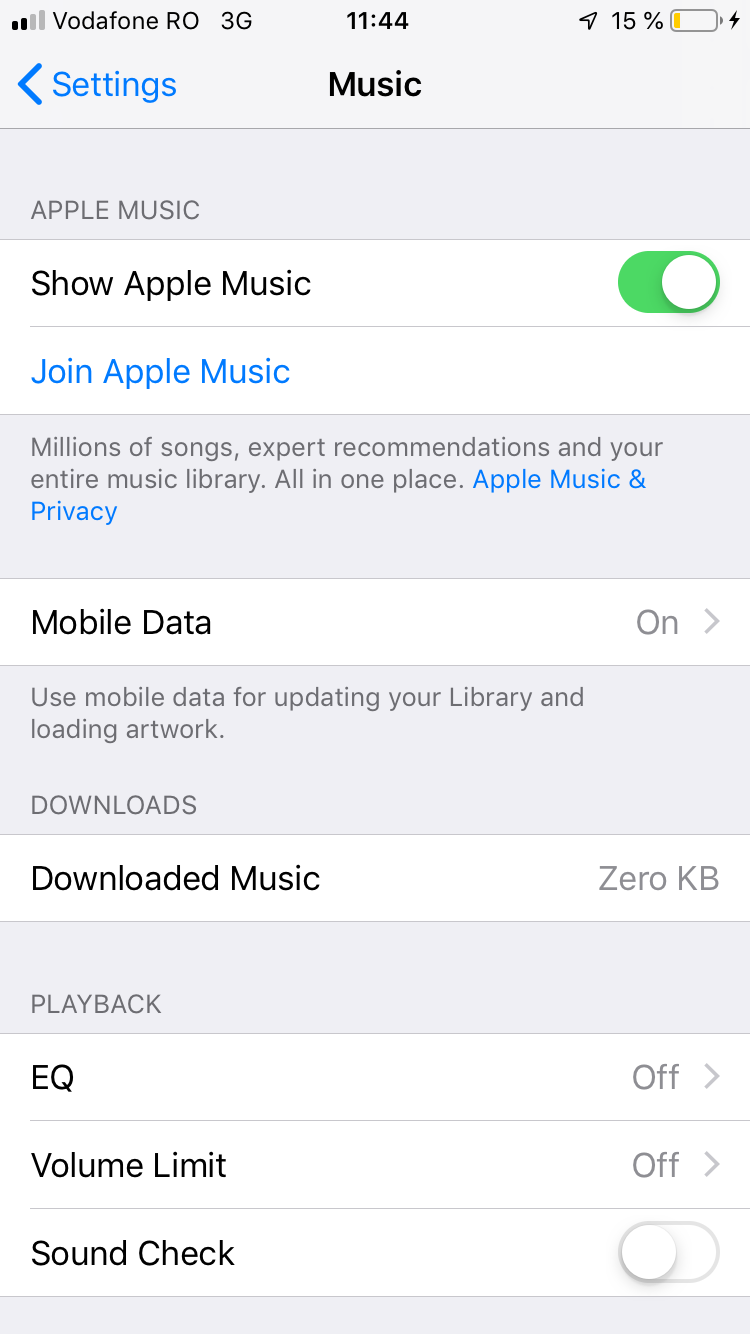
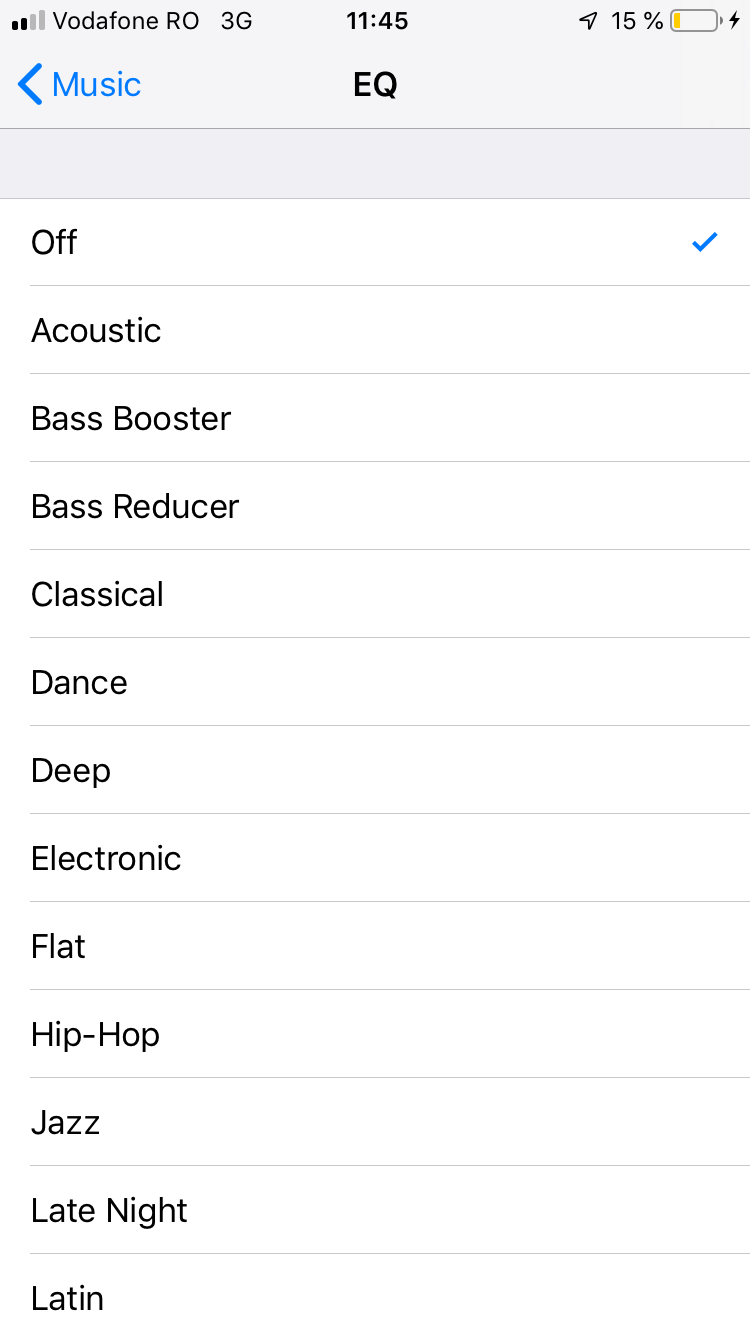
How to adjust Music Equalizer on IOS Devices Data 18/03/2019 Autor silviu babescu Categorie iPhone, Soluții, Mobile -2 974 Configurare noua (How To) SituatieApple Music has a built in Equalizer setting. Solutie Pasi de urmat First you need to open Settings app on your device and scroll down to “Music” Next you need to tap on “EQ” Now you will see a list of presets. To select one you need to press on it Tip solutiePermanent Voteaza Up Down (34 din 69 persoane apreciaza acest articol) ShareTweetShare Despre Autor silviu babescu Solutii Asemanatoare Diagnosticarea și rezolvarea erorii „Kernel panic – not syncing: Attempted to kill init!” 0 Diagnosticarea și rezolvarea erorii „Bus error (core dumped)” în Linux 3 3 Ubuntu versions different than the original 2 5 hidden terminal typos for Ubuntu -1 4 Excel tools you won’t find on the ribbon -2 How to use claude to build automations in Excel 5 Leave A Comment? × Cancel Reply Save my name, email, and website in this browser for the next time I comment. + seven = nine
Leave A Comment?