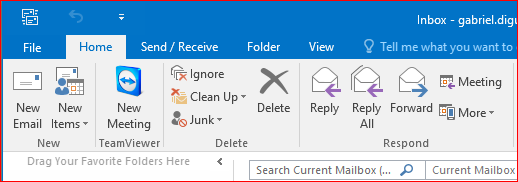
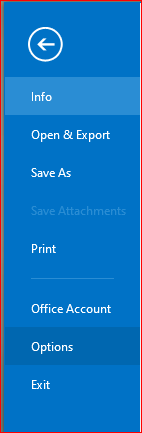
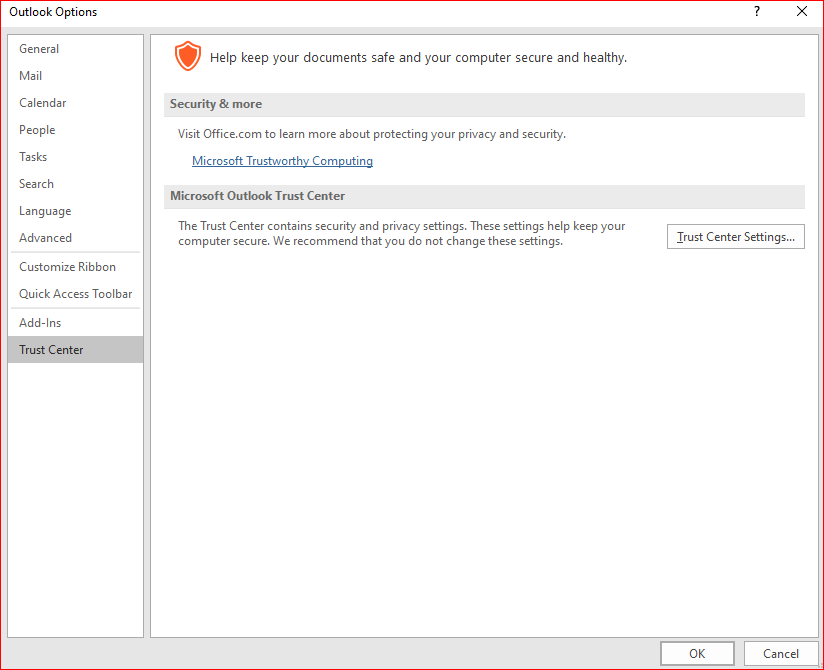
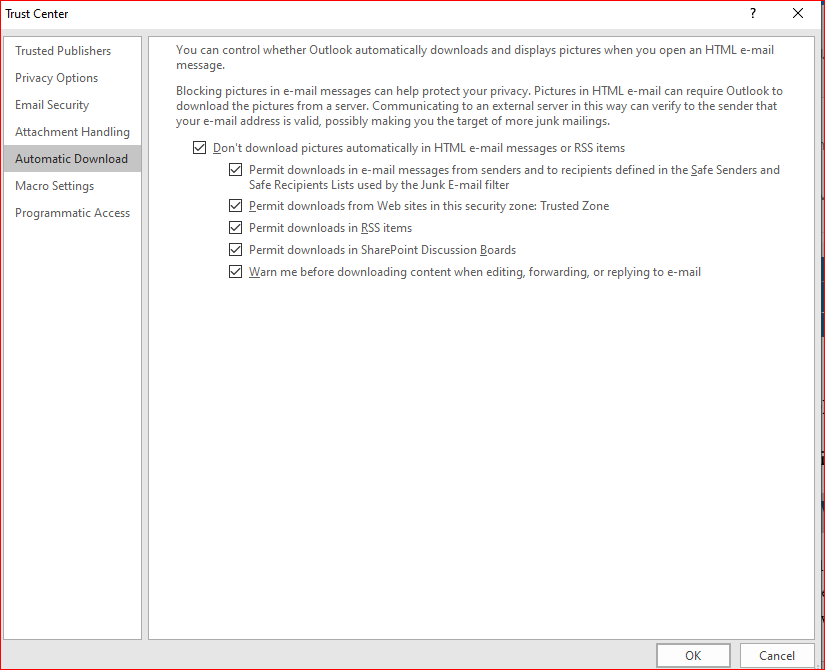
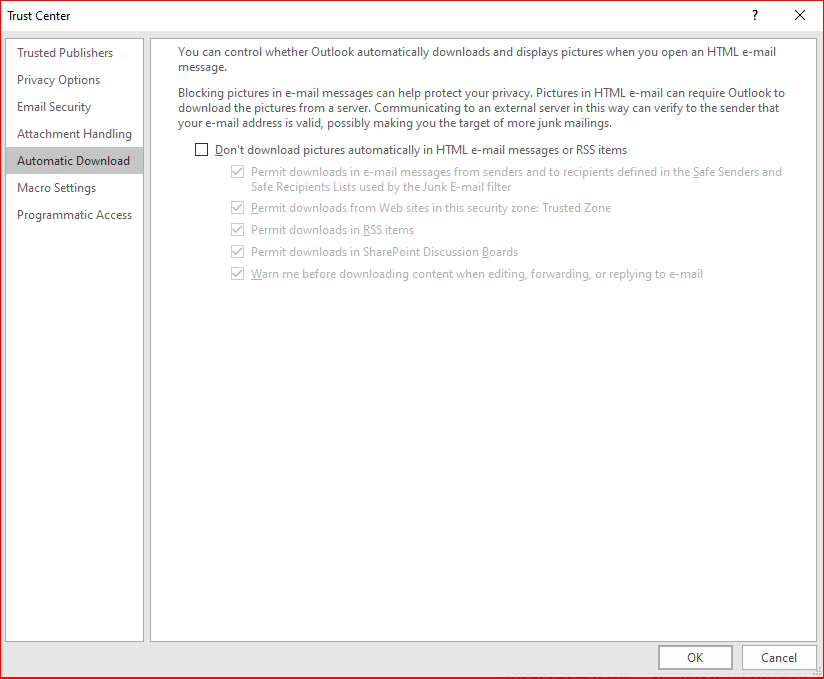
How to fix “If there are problems with how this message is displayed click here to view it in a web browser” in Outlook Data 18/05/2020 Autor digulescu gabriel ionut Categorie Soluții -9 752 Configurare noua (How To) Situatie Solutie 1.Go to File 2.Select Option 3.Click on Trust Center 4.Select Trust Center Settings 5.From Automatic Download uncheck “Don’t download pictures automatically in HTML email messages or RSS items. Tip solutiePermanent Voteaza Up Down (23 din 55 persoane apreciaza acest articol) ShareTweetShare Despre Autor digulescu gabriel ionut Solutii Asemanatoare Cum schimbati diferite permisiuni pentru aplicatii pe Xiaomi Redmi Note 11 Pro+ 5G -1 Analyze Linux Authentication Logs using AI 2 Explain Wireshark captures using AI 2 Review Bash Scripts before running them using AI 3 Analyze Nmap Scan results using AI 3 Activarea multi-sesiunilor pentru Remote Desktop pe Windows Server 4 Leave A Comment? × Cancel Reply Save my name, email, and website in this browser for the next time I comment. eight − = two
Leave A Comment?
