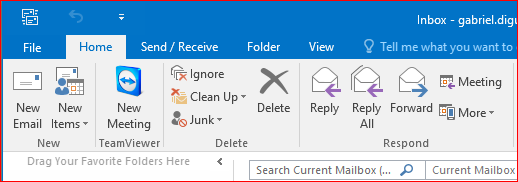
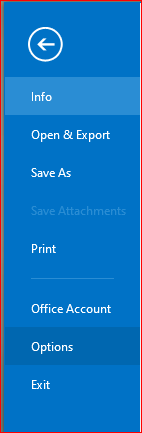
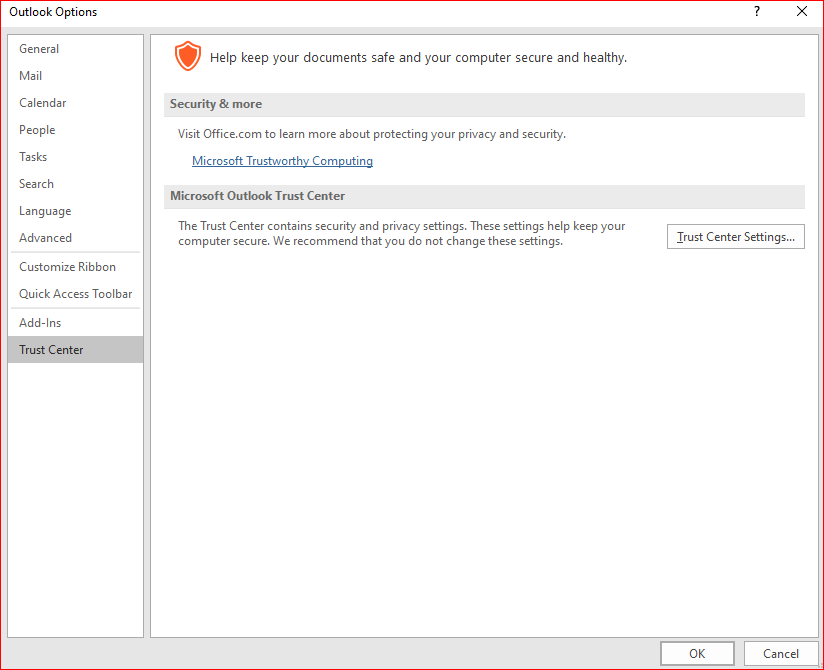
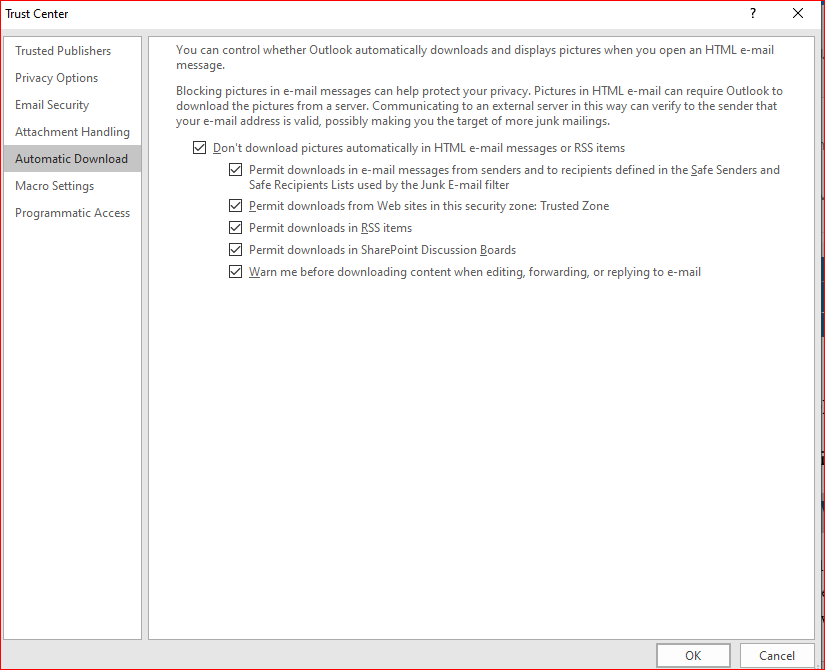
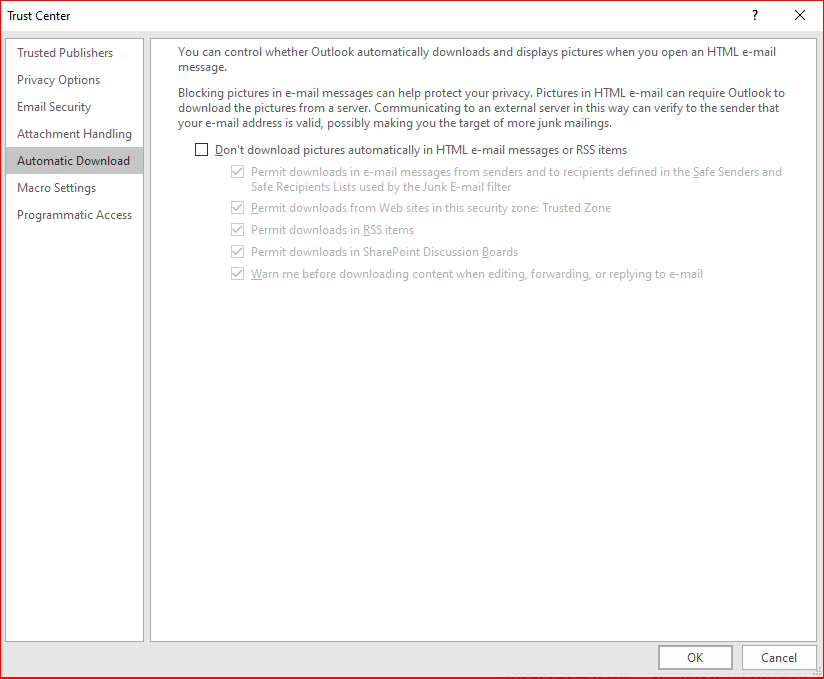
How to fix “If there are problems with how this message is displayed click here to view it in a web browser” in Outlook Data 18/05/2020 Autor digulescu gabriel ionut Categorie Soluții -9 751 Configurare noua (How To) Situatie Solutie 1.Go to File 2.Select Option 3.Click on Trust Center 4.Select Trust Center Settings 5.From Automatic Download uncheck “Don’t download pictures automatically in HTML email messages or RSS items. Tip solutiePermanent Voteaza Up Down (23 din 55 persoane apreciaza acest articol) ShareTweetShare Despre Autor digulescu gabriel ionut Solutii Asemanatoare Activarea multi-sesiunilor pentru Remote Desktop pe Windows Server 3 Stop others using your Instagram Photos in AI Prompts 0 I asked Claude to build 3 Excel automations -3 Cum mentinem o fereastra mereu deasupra celorlalte in Windows 1 Bara de instrumente Microsoft Word a fost gri sau nu răspunde 0 Nu s-a putut actualiza reagent.xml pe computerul Windows 3 Leave A Comment? × Cancel Reply Save my name, email, and website in this browser for the next time I comment. 2 + = ten
Leave A Comment?
