Soluții

How to Disable Hibernation on a Windows 10 PC

Hibernation mode is a cross between sleep mode and turning your computer off. With hibernation mode enabled, you can turn your computer off, and pick up right where you left off immediately. That means all your apps will open the way they were when you left them, and your computer won’t use any power.

[mai mult...]

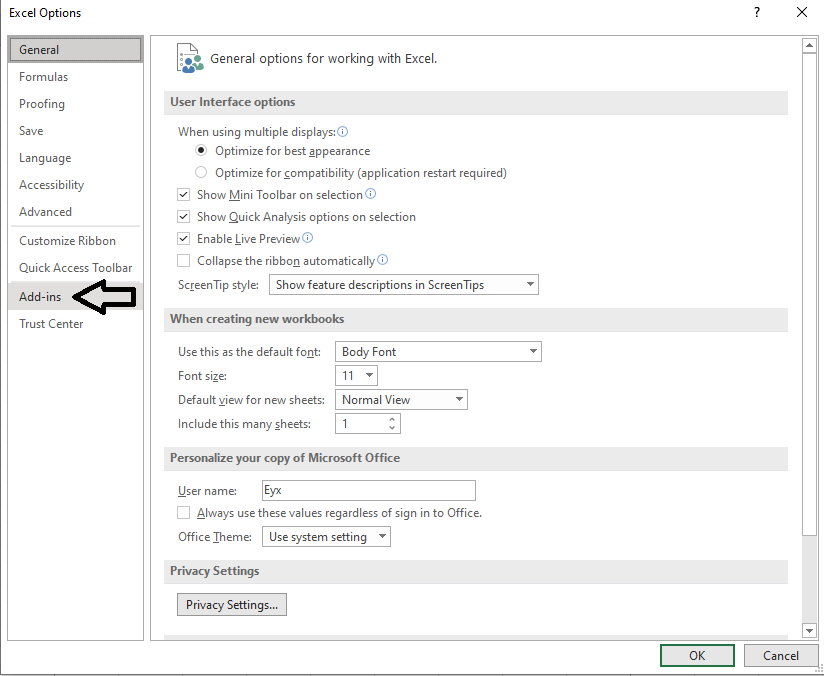
How to add “add-ins” in Microsoft excell

Couple steps you need to follow:

1.Open any Excell file.

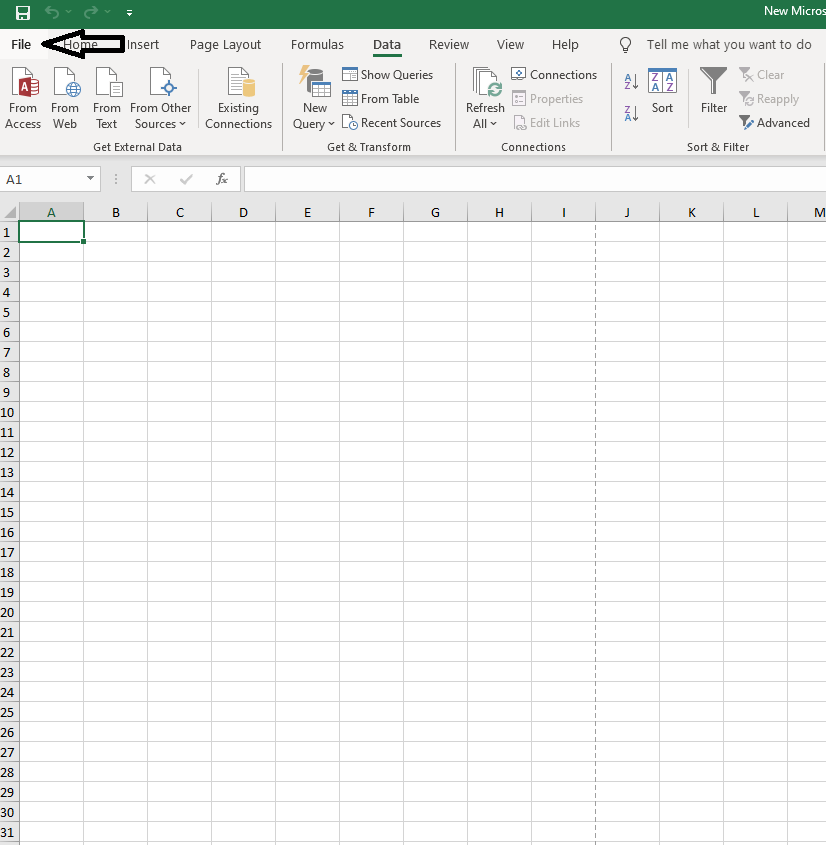
2.Go to the file tab.

3.Go to the bottom left and click on “options”

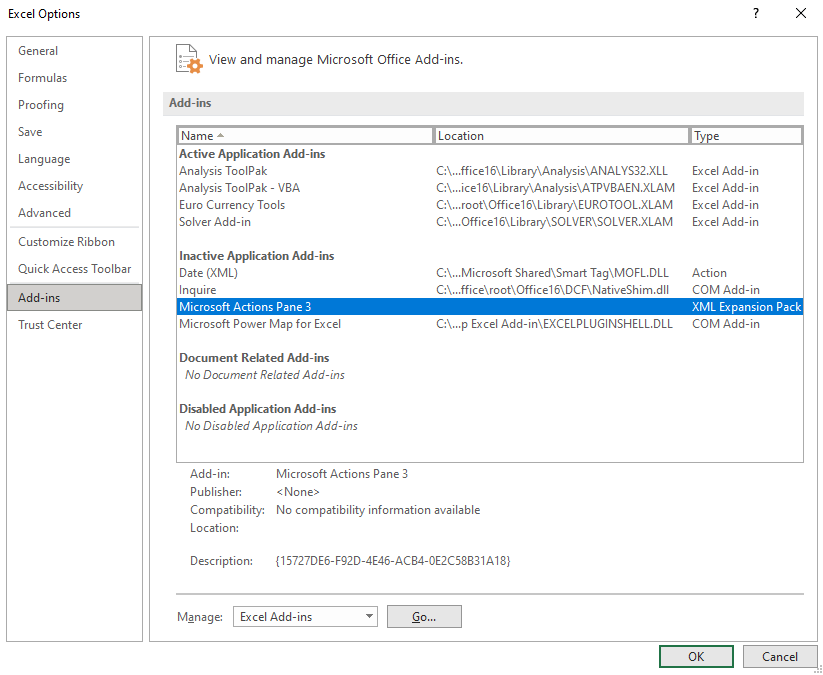
4.On the left side of the pannel go to “Add-ins”,and left click on it.

5.Select any add-in that you want to add and click “OK”.

6.As an example,if you chose to add the “Data analysis” tab it will show up in the “Data” tab,top side,on the right as shown below.

[mai mult...]

Authorize and Install FL Studio & Image Line Plug-ins on P.C.

Authorize your Image-Line software

To authorize any Image-Line product, you first need to create an account. If you already have an account just sign in. Once the account is created, you’ll then need to authorize the software. Follow these steps to authorize your product.

  1. Log in to your Image-Line account. If you don’t have one, you can create it here.
  2. On your account home page, click Unlock Products, expand the Register Boxes and Plugins Serials section, then copy and paste the Serial Number you received from your Sweetwater Sales Engineer.
    • Alternatively, you can go to the Enter Serial page, then copy and paste the Serial Number.
  3. Complete the authorization process and follow the on-screen instructions.
  4. Once authorized, continue to Install and unlock FL Studio or Install and unlock Image-Line plug-ins.
[mai mult...]