Microsoft Photos – error when importing files
When you try to import photos, you receive an error message. This can sometimes be caused by folder permissions.


Soluții pentru problemele tale IT

When you try to import photos, you receive an error message. This can sometimes be caused by folder permissions.
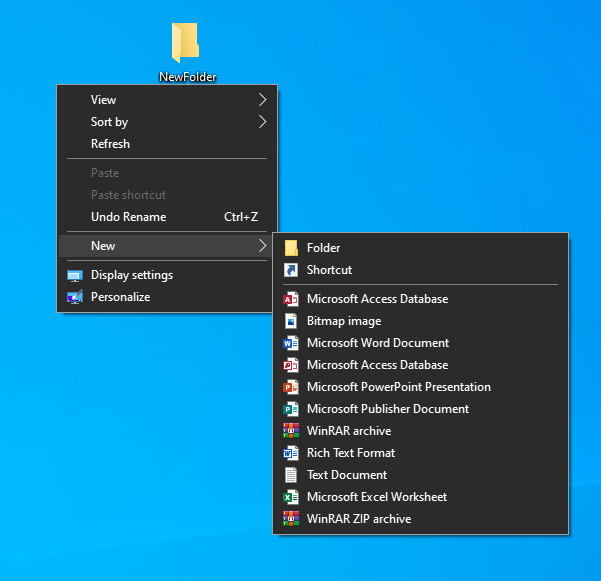
Whenever you create a new folder in Windows 10, the OS automatically set a default name for this folder. So the new folders are created automatically with name New folder. You can then rename that New folder to anything which you want the folder name to be.
If you dual boot Windows and Ubuntu or any other Linux distribution, you might have noticed a time difference between the two operating systems. When you use Linux, it shows the correct time. But when you boot into Windows, it shows the wrong time. Sometimes, it is the opposite and Linux shows the wrong time and Windows has the correct time.
That’s strange specially because you are connected to the internet and your date and time is set to be used automatically. Don’t worry! You are not the only one to face this issue. You can fix it by using the following command in the Linux terminal: timedatectl set-local-rtc 1
A computer has two main clocks: a system clock and a hardware clock. A hardware clock which is also called RTC or CMOS/BIOS clock. This clock is outside the operating system, on your computer’s motherboard. It keeps on running even after your system is powered off. The system clock is what you see inside your operating system.
When your computer is powered on, the hardware clock is read and used to set the system clock. Afterward, the system clock is used for tracking time. If your operating system makes any changes to system clock, like changing time zone etc, it tries to sync this information to the hardware clock.
By default, Linux assumes that the time stored in the hardware clock is in UTC, not the local time. On the other hand, Windows thinks that the time stored on the hardware clock is local time. That’s where the trouble starts.
There are two ways you can go about handling this issue:
It is easier to make the changes in Linux and hence I’ll recommend going with the second method.Ubuntu and most other Linux distributions use systemd these days and hence you can use timedatectl command to change the settings.
What you are doing is to tell your Linux system to use the local time for the hardware clock (RTC). You do that with the set-local-rtc (set local time for RTC) option: timedatectl set-local-rtc 1

Now if you boot into Windows, it takes the hardware clock to be as local time which is actually correct this time. When you boot into Linux, your Linux system knows that the hardware clock is using local time, not UTC. And hence, it doesn’t try to add the off-set this time.
This fixes the time difference issue between Linux and Windows in dual boot.
[mai mult...]We have some images as a .heic format that we can’t open in Windows 10.
[mai mult...]