Aflare parola Wi-Fi Google Pixel Android 10
Acest ghid va arata pasii necesari pentru aflarea parolei retelei de Wi-Fi pentru care v-ati conectat anterior sau inca sunteti conectati.
[mai mult...]
Soluții pentru problemele tale IT

Acest ghid va arata pasii necesari pentru aflarea parolei retelei de Wi-Fi pentru care v-ati conectat anterior sau inca sunteti conectati.
[mai mult...]Have you ever wanted to try out beta versions of your favorite apps? Perhaps, you want to get early access to certain app features that the developers are working on? TestFlight makes it easy to beta test apps on iPhone and iPad, so let’s review how it all works.
For the unfamiliar, Apple offers an app called TestFlight that allows developers, beta testers, and even regular users to try out test versions of apps that haven’t been published on the App Store yet. This essentially gives you early access to new features weeks or sometimes even months ahead of the public release. Even though they tend to be buggy and prone to crashes, a lot of iOS and iPadOS users seem to be interested in installing beta versions of their favorite apps.
Before you get started, we’d like to point out you can’t access beta tests just like that. You’ll need either a private invite or a public Testflight link to gain access to the beta versions of the app. This depends completely on the app developer, though many developers have public betas to solicit feedback for their apps.

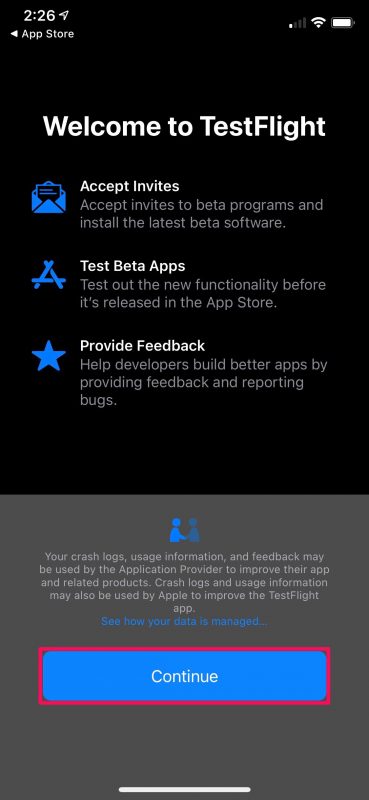
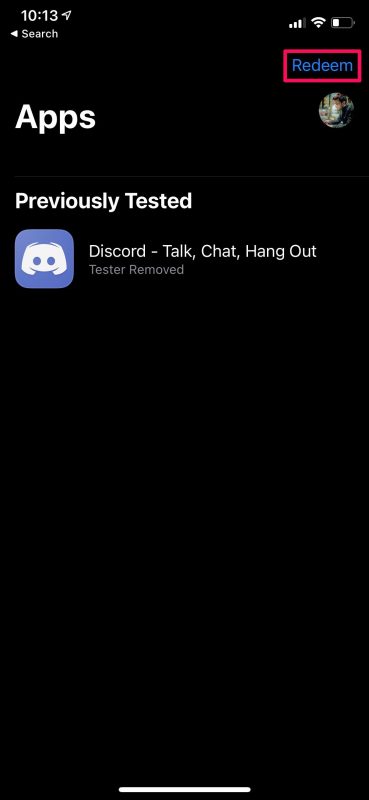
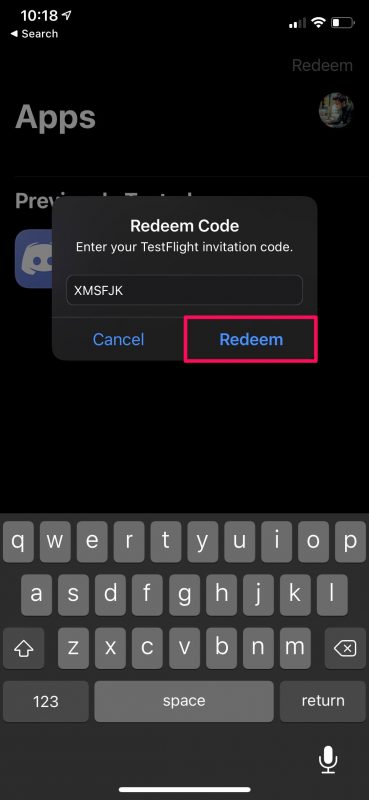
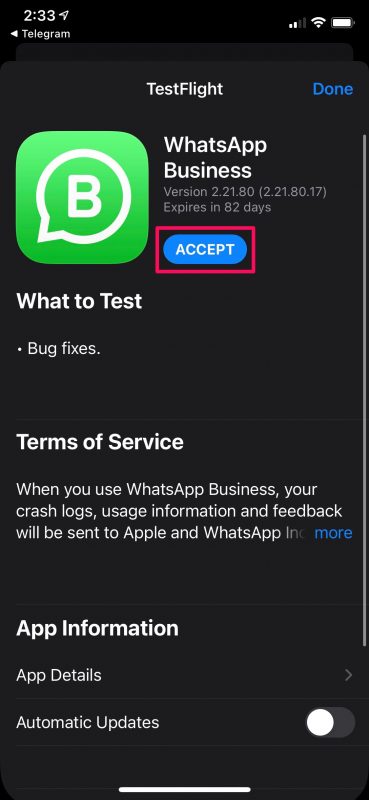
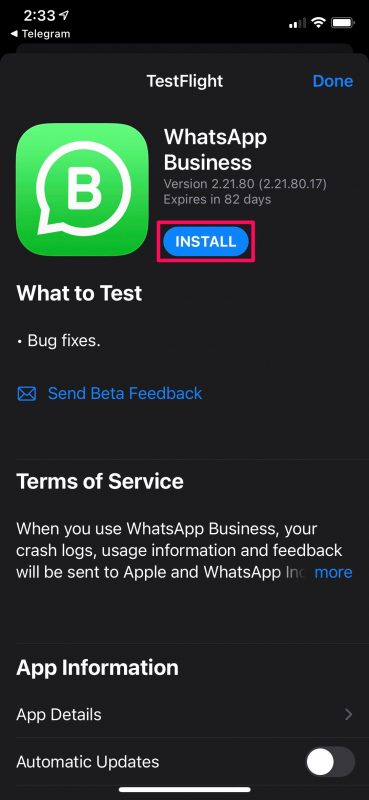
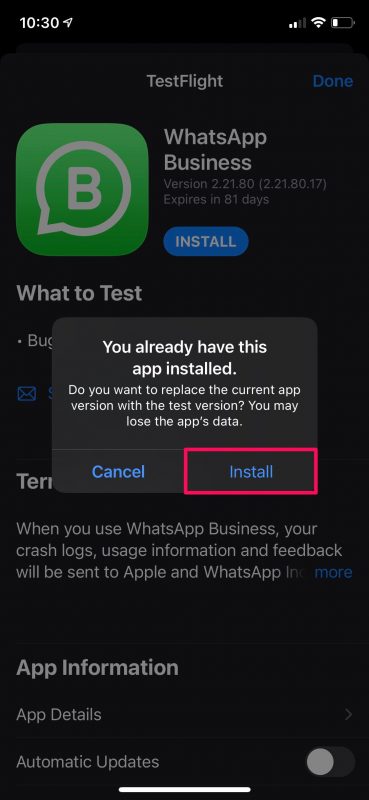
There you go. You’ve successfully installed the beta version of the iOS app on your iPhone.
[mai mult...]Do you have an M1 Mac that you’d like to factory reset as if it were brand new? The process of factory resetting the M1 Mac line to restore the Mac to factory defaults basically erasing all data and reinstalling a blank macOS.
Before you go ahead with the steps mentioned below, make sure you back up the Mac and all the important files and data you want to keep as they will be permanently erased during the factory restoration. Without a backup, you will not be able to get those files back.
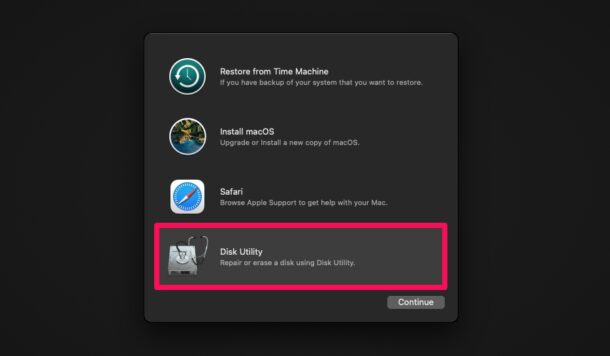
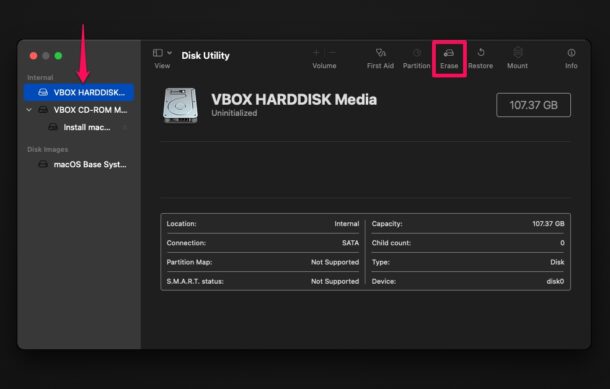
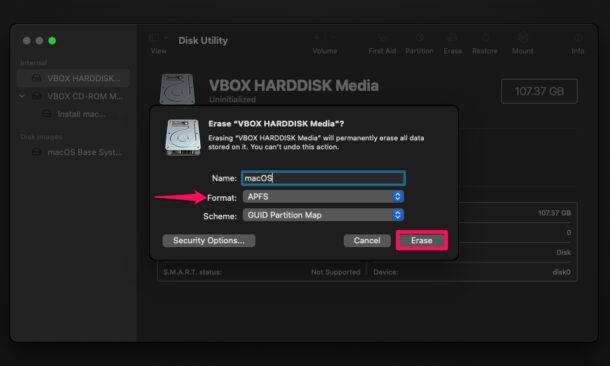
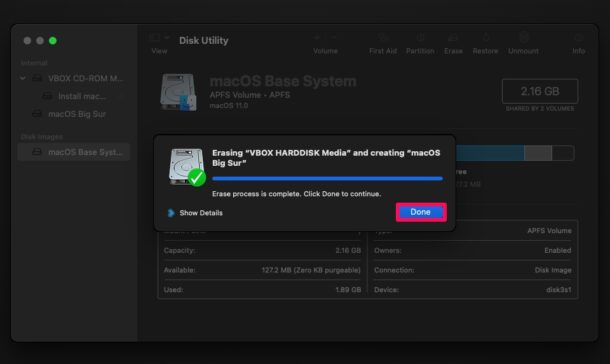
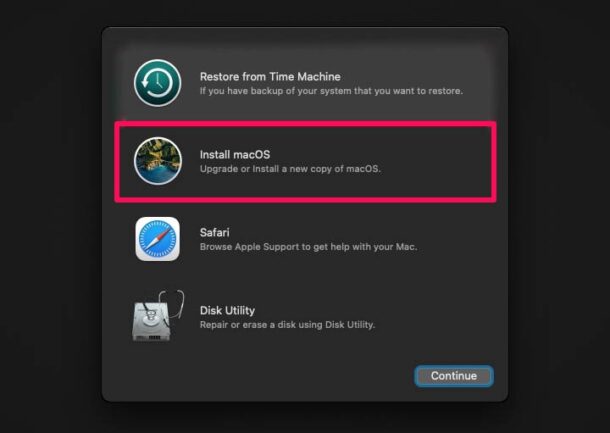
That’s all you need to do to perform a factory reset. At this point, you just need to patiently wait for the installation process to complete which could take a while. After the factory reset, you’ll need to go through the initial set-up screen like it’s a brand new Mac.
[mai mult...]You see the following error and wonder what this is all about.
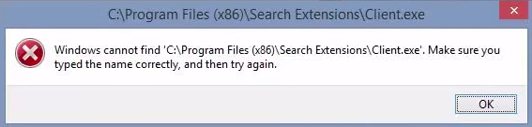
Search Extensions\Client.exe (C:\Program Files (x86)\Search Extensions\Client.exe) is part of an adware program (Rocket Tab), that displays pop-up ads and advertisements on web pages that you visit.
For those who aren’t aware, Disk Utility has been an integral part of macOS since the beginning of Mac OS X. In addition to allowing users to erase and format their Mac’s storage drive before reinstalling macOS, it’s also capable of searching for errors related to the formatting and directory structure of the disk. Be cautious about disk errors though, as they can often lead to unexpected system behavior, and sometimes major errors can even prevent your machine from booting completely. Thus, using the repair function may be useful.
Before you go ahead with the following procedure, make sure you have made a Time Machine backup of your Mac so that you don’t permanently lose files that may be damaged during the process or if Disk Utility detects errors that it can’t repair. You’ll need to boot into recovery mode, a process that is different with ARM Apple Silicon Macs compared to Intel.
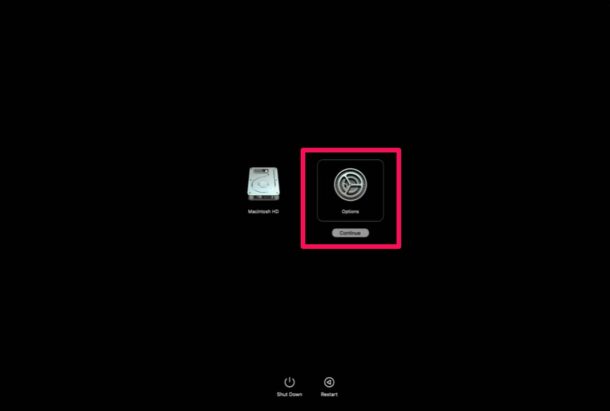
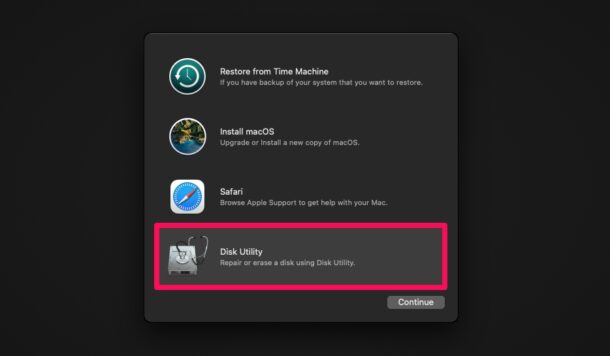
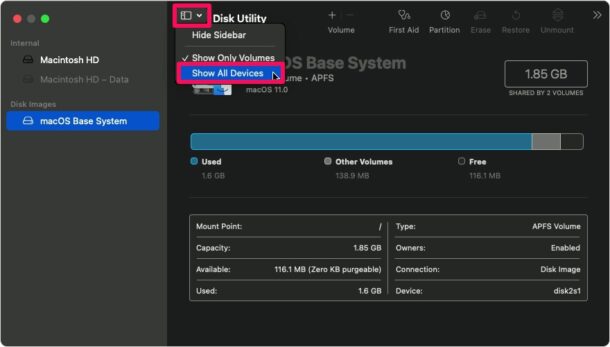
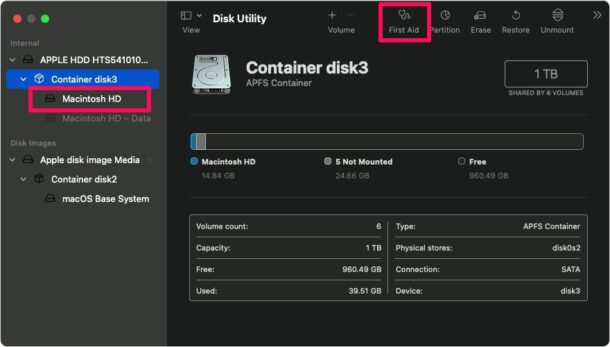
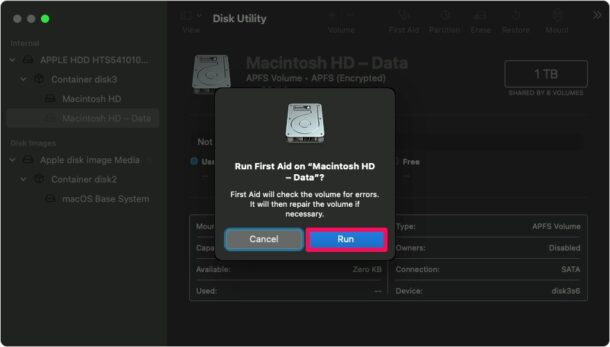
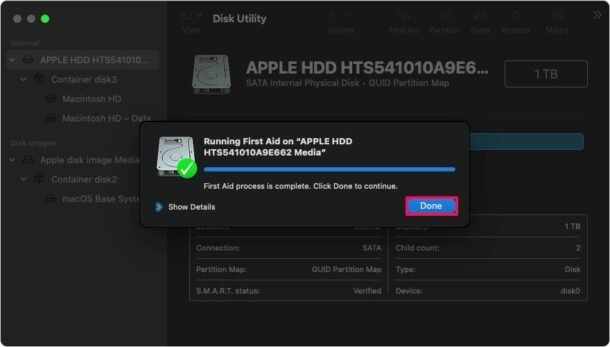
Once you’re done repairing your disk, you can exit out of macOS Utilties by clicking on the Apple logo from the menu bar and choosing “Restart” to reboot your Mac normally.
[mai mult...]What is the test mode?
The test mode message indicates that the test signing mode of the operating system is started on the computer. The test signing mode may start if an installed program is in a test phase because it uses drivers that are not digitally signed by Microsoft.