Don’t want to enter your password every time you log in to your Chromebook? If you have an Android smartphone, you can unlock your computer almost instantly. Here’s how to set it up. Before you can unlock your Chromebook with your Android phone, you’ll first have to pair both devices. Do note, though, that this functionality is only available for phones running Android 5.1 or higher and for Chromebooks with at least the Chrome OS 71 update.
For this to work, you’ll also need to make sure that both your Chromebook and Android phone are signed in with the same primary Google account.
Windows 10 includes a tool called the Game Bar, and it has some cool features you might not know about. You can control Spotify while gaming without having to switch out of full-screen mode. Without the Game Bar, controlling Spotify while gaming can feel jarring because you’re probably playing your game in full-screen mode. If at any time you want to adjust playback, you have to press Alt+Tab to do so.
The Game Bar includes a Spotify widget that floats over your game whenever you need it.
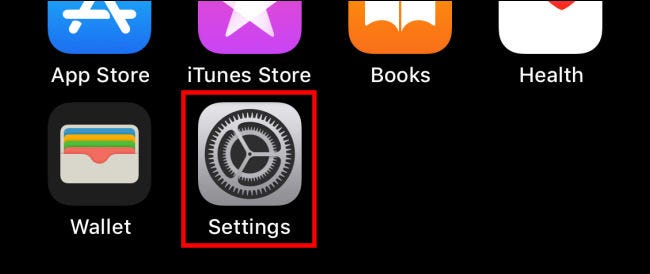
Dark mode, first introduced in iOS 13, offers a dark theme that’s easier on your eyes, especially at night. If you’d like your iPhone to automatically switch to Dark mode at sunset, it’s as easy as visiting the Settings app. Here’s how to set it up.