

Fix: Windows Backup Failed To Get an Exclusive Lock on EFI partition (ESP)
Eroarea „Windows Backup failed to get an exclusive lock on the EFI partition (ESP)” apare de obicei atunci când există o aplicație care refuză accesul la proces. Imaginile de sistem sunt de mare ajutor și majoritatea utilizatorilor creează de obicei o imagine de sistem ori de câte ori încearcă să facă ceva despre care știu puțin. Imaginile de sistem, dacă nu știți, sunt practic copii ale întregului sistem stocate într-un fișier. Aceste imagini pot fi utilizate ulterior pentru a restabili sistemul în aceeași stare când a fost creată imaginea.
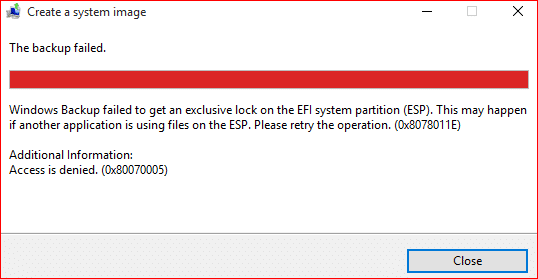
Cu toate acestea, anumiți utilizatori au raportat că se confruntă cu problema menționată atunci când încearcă să creeze o imagine de sistem. Dacă acest caz vă este aplicabil, urmați soluțiile oferite mai jos pentru a evita problema dvs. în cel mai scurt timp.
[mai mult...]