Soluții

Use your iPhone as a Microphone for your Mac

When Apple released macOS Ventura in October 2022, it introduced a new take on its Continuity Camera feature by letting users use their iPhone’s camera as a webcam for their Mac. Continuity Camera works wirelessly or wired in FaceTime, Zoom, and other apps, and delivers video directly from a user’s nearby ‌iPhone‌ camera, which has significantly better quality than the built-in camera on Macs.

Another function of Continuity Camera is the ability to use a nearby iPhone as the microphone input for your Mac. As long as the iPhone is running iOS 16 or later and signed into the same Apple Account, you can speak into it and the audio will be seamlessly delivered to your Mac, sans video.

[mai mult...]
Cum folosești paru în distribuțiile bazate pe Arch Linux

Arch Linux și distribuțiile derivate (precum EndeavourOS, Manjaro sau ArcoLinux) oferă utilizatorilor un control total asupra sistemului. Totuși, gestionarea pachetelor din AUR (Arch User Repository) poate fi anevoioasă fără un helper bun. Aici intervine paru, un AUR helper modern, rapid și intuitiv scris în Rust.

Ce este paru?

paru este un AUR helper dezvoltat ca o alternativă modernă la yay. Este compatibil cu pacman, folosește o interfață similară, dar vine cu funcții suplimentare, cum ar fi:

  • Suport pentru culori și UI prietenoasă

  • Prompturi interactive pentru alegerea pachetelor

  • Căutări fuzzy

  • Completări automate în shell.

[mai mult...]

Cum optimizezi Arch Linux cu sched-ext

Arch Linux este cunoscut pentru flexibilitatea și controlul total pe care îl oferă utilizatorilor. Dacă ești în căutarea unui mod avansat de a îmbunătăți performanța sistemului tău, mai ales pe sisteme moderne cu procesoare multicore, noul framework de scheduling extensibil din Linux — sched_ext — ar putea fi ceea ce cauți.

sched-ext este un framework recent introdus în kernelul Linux care permite rularea de scheduleri personalizați în user space. Spre deosebire de clasicele CFS (Completely Fair Scheduler) sau BFS (Brain Fuck Scheduler), sched-ext permite dezvoltatorilor și pasionaților să testeze și să folosească noi algoritmi de scheduling fără a recompila kernelul de fiecare dată.

Acest framework este perfect pentru tweaking avansat, oferind control granular asupra prioritizării sarcinilor, latenței și consumului de resurse.

[mai mult...]

5 Things to consider before picking your first linux distro

The Linux desktop environments (DEs) determine how the OS looks and feels and how you interact with it. The DE includes windows, icons, panels, menus, and any GUI you interact with when using the OS. Naturally, choosing the wrong DE will lead to a poor overall experience.

Not all Linux distros come with a DE preinstalled. Arch Linux and Debian lack both a DE and a GUI. You’ll need to set them up yourself. That’s why beginners should avoid these distros. Want to get to know some of the popular Linux DEs? Starting off, we have GNOME. It’s very popular but a huge departure from the conventional desktop experience seen on Windows or macOS. GNOME is super minimalistic with a heavy focus on virtual desktops for app management.

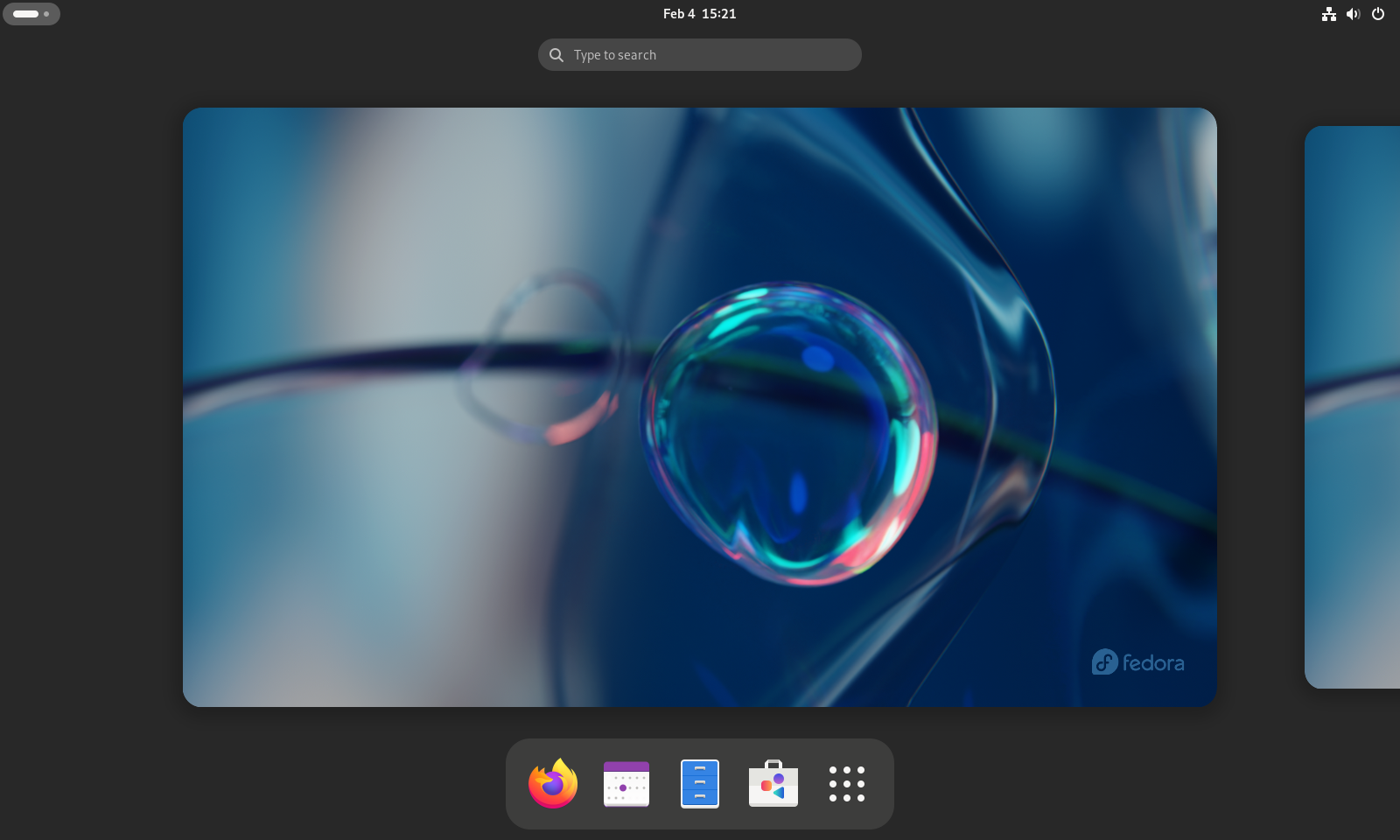
You can try Fedora for the vanilla GNOME experience.

Fedora Linux Activies Overview showing a the desktop switcher and dock.

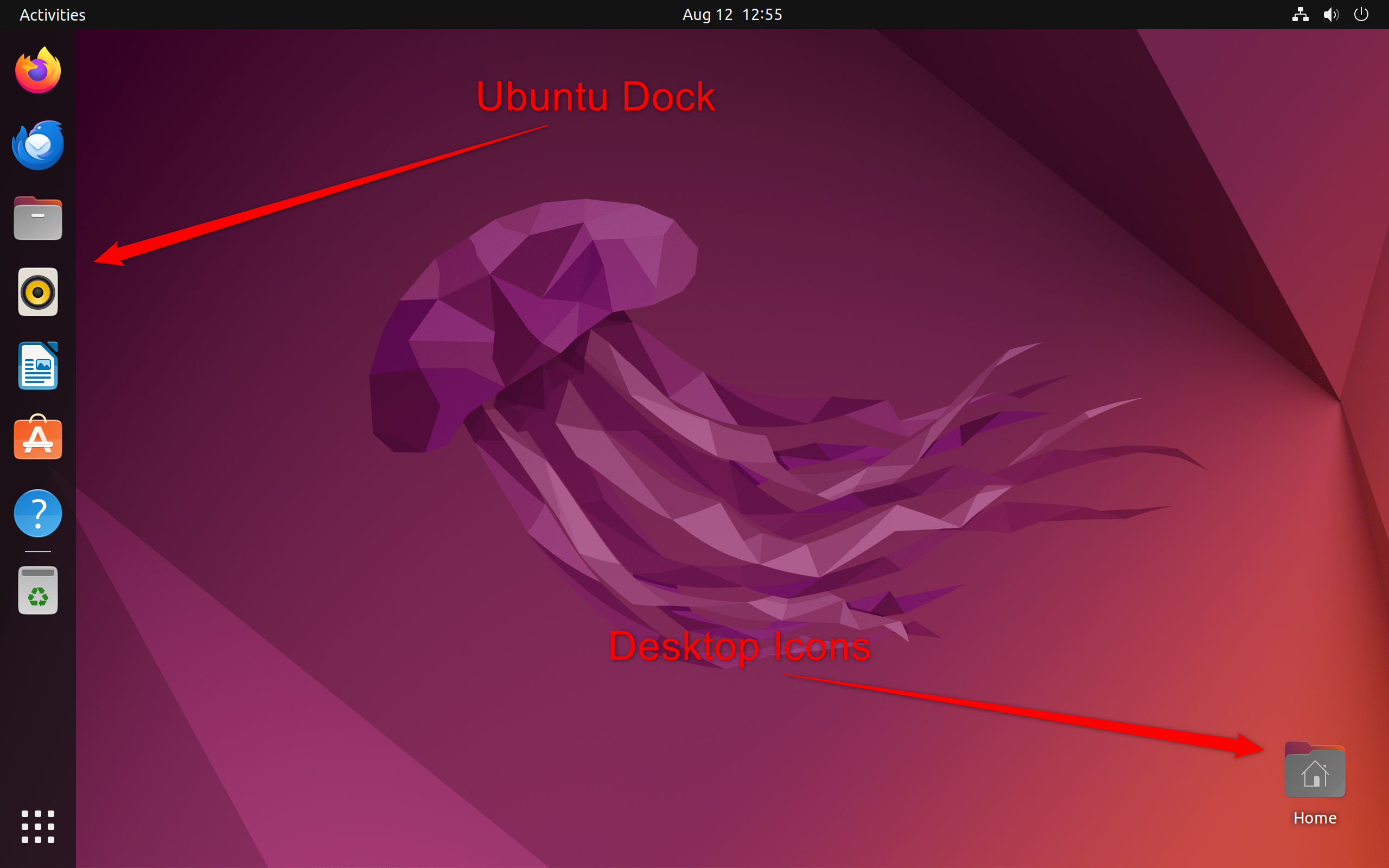
Alternatively, you can use Ubuntu, where you get a customized GNOME experience supporting a dock and desktop icons to make it more user-friendly.

The Ubuntu Desktop With Dock and Icons

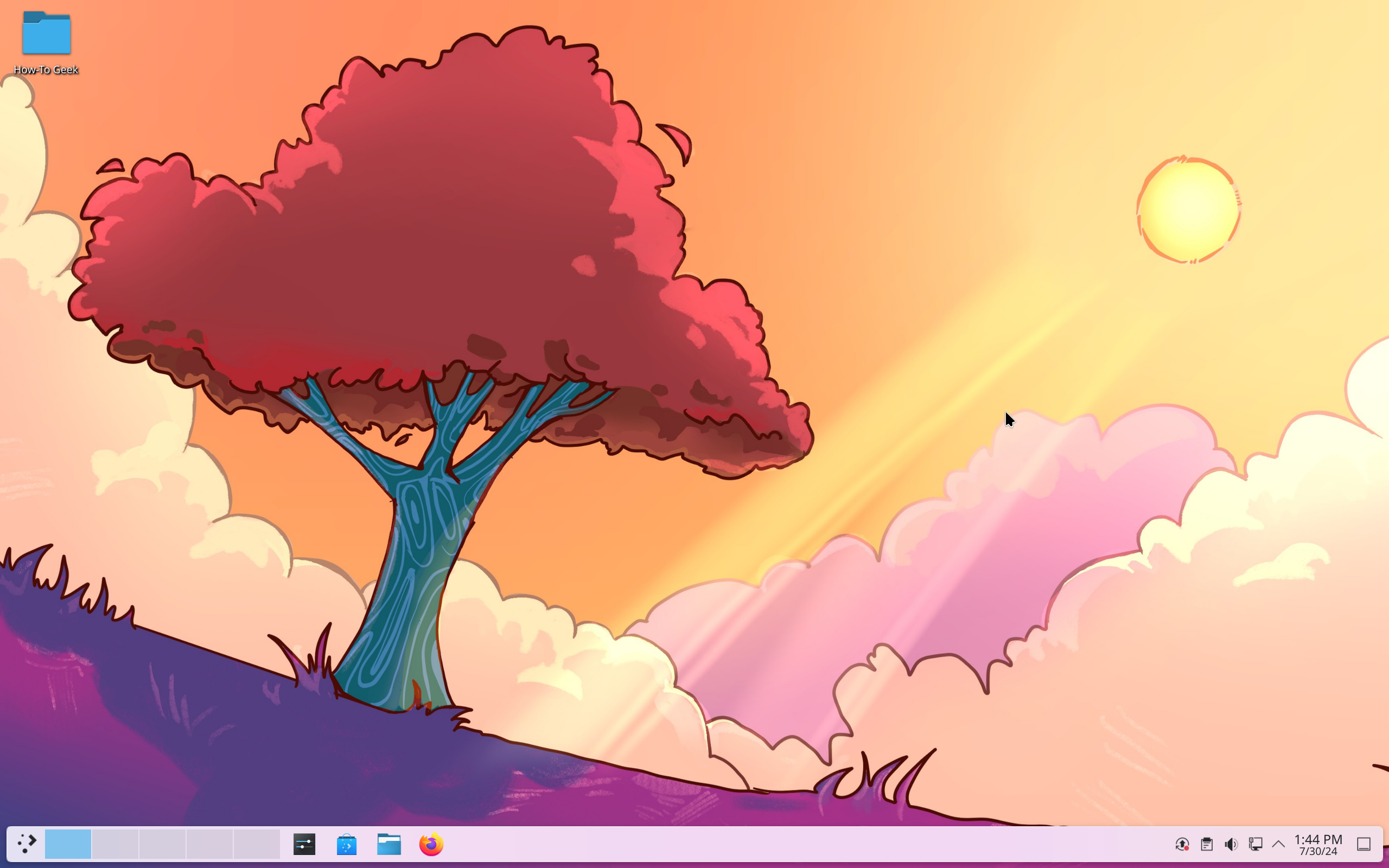
However, if you want something more familiar yet powerful, go with KDE Plasma. It’s highly customizable with tons of advanced settings and options.

KDE Neon Overview

By default, it looks like Windows. However, you can tweak it to resemble macOS—which is what Garuda Linux does.

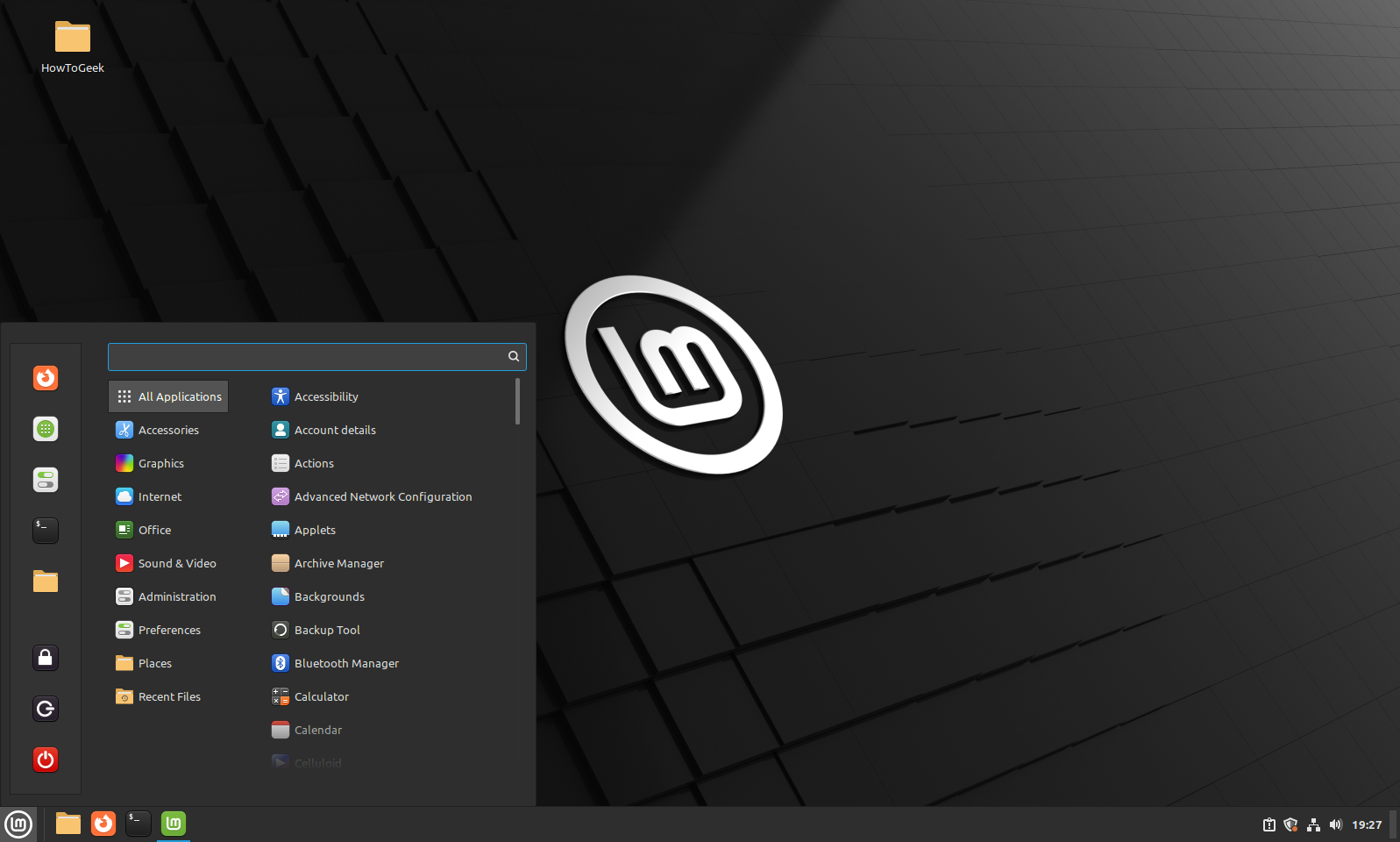
That said, having so many options can be overwhelming—especially for those looking for a simpler OS. Cinnamon can be a great option here with its traditional Windows 7-ish layout and favorable balance between features and usability. It has a gentle learning curve to ensure you focus on using the OS instead of learning the OS. Linux Mint is the definitive way to experience Cinnamon.

Linux Mint Desktop Overview.

Now, there are dozens of other DEs, but I recommend starting with either GNOME, KDE Plasma, or Cinnamon. One of these will likely meet your needs. As you get comfortable, you can explore other DEs.

[mai mult...]