
Situatie
To reveal the hidden setting, follow these steps:
Solutie
1. Open Start on Windows 11
2. Search for regedit and click the top result to open the Registry Editor
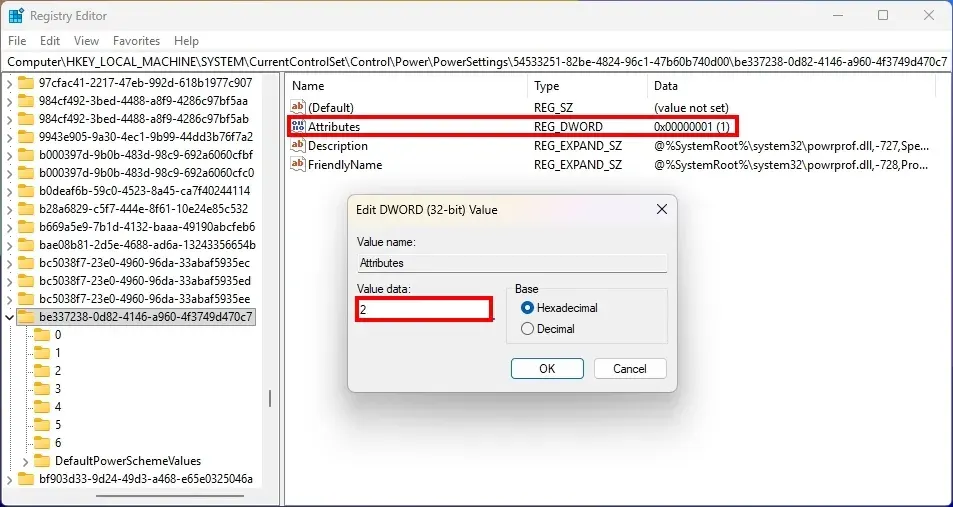
3. Open the following path:
HKEY_LOCAL_MACHINE\SYSTEM\CurrentControlSet\Control\Power\PowerSettings\54533251-82be-4824-96c1-47b60b740d00\be337238-0d82-4146-a960-4f3749d470c7
4. Double-click the Attributes DWORD value
5. Change the value from 1 to 2
6. Click the OK button
7. Restart the computer
8. To configure the feature, follow these steps:
9. Open Control Panel
10. Click on Hardware and Sound
11. Click on Power Options
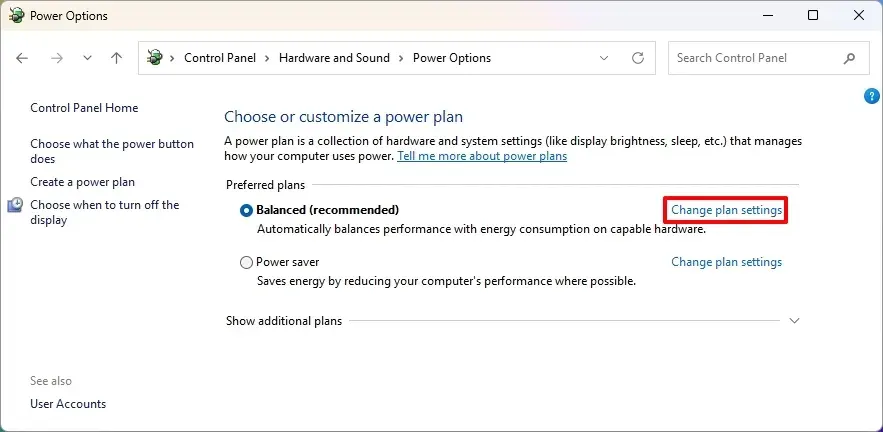
12. Click the “Change plan settings” option for the active power plan
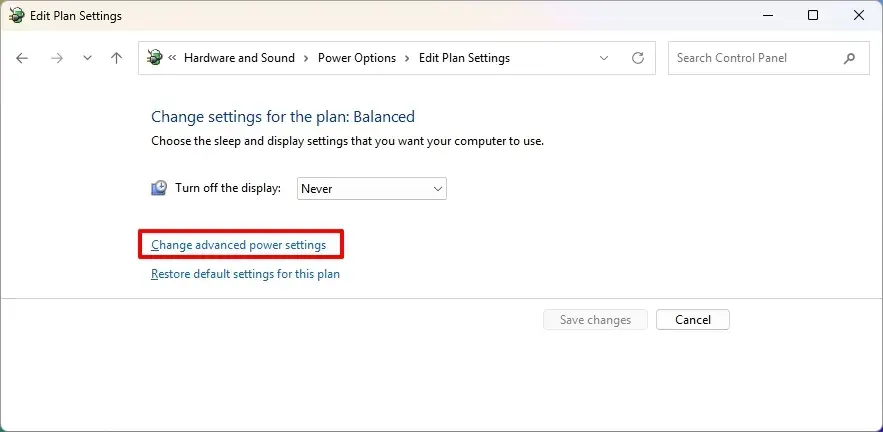
13. Click the “Change advanced power settings” option
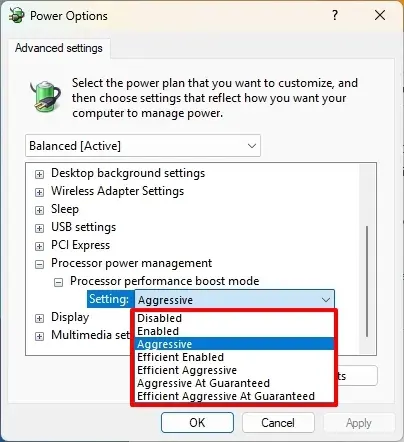
14. Open the “Processor power management” item
14. Open the “Processor performance boost mode” item
15. Choose the desired option, including Enabled, Aggressive, Efficient Enabled, or Efficient Aggressive
16. Click the Apply button
17. Click the OK button
18. After you complete the steps, the changes should take effect immediately in the system.
Leave A Comment?