
Configurare program

Create an image of a VM using Powershell in Azure

Creating an image directly from the VM ensures that the image includes all of the disks associated with the VM, including the OS disk and any data disks. This example shows how to create a managed image from a VM that uses managed disks.

Before you begin, make sure that you have the latest version of the AzureRM.Compute PowerShell module, which must be version 5.7.0 or later. To find the version, run Get-Module -ListAvailable AzureRM.Compute in PowerShell. If you need to upgrade, see Install Azure PowerShell on Windows with PowerShellGet. If you are running PowerShell locally, run Connect-AzureRmAccount to create a connection with Azure.
[mai mult...]

How To Choose How Much Mail Outlook Downloads to Your Computer

You might think that Outlook will display all of your mail (after all, why wouldn’t it) but by default, the Outlook client only keeps the last year of email on your computer. All of your mail still exists on the Microsoft Exchange server but it’s not visible on Outlook. Here’s why Microsoft sets this default and how to change it if you want.

Note: The following information covers all versions of Outlook from 2013-2019, including Outlook 365. It also only applies if you’re connecting to a Microsoft Exchange server, and that includes if you connect to Hotmail or Outlook.com. If you connect to another service, like Gmail or a personal mail server, you can configure these options, but Outlook will ignore them.

[mai mult...]

How to Prevent PowerPoint from Automatically Resizing Text

In PowerPoint, when you type, you may notice that if you enter more text than can fit inside a text placeholder, the text is automatically resized to a smaller size. This is called AutoFit. In some cases, that might be helpful; in other cases, it might not. Here’s how to turn that off.

The best case for turning off AutoFit is when you know how big you want a box (or any shape) to be on your slide and you know the size you want the text to be. In that case, it makes more sense to let the text overflow the box so that you can edit the text down to a point where it fits.

[mai mult...]

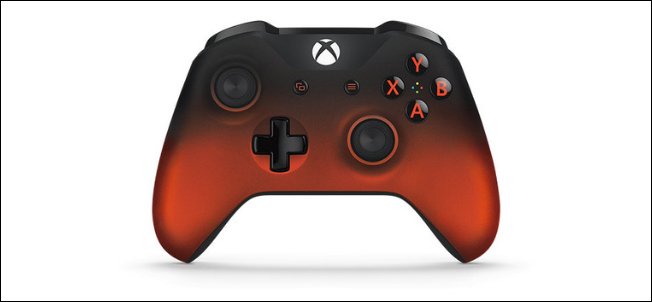
How to Connect an Xbox One Controller to Your Mac

Sometimes gaming with a mouse and keyboard just doesn’t cut it; you need the convenience of a controller to enjoy certain games. Luckily, you can use a variety of controllers on your Mac, including your Xbox One Controller.

While the PlayStation 4’s DualShock 4 will play nicely with your Mac over Bluetooth, the Xbox One controller will take a bit more effort. It’s nothing too tricky, though, and you can pull it off with a bit of patience.

[mai mult...]