
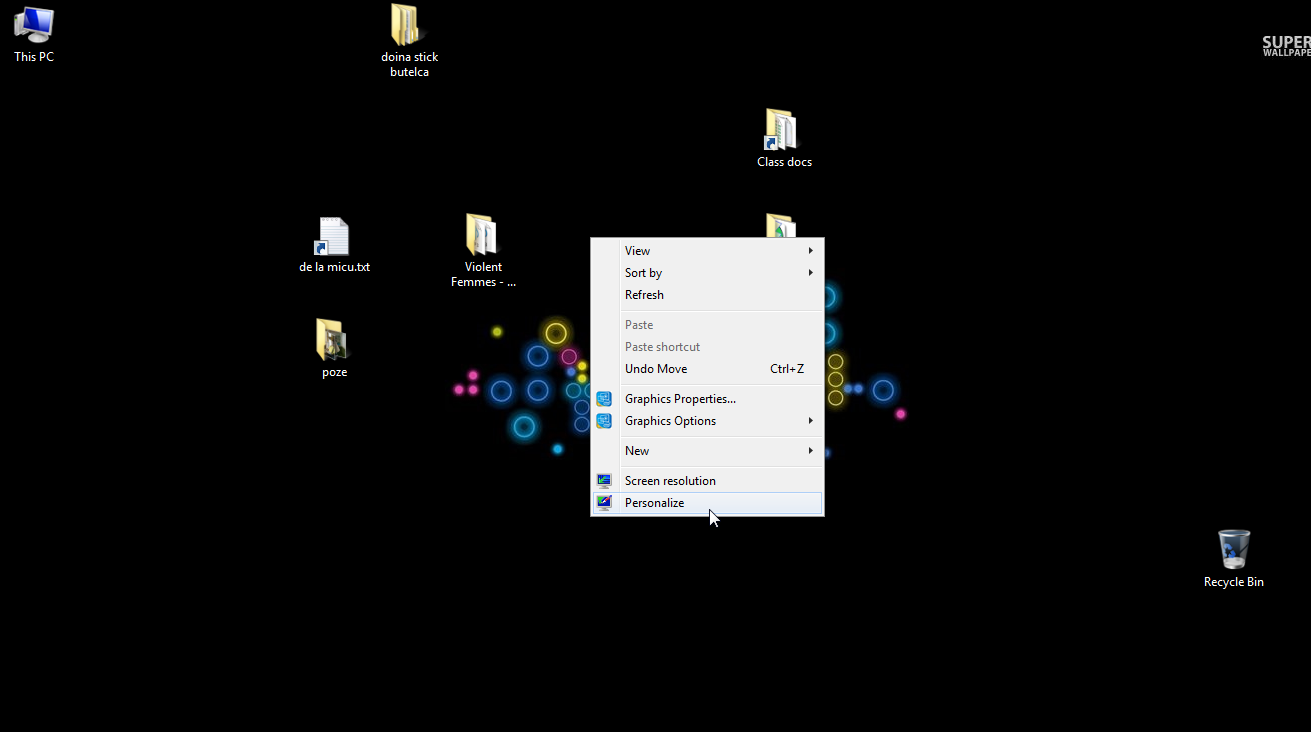
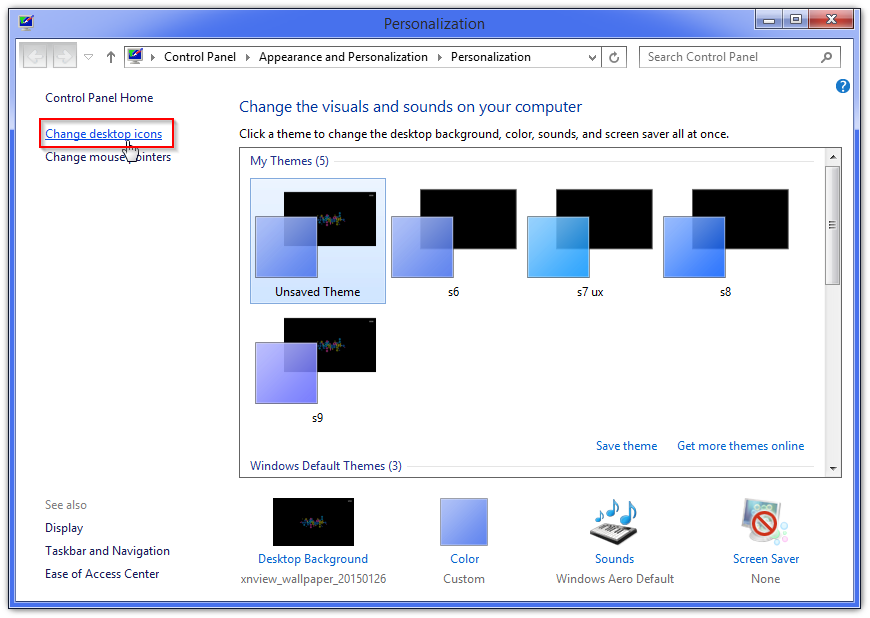
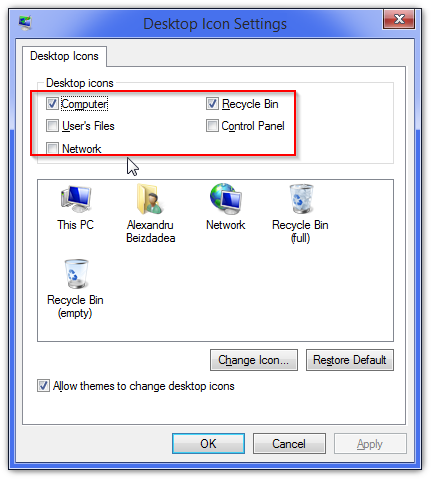
Afla cum poti ascunde iconitele de pe desktop Data 12/02/2015 Autor Alexandru Be. Categorie Configurare Sistem de operare, OS - Windows, Stații de lucru 11 3700 Configurare noua (How To) SituatieIata cum se pot ascunde iconitele de pe desktop. Solutie Pasi de urmat Se apasa oriunde pe desktop click dreapta mouse si se selecteaza Personalize: Dupa care se va afisa urmatoarea fereastra: in care se apasa Change Desktop Icons. In uratoarea fereastra se selecteaza ce iconite nu vor fi afisate: si se apasa OK Gata, iconitele nedorite cum ar fi My computer, Recycle Bin, etc… nu vor mai fi afisate. Tip solutiePermanent Etichetare: hideiconswindows Voteaza Up Down (84 din 155 persoane apreciaza acest articol) ShareTweetShare Despre Autor Alexandru Be. Solutii Asemanatoare Framework Laptop — A new approach to personal computing -3 How to use LAMBDA in Excel to create scalable, reusable functions 0 Cum repari ecranul negru în OBS Studio 1 How to find BitLocker recovery key on Windows 11 -2 Error when downloading large Files from a WebDAV-Mapped SharePoint Library 4 How to manually Install Windows Updates using the Microsoft Update Catalog 0 Leave A Comment? × Cancel Reply Save my name, email, and website in this browser for the next time I comment. five × five =
Leave A Comment?