
Situatie
Solutie
By default, Windows stores files such as apps, documents, music, and pictures on the same drive where your operating system is installed. Over time, using a single drive as a catch-all for your files can lead to clutter, slow down your computer, and make it harder to find your data. To better manage your files, you should change the default save location.
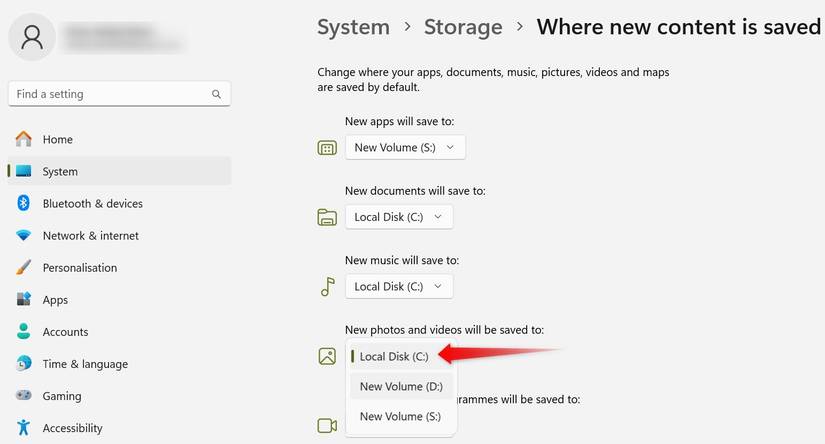
To change the default save location, right-click the Start button and open “Settings.” Next, go to the “System” tab and select “Storage.” Scroll down, click “Advanced Storage Settings,” then choose “Where New Content Is Saved.” If you’d like to save files to a different drive, select the new drive from the dropdown and click “Apply”.
Leave A Comment?