
Situatie
Pentru a conecta un Windows phone 10 la un display urmam urmatorii pasi:
Solutie
Pasi de urmat
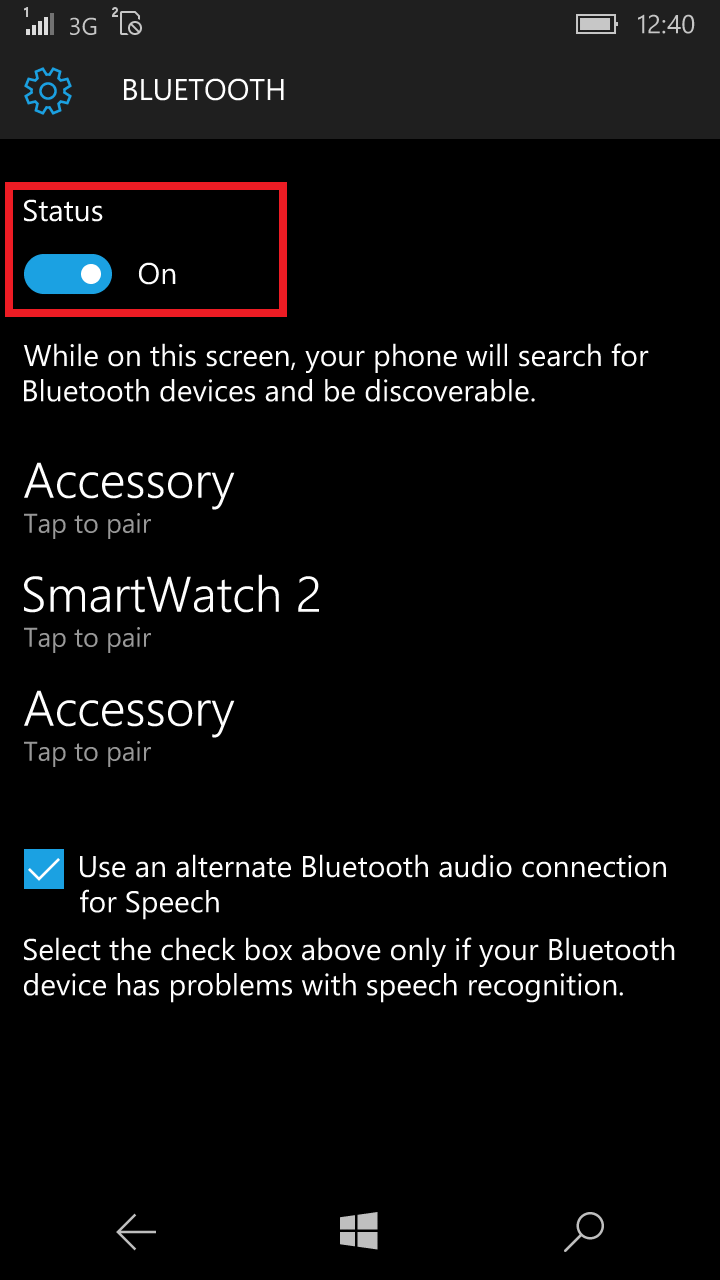
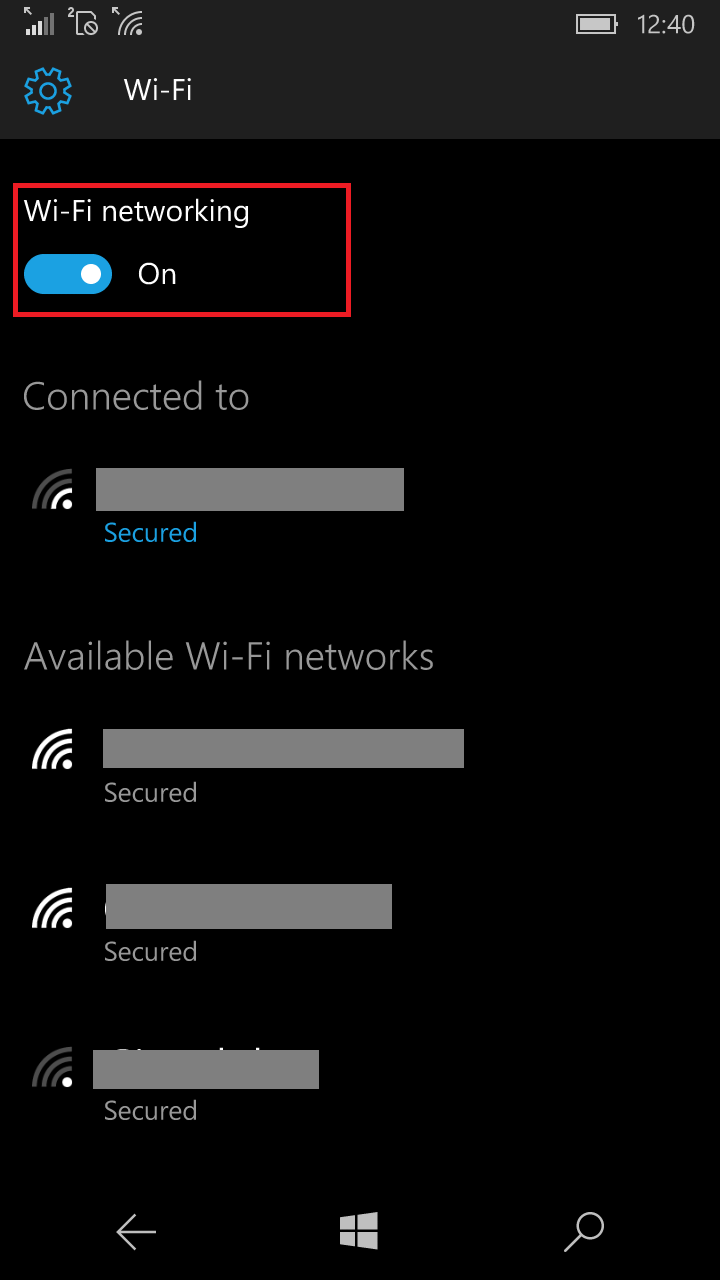 Va asigurati ca WI-FI-ul si BlueTooth sunt pornite.
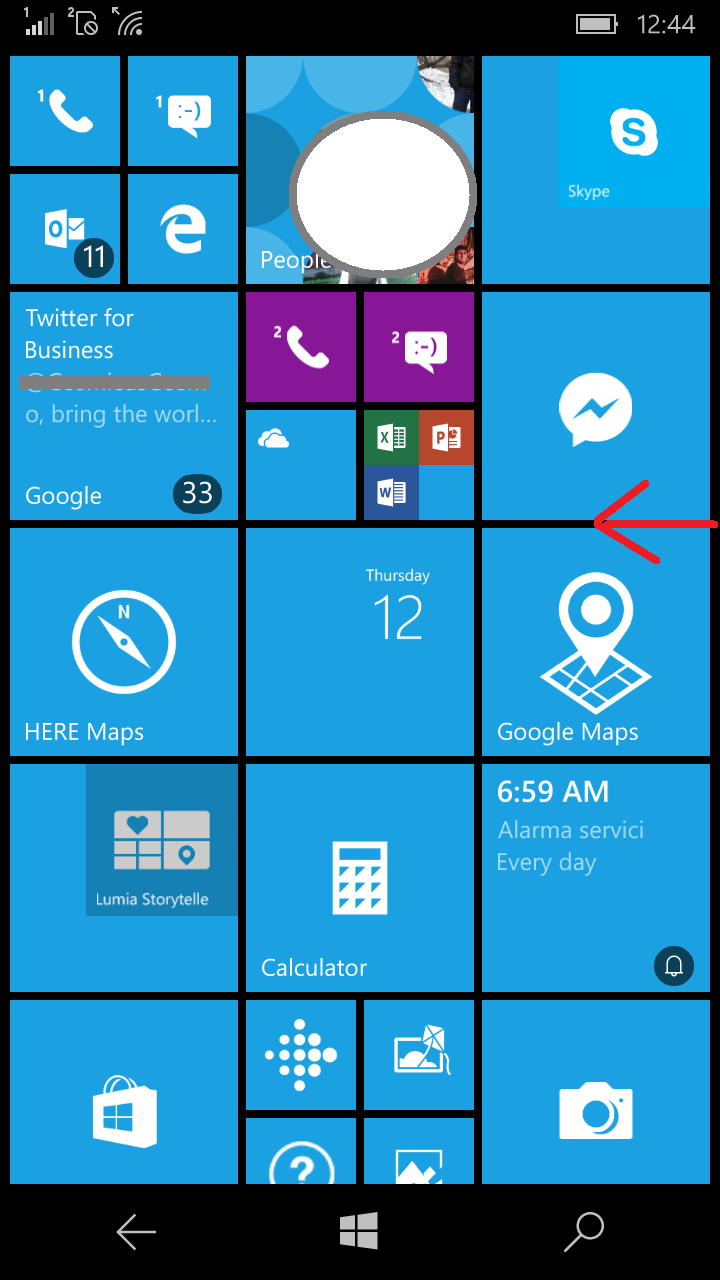 Din home tragem cu degetu de la dreapta la stanga.
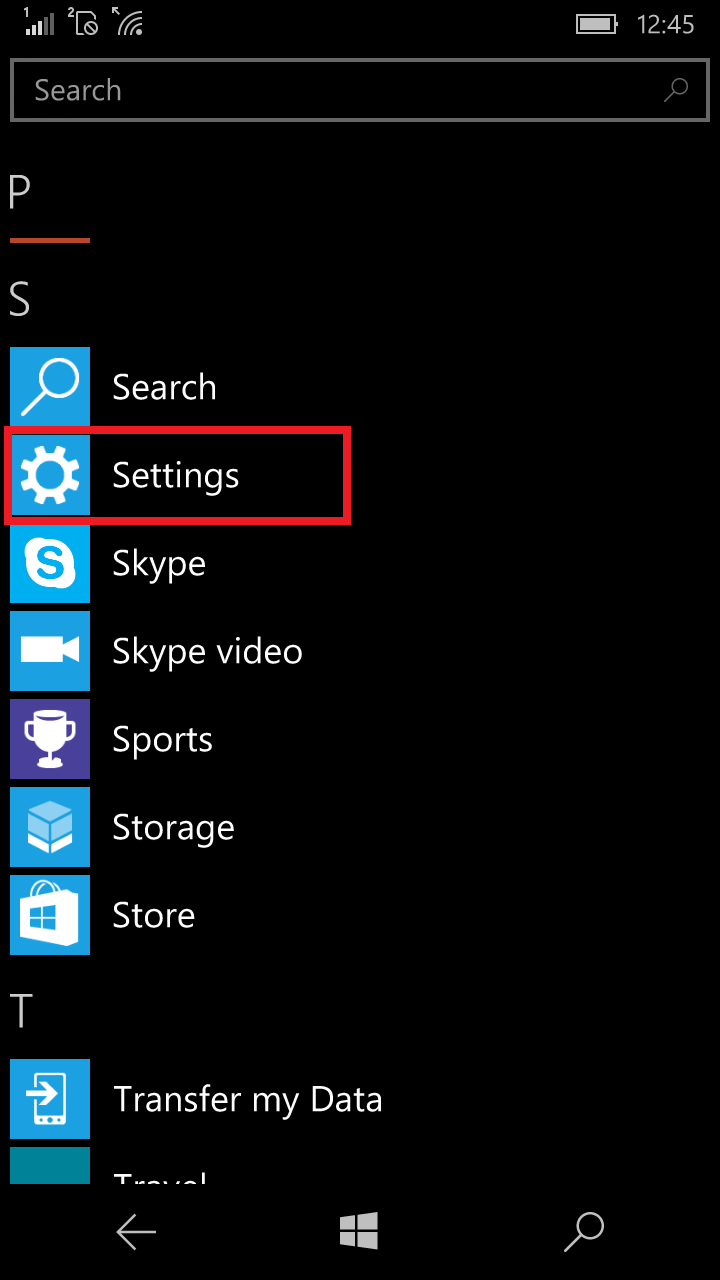 Intram in Settings.
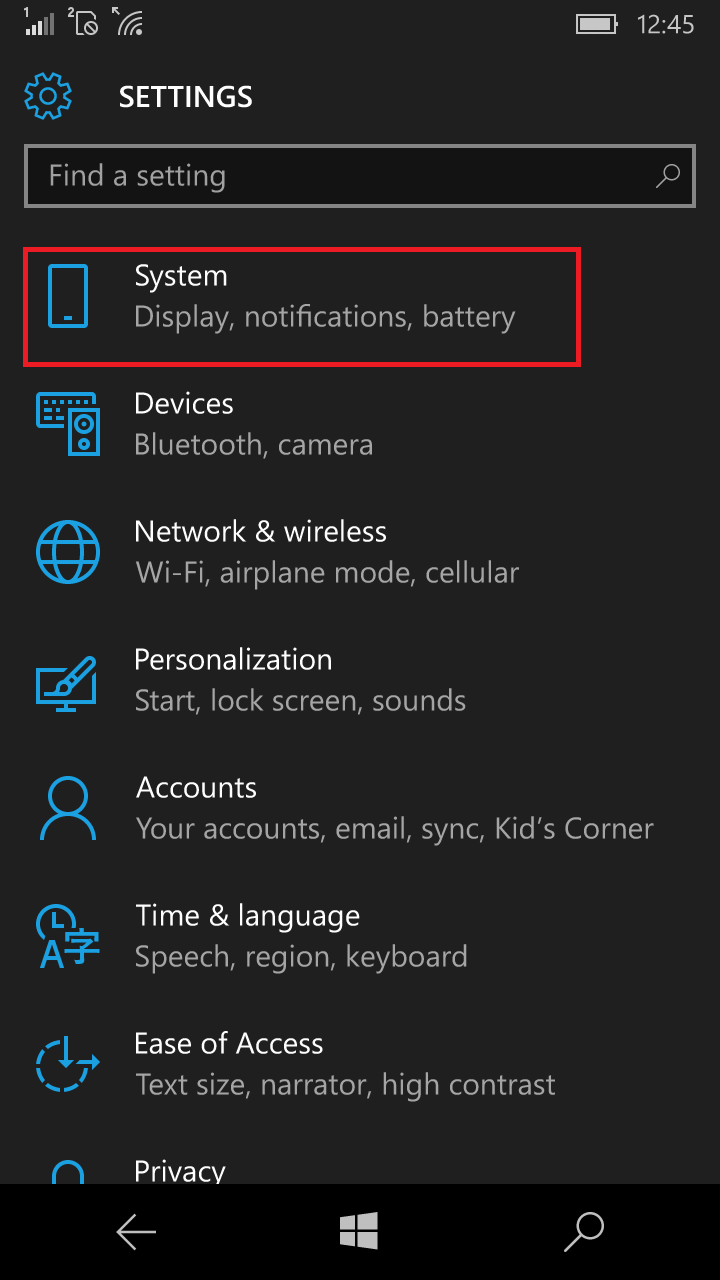 Din settings intram in System.
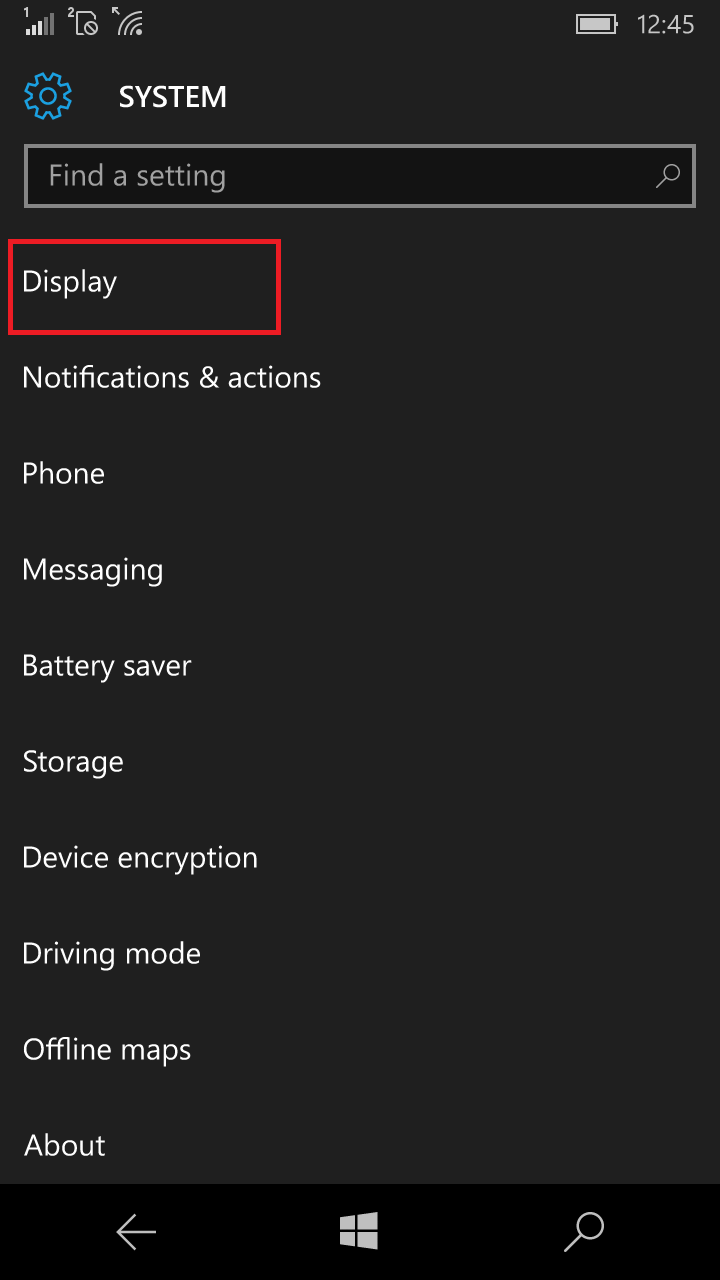 In System apasam Display.
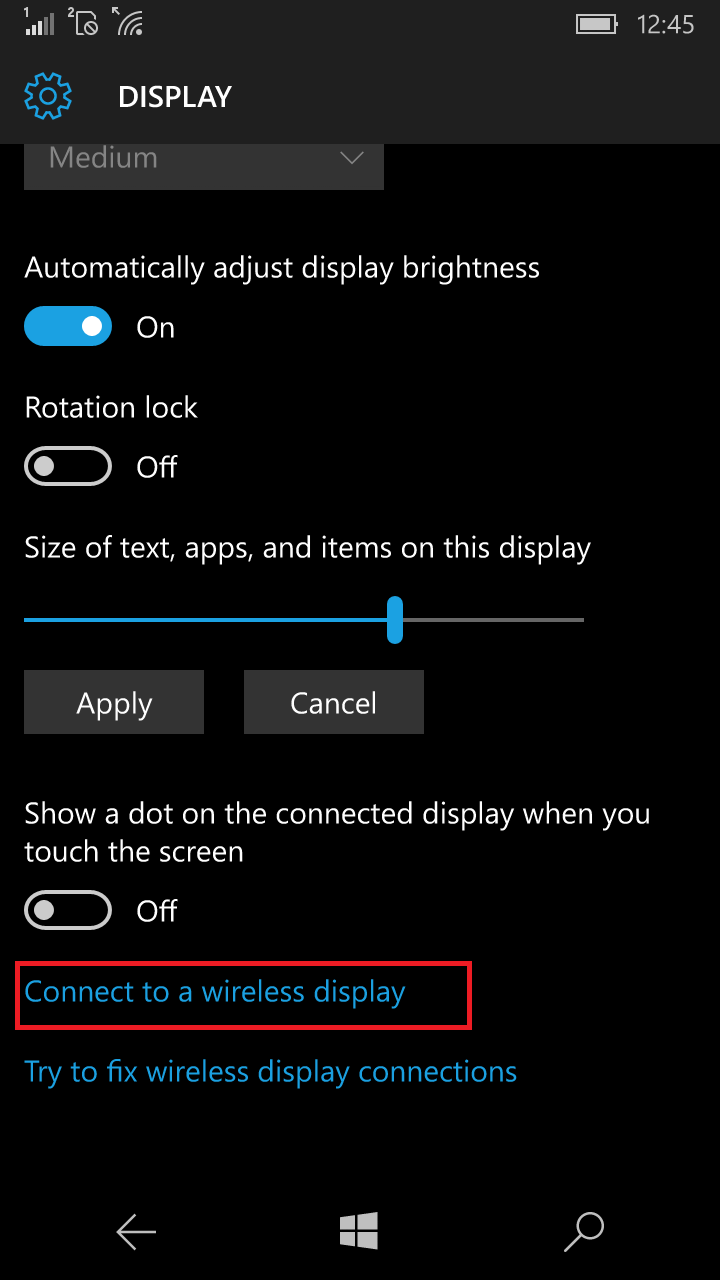 Ajunsi in DISPLAY dam Connect to a wireless display.
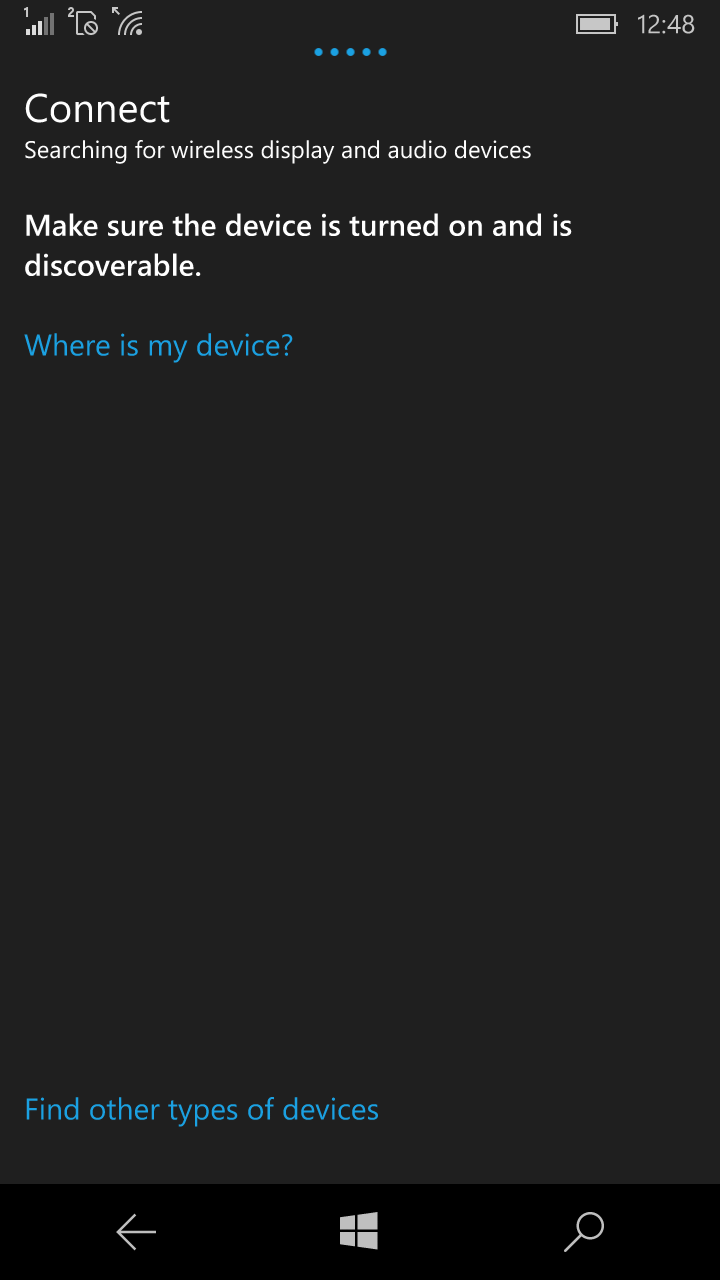 Dupa ce cautarea display-ului a fost gasita ne putem conecta la display-ul respectiv.
Leave A Comment?