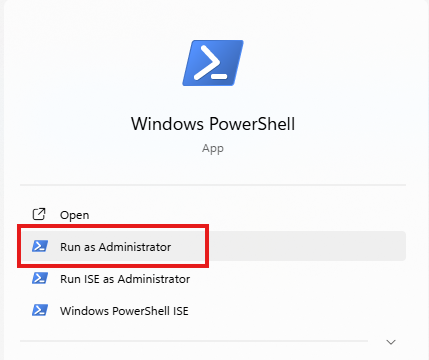
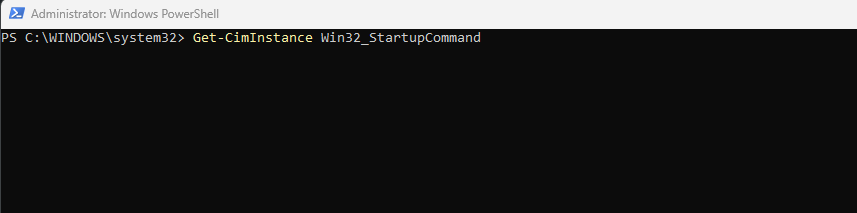
Cum vezi toate procesele care pornesc automat cu Windows Data 13/04/2026 Autor Daniel Turceniuc Categorie OS - Windows, Soluții 2 16 Configurare noua (How To) Situatie Solutie Pasi de urmat Deschide PowerShell (Admin) Scrie urmat de tasta Enter: Get-CimInstance Win32_StartupCommand Vezi lista programelor de startup Verifică „Name” și „Command” Identifică aplicațiile inutile. Tip solutiePermanent Voteaza Up Down (3 din 4 persoane apreciaza acest articol) ShareTweetShare Despre Autor Daniel Turceniuc Solutii Asemanatoare Cum îți faci un raport complet al PC-ului cu PowerShell 2 Cum vezi toate conturile de utilizator de pe PC 2 3 ways to delete a file in Linux 1 6 tips for using Linux without touching the command line 1 4 Emacs packages that replaced everyday 3 Tastele săgeată nu funcționează în tastatura laptopului Windows 2 Leave A Comment? × Cancel Reply Save my name, email, and website in this browser for the next time I comment. − 1 = 6
Leave A Comment?

