
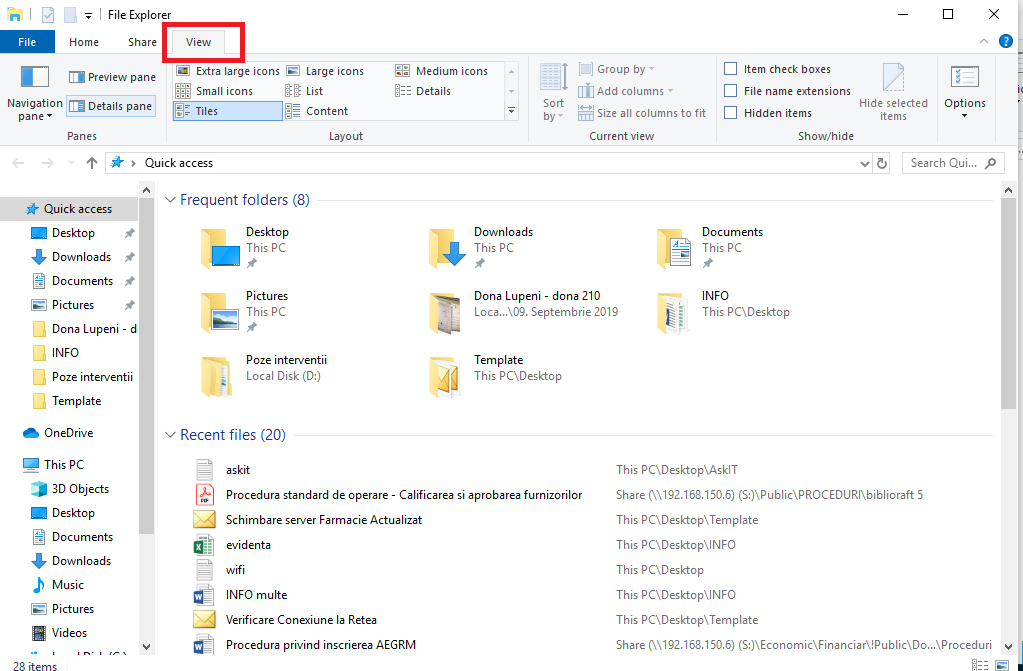
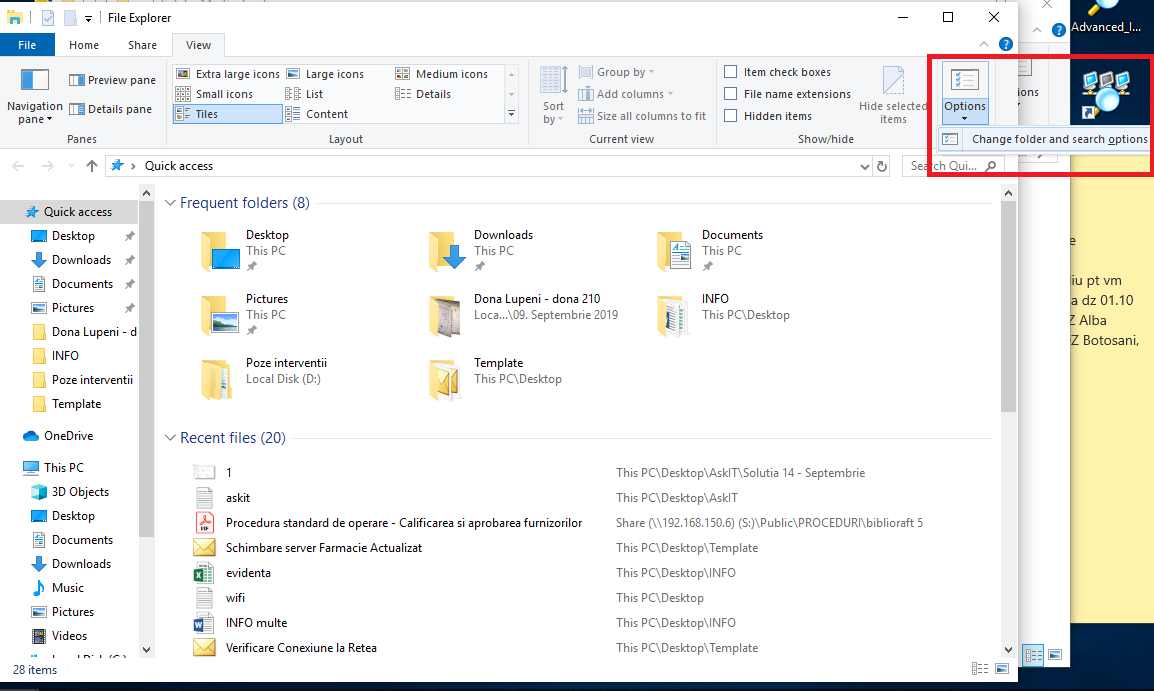
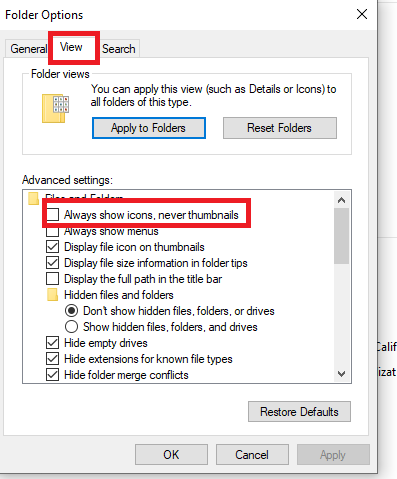
Cum sa activezi functia Image Preview pentru a afisa imaginile intr-un folder din Windows 10 Data 17/09/2019 Autor alexandru vasilief Categorie OS - Windows 11 1702 Configurare noua (How To) SituatieCum sa activezi functia Image Preview pentru a afisa imaginile intr-un folder din Windows 10 Solutie Pasi de urmat Deschidem File Explorer Alegem View Selectam Options -> Change folder and search options Alegem View si bifam Always show icons, never thumbnails Click pe OK Tip solutiePermanent Etichetare: windows 10 Voteaza Up Down (47 din 82 persoane apreciaza acest articol) ShareTweetShare Despre Autor alexandru vasilief Solutii Asemanatoare Activarea multi-sesiunilor pentru Remote Desktop pe Windows Server 4 Sistemul de operare optimizat pentru Edge Computing și Self-Healing -1 Bara de instrumente Microsoft Word a fost gri sau nu răspunde 0 Nu s-a putut actualiza reagent.xml pe computerul Windows 3 File Explorer se blochează la montarea ISO în Windows 11 1 Cum scapam de ferestrele enervante cand aprindem calculatorul 0 Leave A Comment? × Cancel Reply Save my name, email, and website in this browser for the next time I comment. 3 + = eight
Leave A Comment?