
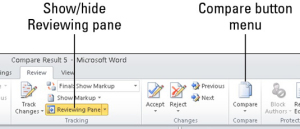
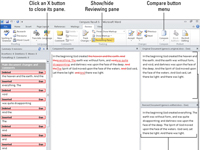
Cum sa compari doua fisiere in word Data 16/03/2015 Autor Mihnea I Categorie OS - Windows, Aplicatii specifice, Stații de lucru -14 3885 Configurare noua (How To) SituatieVrei sa compari doua fisiere de tip Microsoft Word Solutie Pasi de urmat Dati click pe tab-ul Review apoi din Compare group, alege Compare→Compare. Selectam documentul din lista alaturata, apoi selectam documentul editat din lista Revised Document. Tip solutiePermanent Voteaza Up Down (43 din 100 persoane apreciaza acest articol) ShareTweetShare Despre Autor Mihnea I Solutii Asemanatoare Windows 11’s predictive text is the hidden typing tool 8 How to quickly fix CSV files in Excel using Power Query -1 3 Excel functions, 1 cell: how to build a “pro” dashboard engine 2 PowerShell ca client MCP – automatizare browser și task-uri externe apelate direct din scripturi 0 Analiza și remedierea Erorii 0x8024200B în Windows Server 2022 6 Analiza și remedierea erorii:„CONFIG INITIALIZATION FAILED” în Windows Server 2 Leave A Comment? × Cancel Reply Save my name, email, and website in this browser for the next time I comment. one × nine =
Leave A Comment?