
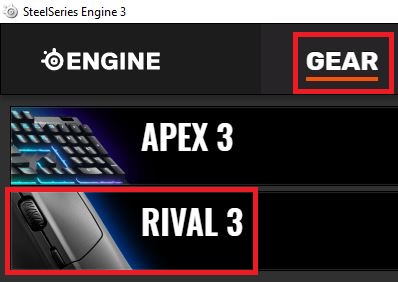
Cum sa modifici sensibilitatea mouse-ului SteelSeries Rival 3 cu ajutorul programului SteelSeries Engine 3 Data 06/05/2020 Autor Ionut Pavel Categorie OS - Windows -3 600 Configurare noua (How To) SituatieCum sa modifici sensibilitatea mouse-ului SteelSeries Rival 3 cu ajutorul programului SteelSeries Engine 3 Solutie Pasi de urmat Accesati “SteelSeries Engine 3″ > Selectati categoria “GEAR” > Selectati mouse-ul “Rival 3” Accesati categoria “Settings” > Selectati un level si modificati valoarea “CPI” dupa preferinta. Tip solutiePermanent Voteaza Up Down (17 din 37 persoane apreciaza acest articol) ShareTweetShare Despre Autor Ionut Pavel Solutii Asemanatoare PikaOS install guide 2 How to install and configure MX Linux 3 How to fix Windows Update Error 0x800f0922 on Windows 11 via System Repair Commands 1 How to fix Windows Update Error 0x800f0922 on Windows 11 via Registry Editor Settings 3 How to fix Windows Update Error 0x800f0922 on Windows 11 via Windows Firewall Settings 0 How to Fix Windows Update Error 0x800f0922 on Windows 11 via Windows features settings 0 Leave A Comment? × Cancel Reply Save my name, email, and website in this browser for the next time I comment. 7 + = eleven
Leave A Comment?