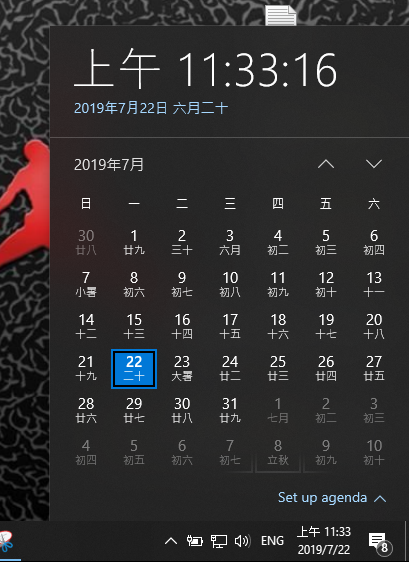
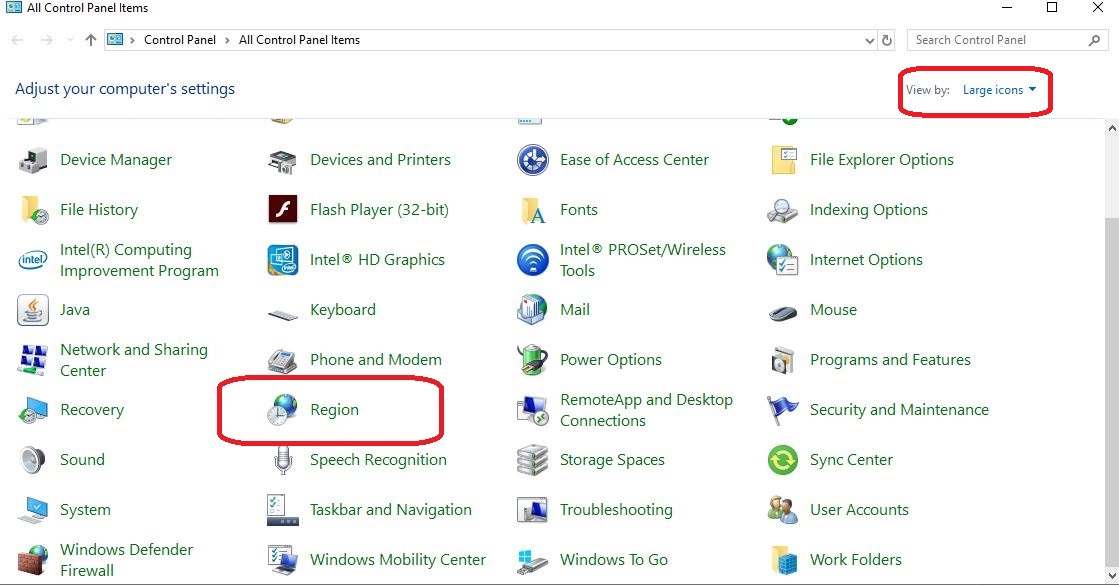
Cum schimb limba in Calendar? Data 22/07/2019 Autor Tiberiu Gache Categorie OS - Windows -8 1995 Configurare noua (How To) SituatieDoriti sa schimbati limba in Calendar. Solutie Pasi de urmat Accesati Control Panel (tastati in search Control Panel) In cazul in care nu se afiseaza toate optiunile in Control Panel, selectati Large icons. Accesati Region. In tab-ul Formats , la Format: selectati limba dorita de dvs. Click Apply si OK. Tip solutiePermanent Etichetare: change language calendarCum schimb limba in Calendar in windows 10language calendarregion Voteaza Up Down (36 din 80 persoane apreciaza acest articol) ShareTweetShare Despre Autor Tiberiu Gache Solutii Asemanatoare How to solve “100% Disk Usage” and freezes in Windows by changing PCI express Link state power management 4 Windows has built-in repair tools that work better than any paid optimizer 3 Cum remediem erorile: WHEA_UNCORRECTABLE_ERROR, CRITICAL_PROCESS_DIED in Windows Server 2 Delayed mesaj de eroare când încercați să accesați un folder partajat care nu mai există în Windows 3 Solutie de agregare a doua sau mai multe device-uri audio in DAW-uri 2 Limitari ale transferului de date direct intre terminale iOS/iPadOS (2026) (EU) 4 Leave A Comment? × Cancel Reply Save my name, email, and website in this browser for the next time I comment. eight − = zero
Leave A Comment?