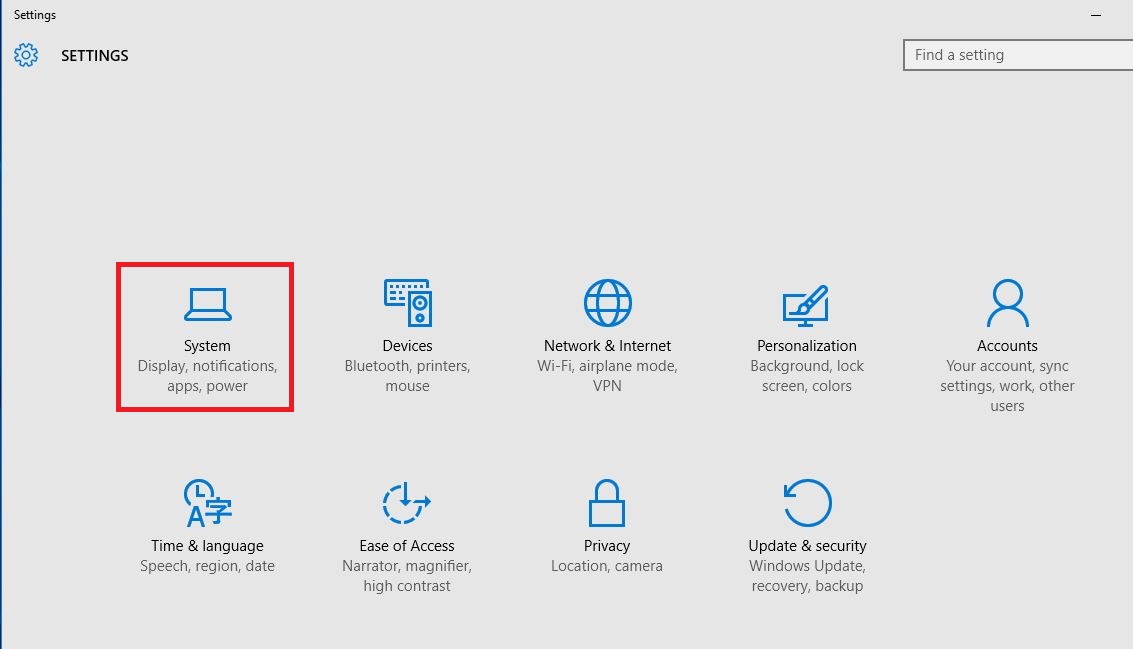
Cum se dezactiveaza notificarea “Get Office” in windows 10. Data 11/12/2015 Autor Valentin G Categorie OS - Windows, Stații de lucru, Configurare Sistem de operare -5 1196 Configurare noua (How To) SituatieCum se dezactiveaza notificarea “Get Office” in windows 10. Solutie Pasi de urmat Se intra in “Settings” si se da click pe “System”. Se da click pe “Notifications & Actions” , iar acum se poate dezactiva notificarea “Get office”. Tip solutiePermanent Voteaza Up Down (32 din 69 persoane apreciaza acest articol) ShareTweetShare Despre Autor Valentin G Solutii Asemanatoare Cum acordam permisiunile necesare AnyDesk pe macOS pentru control complet la distanta 3 iPad conectat la Windows afiseaza Internal Storage, dar nu permite crearea unui folder 5 Cum rulam o aplicatie web veche care necesita ActiveX in Microsoft Edge folosind Internet Explorer Mode 0 Windows 11 nu poate accesa un NAS vechi care foloseste SMB Guest 1 How to fix error message “IS052 InstallNetworkDriver” for brother printers on Windows 10/11 0 How to disable automatic updates to Logitech G HUB on Windows 10/11 via Windows Services -1 Leave A Comment? × Cancel Reply Save my name, email, and website in this browser for the next time I comment. eight − = one
Leave A Comment?
