
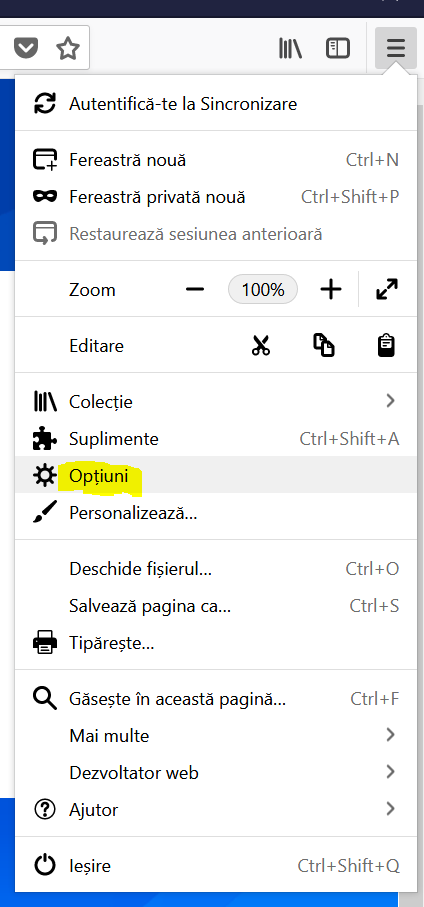
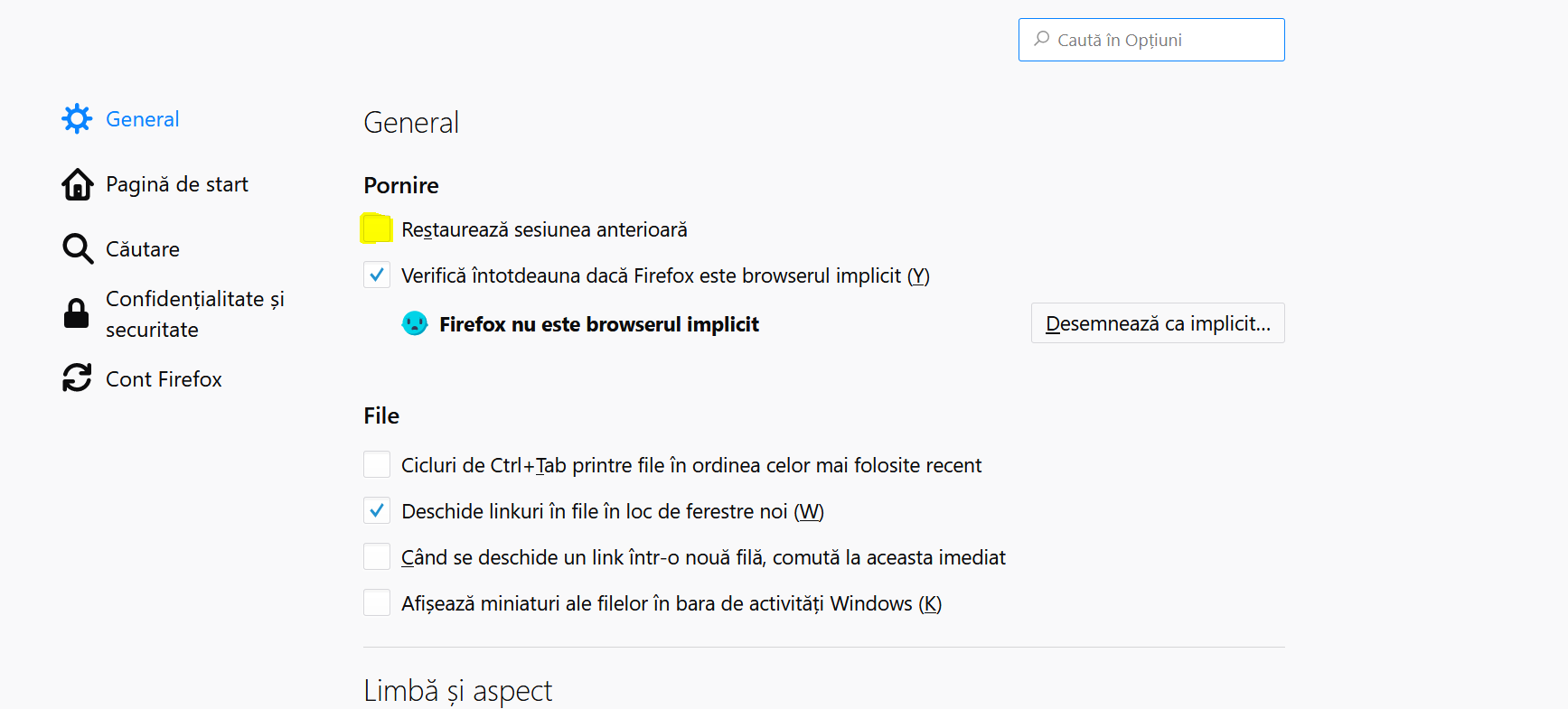
Cum setam functia de restore all sessions pe Firefox Data 10/09/2018 Autor Cristian Anghel Categorie OS - Windows, Configurare program 4 847 Configurare noua (How To) SituatieCum facem sa deschidem paginile pe care le-am avut deschise in Firefox, dar am oprit pc-ul din greseala. Putem urma pasii de mai jos: Backup Nu este necesar. Solutie Pasi de urmat Deschidem Firefox. Accesam meniul prin cele 3 linii orizontale din coltul din dreapta al browser-ului. Dupa accesarea butonului, selectam “Optiuni”. In fereastra nou deschisa bifam optiunea “Restaureaza sesiunea anterioara”. Tip solutiePermanent Etichetare: restaurare Sesiuni firefox; sesiune firefo Voteaza Up Down (21 din 39 persoane apreciaza acest articol) ShareTweetShare Despre Autor Cristian Anghel Solutii Asemanatoare How to boot Windows 11 in Safe Mode using Command Prompt 2 How to backup BitLocker recovery key on Windows 11 2 How to use Rufus to create a bootable media of Windows 11 that disables encryption 4 Windows 11 error 0xc004c008 -1 APC UPS – NAT mode 9 Microsoft error 7q6ch -3 Leave A Comment? × Cancel Reply Save my name, email, and website in this browser for the next time I comment. three + = 11

Leave A Comment?