
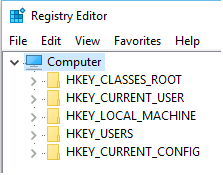
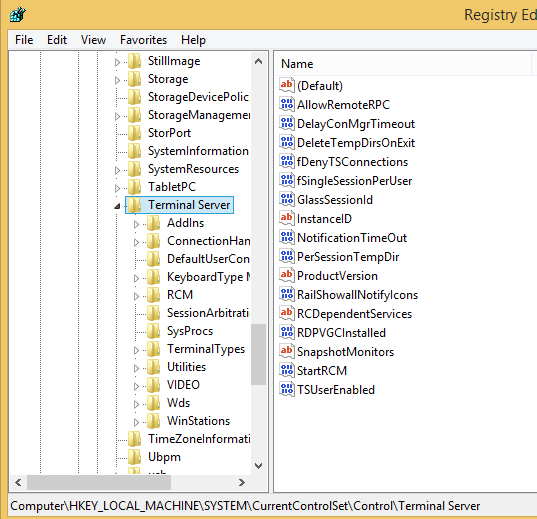
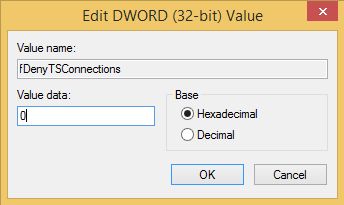
Dezactivare remote desktop connection din registri Data 14/11/2016 Autor Radu P Categorie OS - Windows, Setari servicii sistem operare, Stații de lucru -18 3215 Configurare noua (How To) SituatieSe doreste dezactivarea remote desktop connection Solutie Pasi de urmat Se deschide regedit Se navigheaza la HKEY_LOCAL_MACHINESYSTEMCurrentControlSetControlTerminal Server Se da dublu click pe fdenyTSConnection si se modifica din 0 in 1 valoarea – ok Tip solutiePermanent Etichetare: askitaskit.roDezactivare remote desktop connection din registrifdenyTSConnectionregeditregistriRemote Desktop Voteaza Up Down (26 din 70 persoane apreciaza acest articol) ShareTweetShare Despre Autor Radu P Solutii Asemanatoare Remediere: Apple CarPlay not working 5 Rezolvare: Face ID not working on iPhone 3 Rezolvare: Microsoft Intune not working or opening 4 How to fix Task Manager duplicate process bug on Windows 11 using ViveTool 0 How to fix Task Manager duplicate process bug on Windows 11 using the Registry 2 How to fix Task Manager duplicate process bug on Windows 11 using the Command Prompt -1 Leave A Comment? × Cancel Reply Save my name, email, and website in this browser for the next time I comment. − one = five
Leave A Comment?