
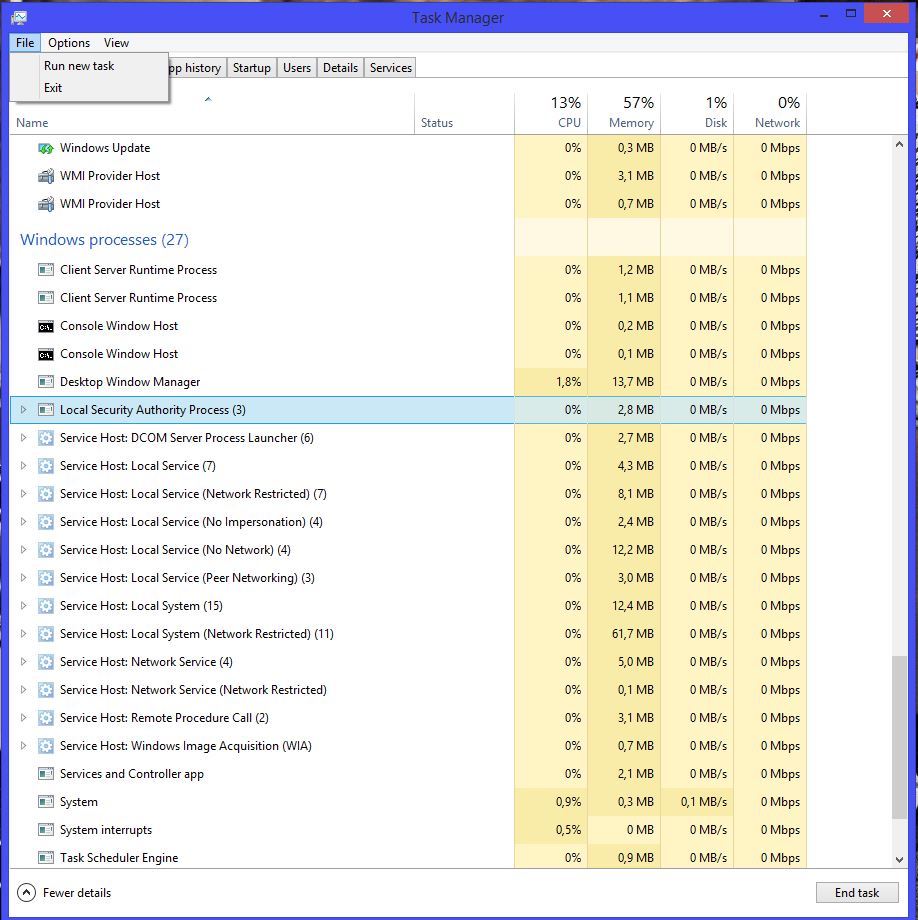
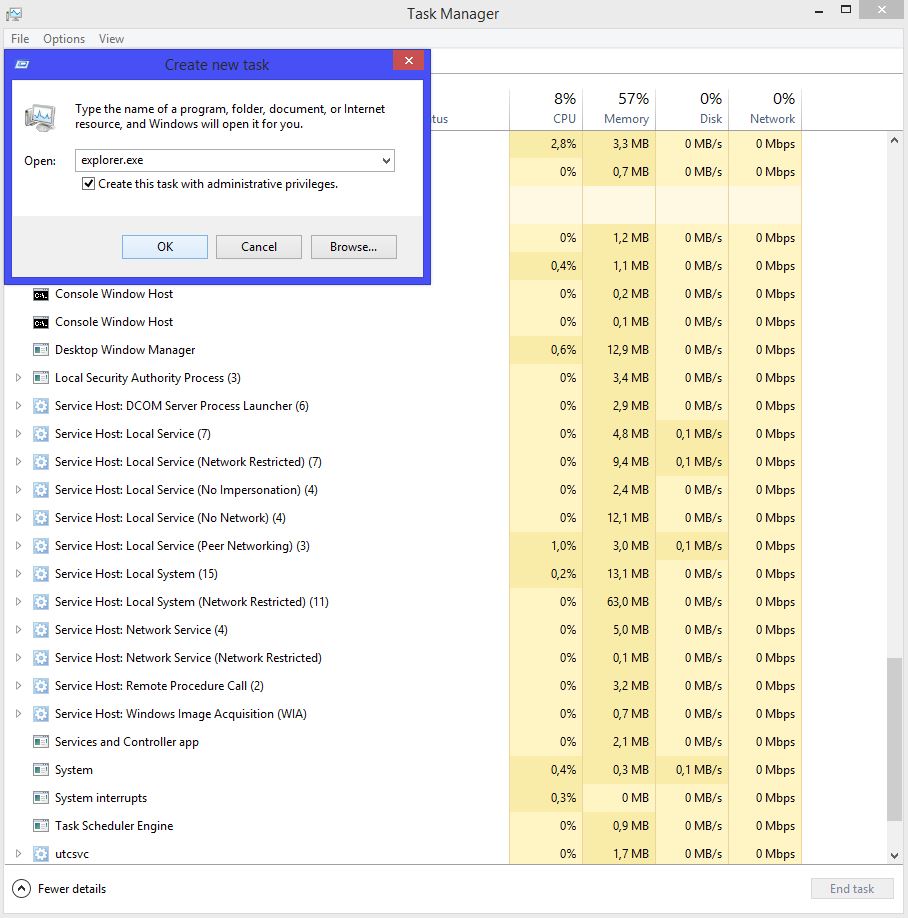
Error 2502/2503 Data 15/07/2015 Autor Filip R Categorie Depanare, OS - Windows, Stații de lucru -8 1311 Configurare noua (How To) SituatieApare la instalarea programelor Solutie Pasi de urmat Inchidem “Windows Explorer”. Din Task Manager, click dreapta pe Windows Explorer si selectam End Task Facem click pe File si selectam “Run new task” In caseta scriem “explorer.exe” si bifam “Create this task with administrative privileges”. Tip solutiePermanent Voteaza Up Down (27 din 62 persoane apreciaza acest articol) ShareTweetShare Despre Autor Filip R Solutii Asemanatoare Funcția UNIQUE nu funcționează în Excel 3 Outlook nu funcționează cu VPN pe PC Windows 3 Bara de volum in Windows 11 apare incontinuu 4 Kubuntu installation guide 1 Cum resetam consumul de date din Windows 2 How to enable new CPU boost feature on Windows 11 0 Leave A Comment? × Cancel Reply Save my name, email, and website in this browser for the next time I comment. − two = zero
Leave A Comment?