
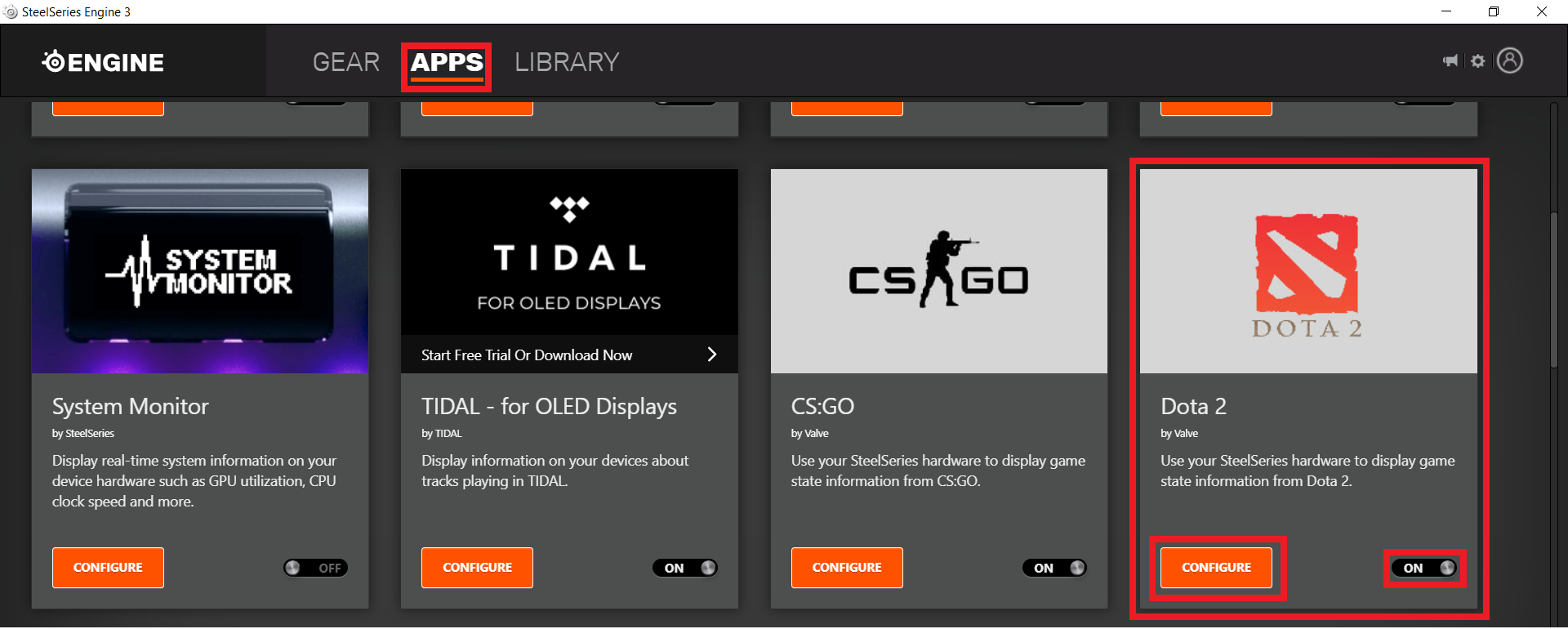
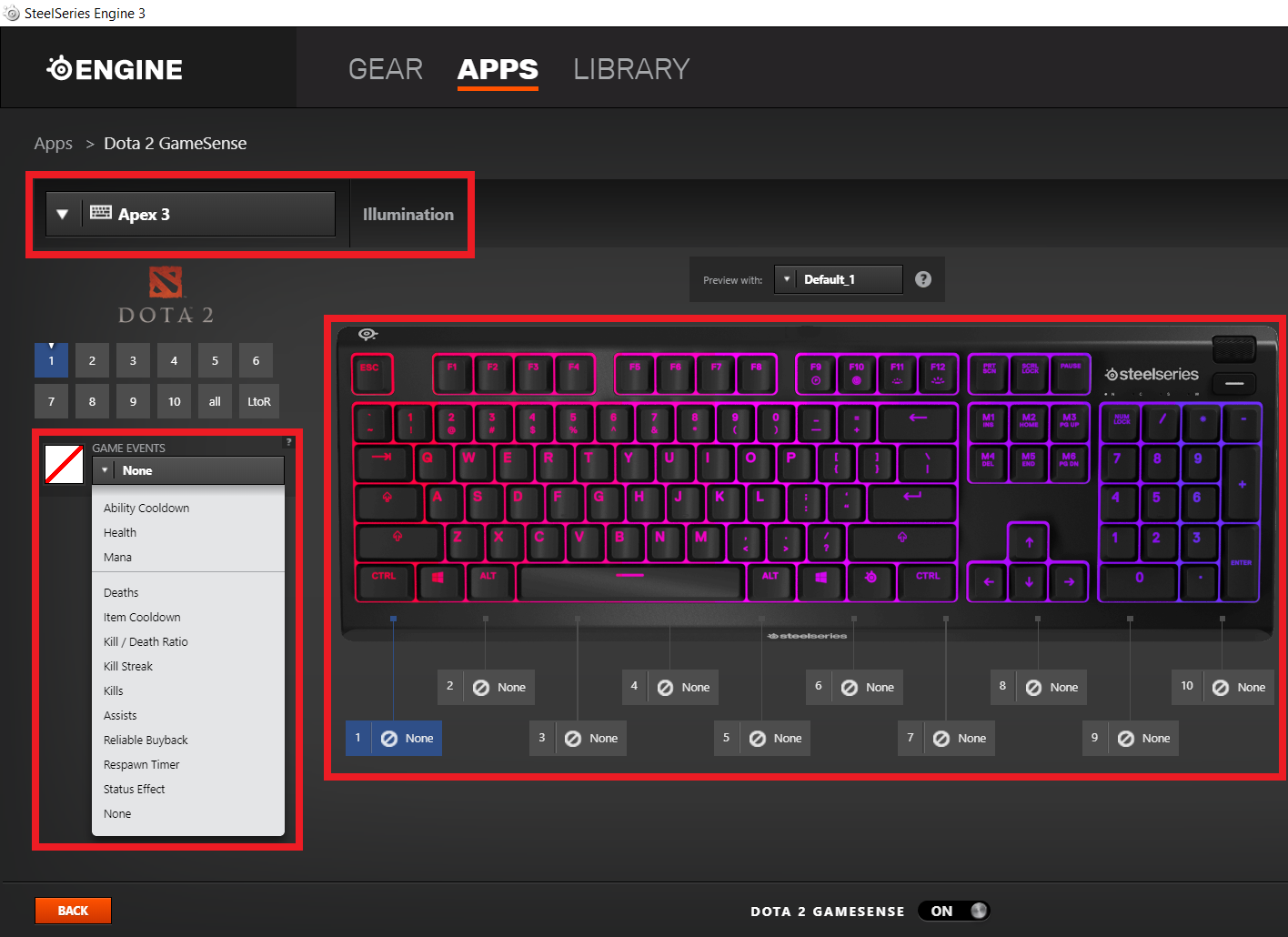
How to activate Dota 2 GameSense from SteelSeries Engine 3 Data 03/08/2020 Autor Ionut Pavel Categorie OS - Windows -8 646 Configurare noua (How To) SituatieHow to activate Dota 2 GameSense from SteelSeries Engine 3 Solutie Pasi de urmat Access SteelSeries Engine 3 > Apps > Dota 2 GameSense > Click ON button to activate it. By clicking “CONFIGURE” button you can edit your SteelSeries peripherals illumination for each game event. Tip solutiePermanent Voteaza Up Down (14 din 36 persoane apreciaza acest articol) ShareTweetShare Despre Autor Ionut Pavel Solutii Asemanatoare How to fix Windows Update Error 0x800f0922 on Windows 11 via System Repair Commands 0 How to fix Windows Update Error 0x800f0922 on Windows 11 via Registry Editor Settings 1 How to fix Windows Update Error 0x800f0922 on Windows 11 via Windows Firewall Settings -1 How to Fix Windows Update Error 0x800f0922 on Windows 11 via Windows features settings 0 7 Windows 11 features that are silently violating your privacy 0 Windows file management doesn’t have to be manual 0 Leave A Comment? × Cancel Reply Save my name, email, and website in this browser for the next time I comment. eight + six =
Leave A Comment?