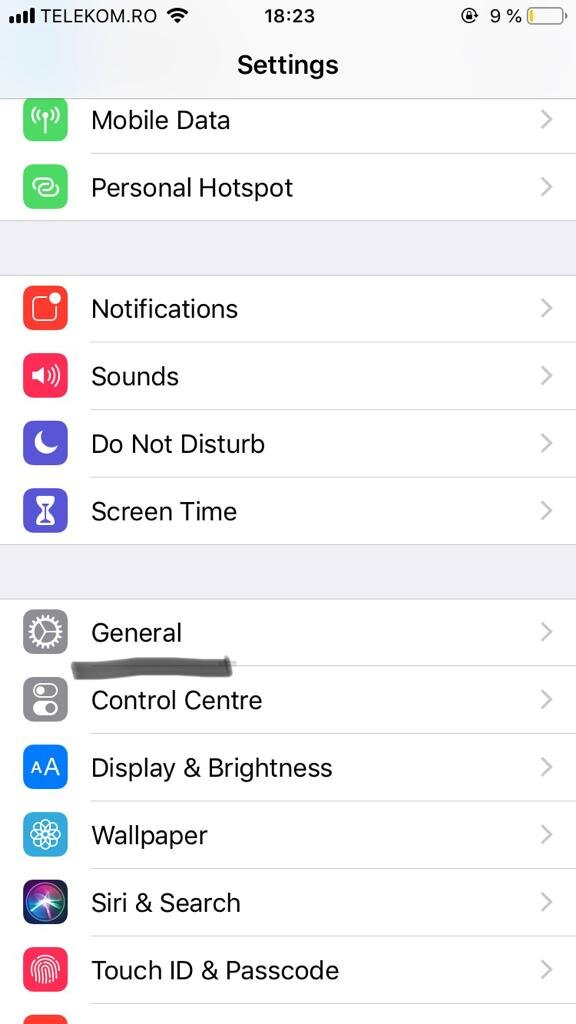
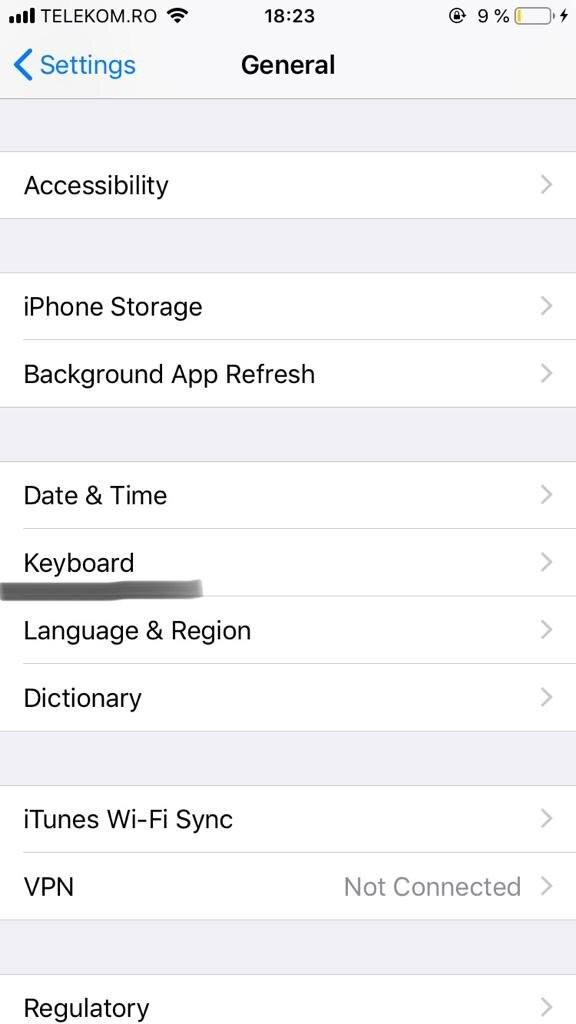
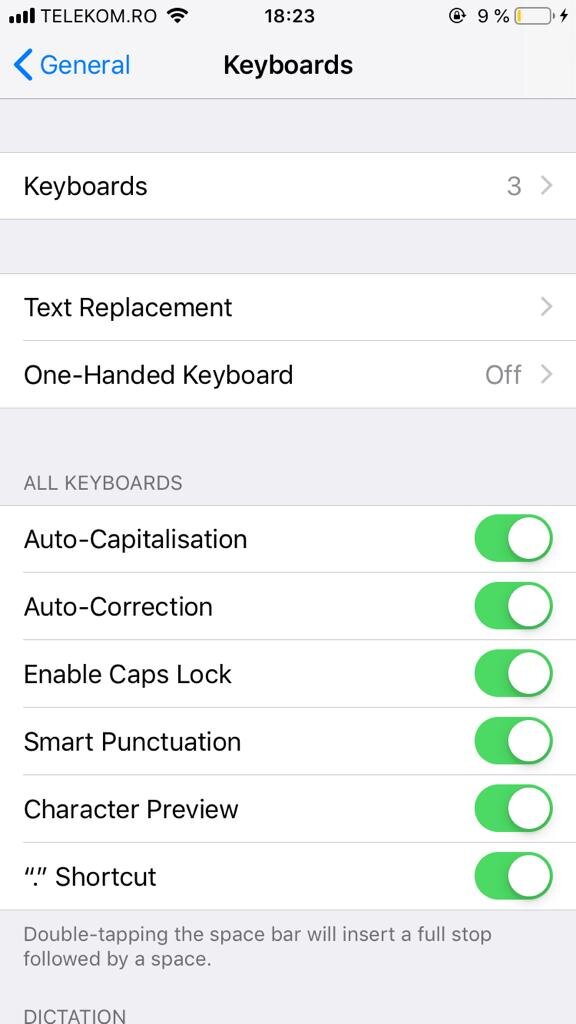
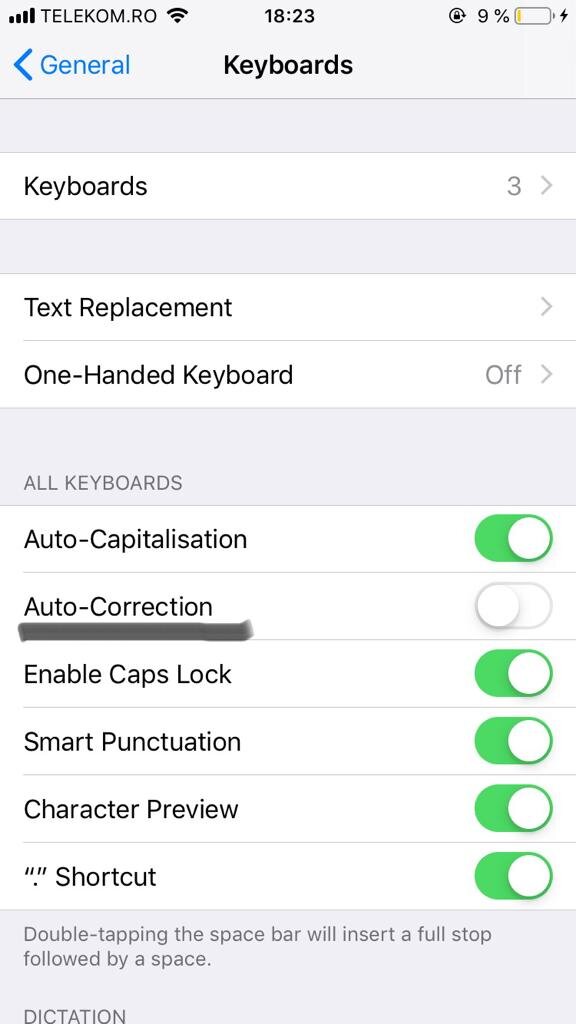
How to enable/disable autocorrector Iphone Data 16/12/2019 Autor Dragos Popescu Categorie Soluții -4 628 Configurare noua (How To) SituatieEnable/disable autocorrector Iphone Solutie How to enable/disabled autocorrect on Iphone 1.Open Configuration 2.Select General 3.Select Keyboard 4.Enable/Disable autocorrection 4.Enable/Disable autocorrection Tip solutiePermanent Voteaza Up Down (20 din 44 persoane apreciaza acest articol) ShareTweetShare Despre Autor Dragos Popescu Solutii Asemanatoare Cum descarcati codurile de backup pentru aplicatia Steam 3 Stop your iPhone suppressing background audio in Videos 1 How to install and configure Gentoo Linux -2 How to create a Windows to go with Rufus to run Windows 11 from USB 1 Sincronizarea Inventarului prin Webhooks și API 3 Optimizarea bazelor de date pentru „Flash Sales” 1 Leave A Comment? × Cancel Reply Save my name, email, and website in this browser for the next time I comment. − two = six
Leave A Comment?
