
Situatie
The NVIDIA app is a handy way to keep your system up to date with the latest drivers and to optimize the games you’re currently playing. If you’re encountering an error on startup that reads “There was a problem with the NVIDIA app,” then you’ll be looking for some ways to fix it. We’ve got some troubleshooters in this article to help.
Fixing “There Was a Problem With the NVIDIA App”
This error shows up when the NVIDIA app fails to open correctly. There can be a few causes for this, ranging from outdated software to backend conflicts. It’s also important to note that the NVIDIA app only supports graphics cards from the GeForce GTX 900 series and onwards. Regardless of the cause of your error, we’re here to help you get it sorted.
Restart the App
The first and most obvious troubleshooter is to restart the app and then your PC. Long-running programs and machines can become more erratic over time due to memory leaks and related issues.
Stop and Restart Services
Multiple NVIDIA services are running on your PC beyond the app. If one isn’t working properly, it might affect your app. Stopping and restarting these can fix the issue:
Solutie
Pasi de urmat
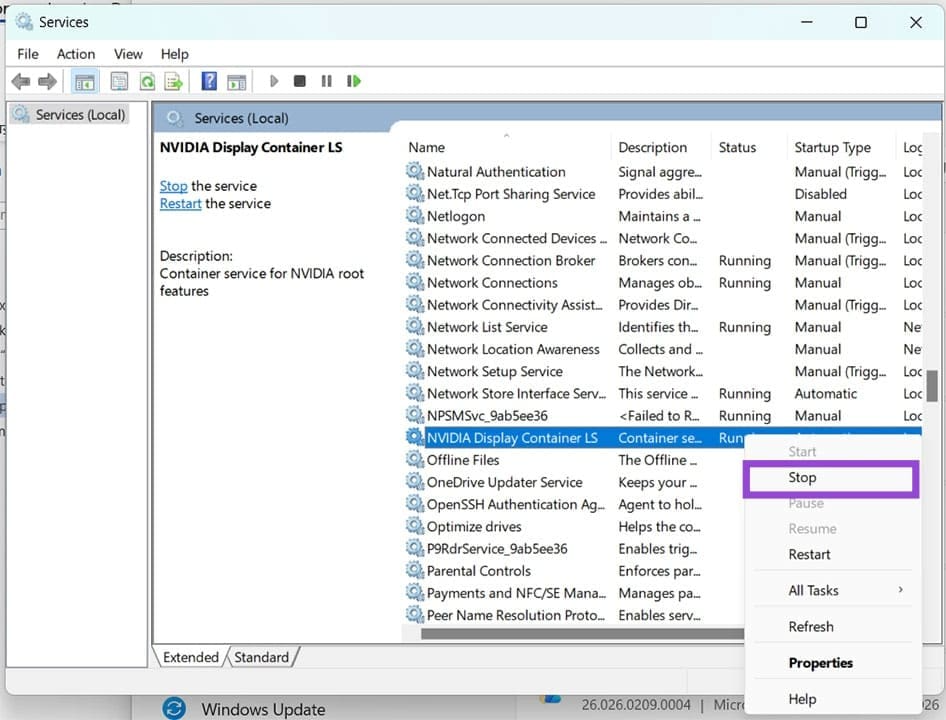
Open the Run dialog Win + R and type services.msc and hit OK.
Navigate to the following:
NVIDIA Display Container LS
NVIDIA FrameView SDK service
NVIDIA LocalSystem Container
Right-click on each and select Stop from the dropdown menu.
Open an Explorer window (Win + E) and head to “[Drive]\ProgramData\NVIDIA Corporation\Drs”.
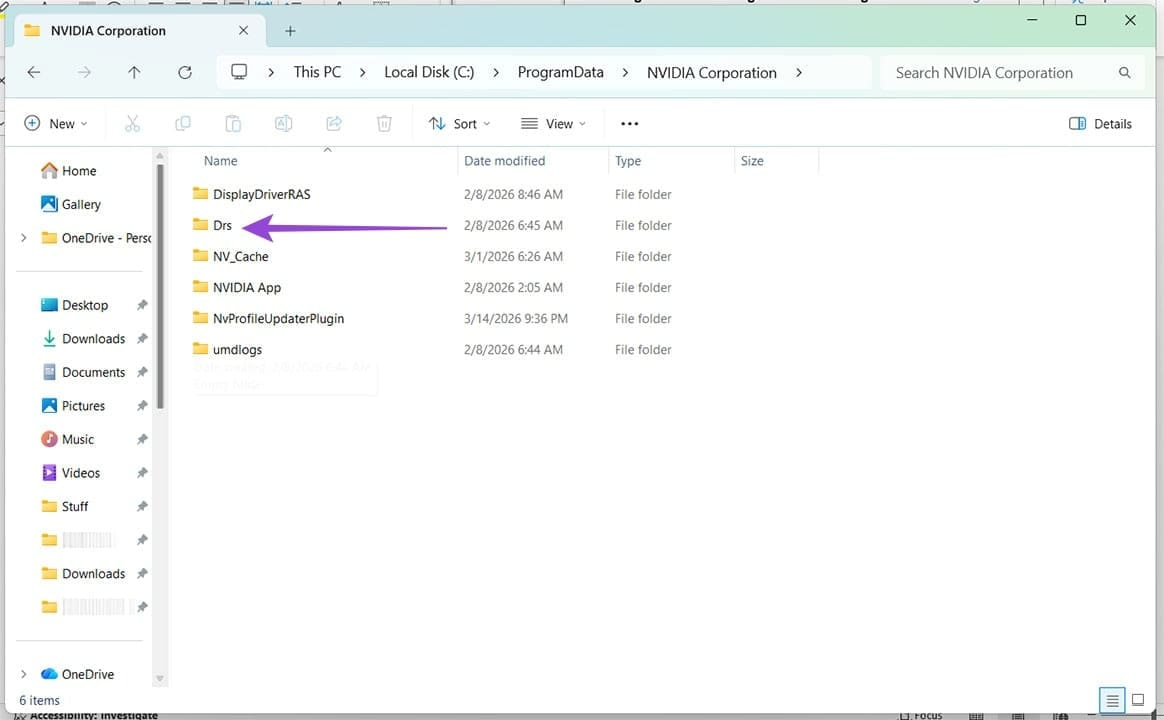
(Shift + Del) the “Drs” folder. Don’t worry, Windows will automatically regenerate the folder with default settings.
Head back to Services and restart each of the processes stopped.
Note: While this can fix the problem, it also resets all global and 3D settings per game.
Leave A Comment?