
Situatie
To turn off the AI features available in Edge for Windows 11, follow these steps:
Solutie
1. Open Microsoft Edge on Windows 11
2. Click the “Settings and more” menu from the top right
3. Select the Settings option
4. Click on Copilot and AI from the left pane
5. Turn off the “Show Copilot button in toolbar” toggle switch
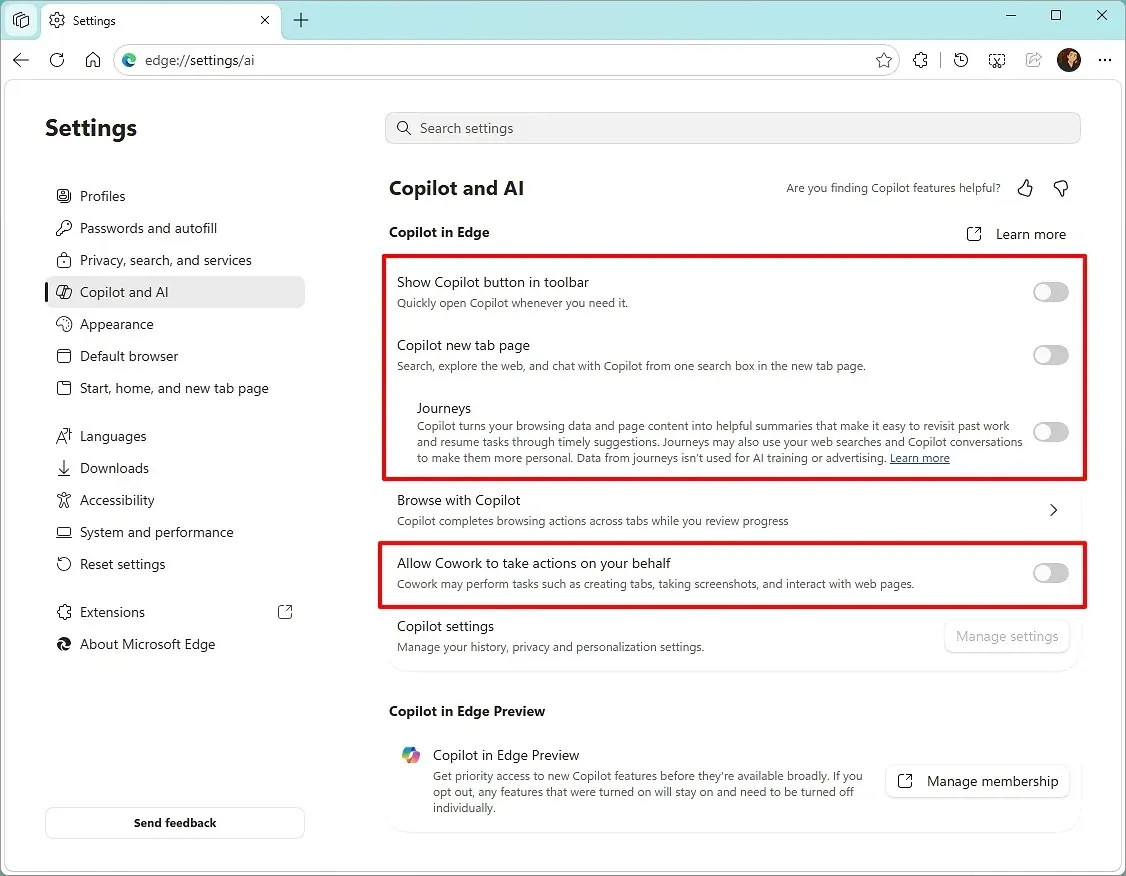
6. Turn off the Copilot new tab page toggle switch
7. Turn off the “Allow Cowork to take actions on your behalf” toggle switch
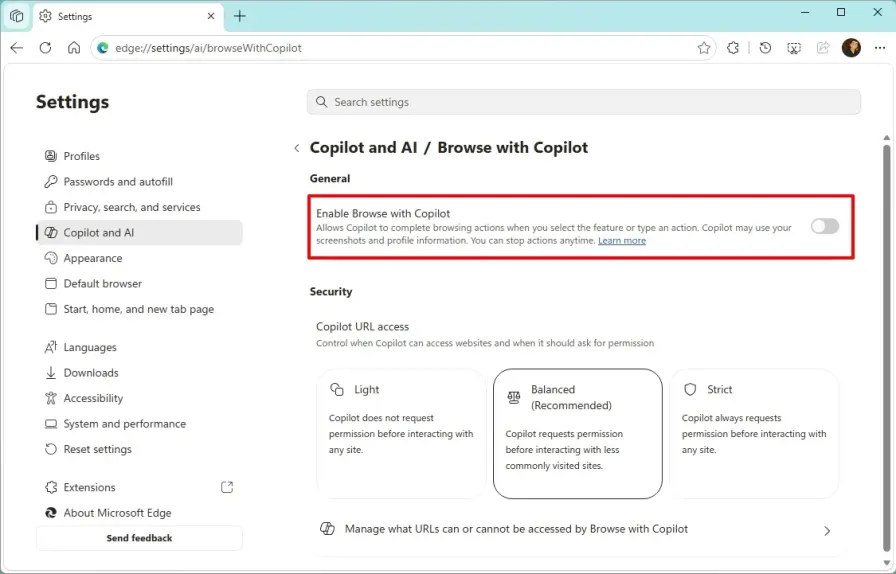
8. Click the Browse with Copilot setting
9. Turn off the “Enable Browse with Copilot” toggle switch.
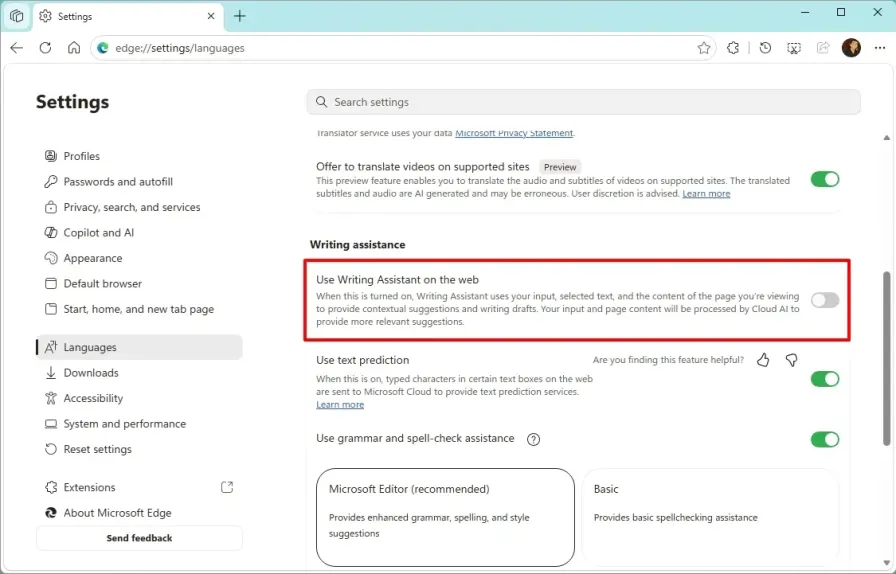
10. Click on Languages from the left pane
11. Turn off the “Use Writing Assistant for writing on the web” toggle switch.
12. Once you complete the steps, the Copilot features will be disabled across the browser.
Leave A Comment?