
Situatie
To completely disable all the AI features on Firefox, follow these steps:
Solutie
1. Open Firefox on Windows 11
2. Click the main menu in the top-right and choose the Settings option
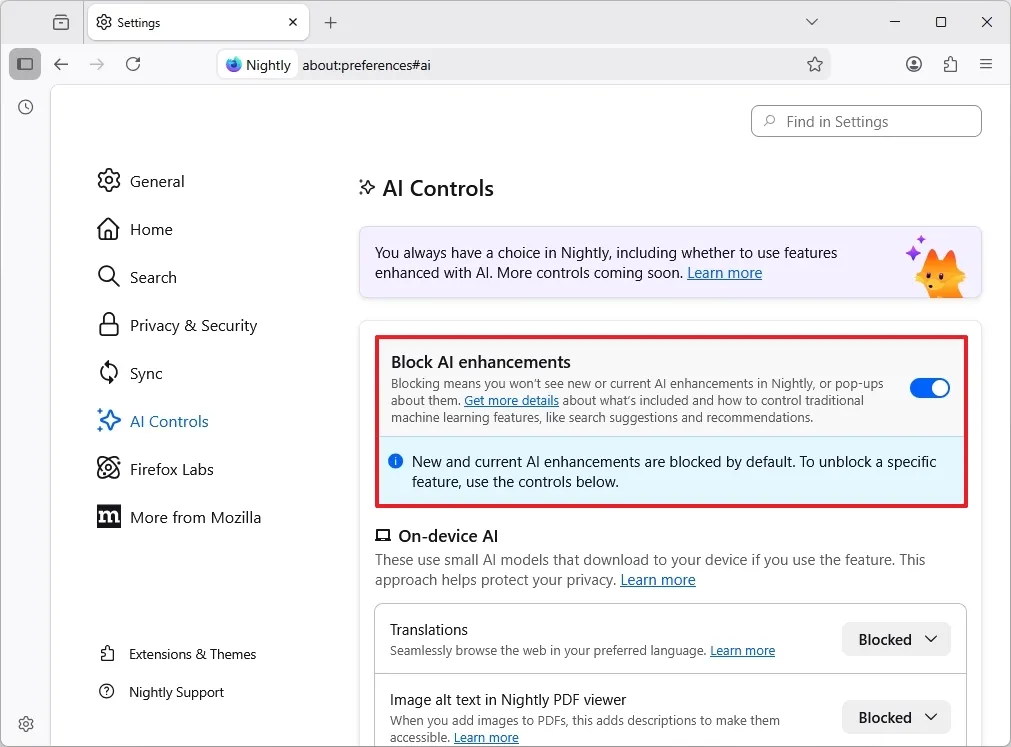
3. Click on AI Controls
4. Turn on the “Block AI enhancements” toggle switch
5. Click the Block button to confirm.
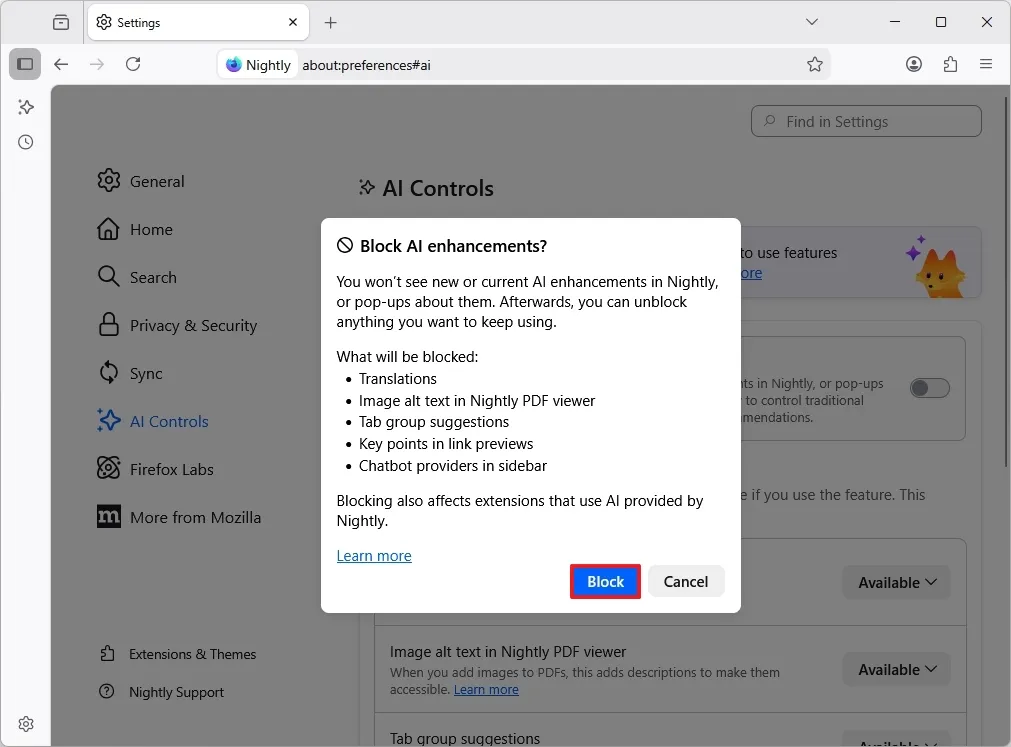
After you complete the steps, Firefox will disable all current and future AI features through the built-in kill switch.
Leave A Comment?