
Situatie
To enable seconds in the Taskbar, follow these steps:
Solutie
1. Open Settings on Windows 11
2. Click on Time & language
3. Click the Date & time page
4. Click the “Show time and date in the System tray” setting
5. Check the “Show seconds in system tray clock (use more power)” option to show seconds in the Taskbar.
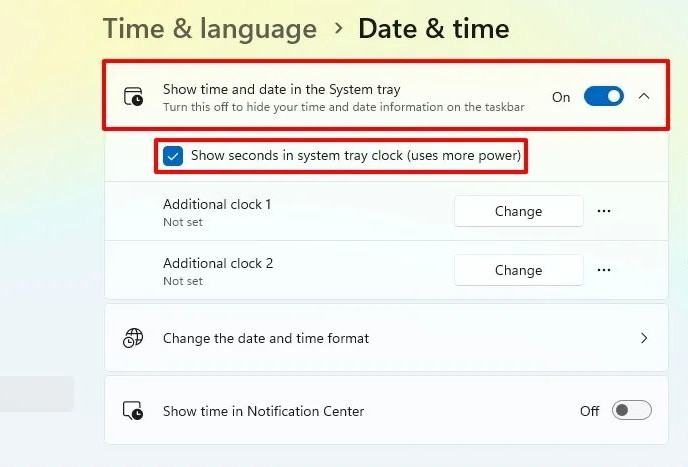
6. (Optional) Uncheck the “Show seconds in system tray clock (use more power)” option to hide seconds in the Taskbar.
After you complete these steps, the Taskbar will show seconds on the clock on Windows 11.
Leave A Comment?