
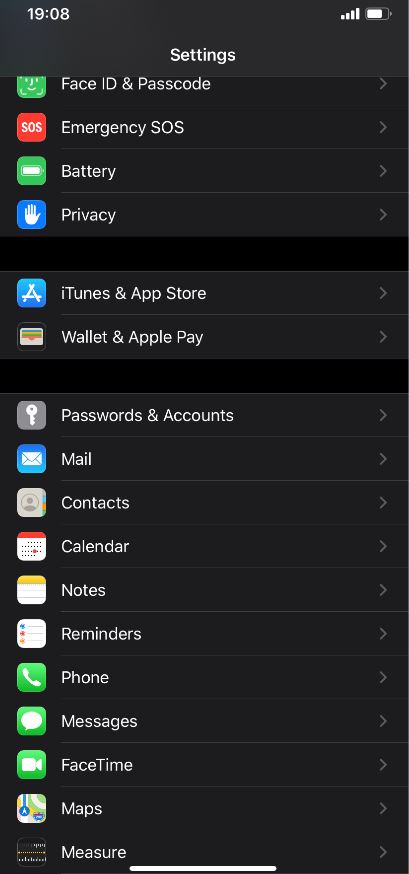
How to silence unknown callers on iphone Data 12/12/2019 Autor Pintica Robert Categorie Soluții, Mobile, Aplicatii specifice, Aplicații 0 1185 Configurare noua (How To) SituatieHow to stop spam calls on iphone with silence unknown callers Solutie Pasi de urmat Open the Settings app on your iPhone. Find and select Phone from the list of options. Scroll down until you find Silence Unknown Callers and slide the switch to the On position Exit out of settings as usual Tip solutiePermanent Voteaza Up Down (30 din 60 persoane apreciaza acest articol) ShareTweetShare Despre Autor Pintica Robert Solutii Asemanatoare Cum schimbati “Initiator Name” in iSCSI 6 ESP32 Web Server guide 1 Fix Windows without losing your Files 2 6 ways to speed up email management in Outlook 5 Cum selectezi si editezi text dintr-o imagine pe Windows 11 -7 Cum configurati un server privat de chat vocal Mumble pe Windows 11? 12 Leave A Comment? × Cancel Reply Save my name, email, and website in this browser for the next time I comment. nine + = 13
Leave A Comment?