
Situatie
The laptop was experiencing the following problems:
- Constant 100% disk usage
- Random system freezes
- Poor overall performance
- Slow application response times.
Solutie
Disabling Link State Power Management resolved:
- The 100% disk usage issue
- System freezing problems
- General performance issues
- Open control panel
- Navigate to Power Options
- Edit Active Power Plan
- Navigate to Link State Power Management and change to OFF
- Apply the changes
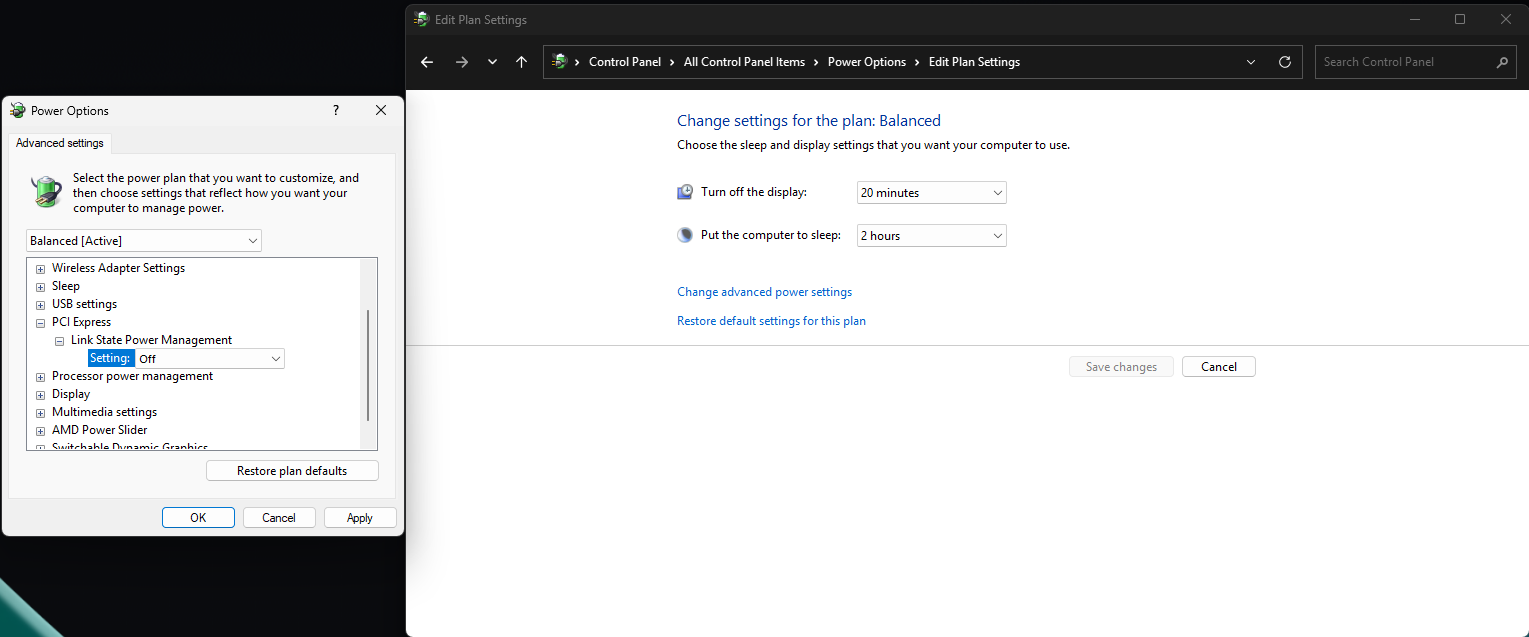
The PCI Express Link Power Management feature is designed to save power by reducing power consumption on PCIe devices. Disabling the feature removes the power-saving behavior that may cause these problems.
Leave A Comment?