
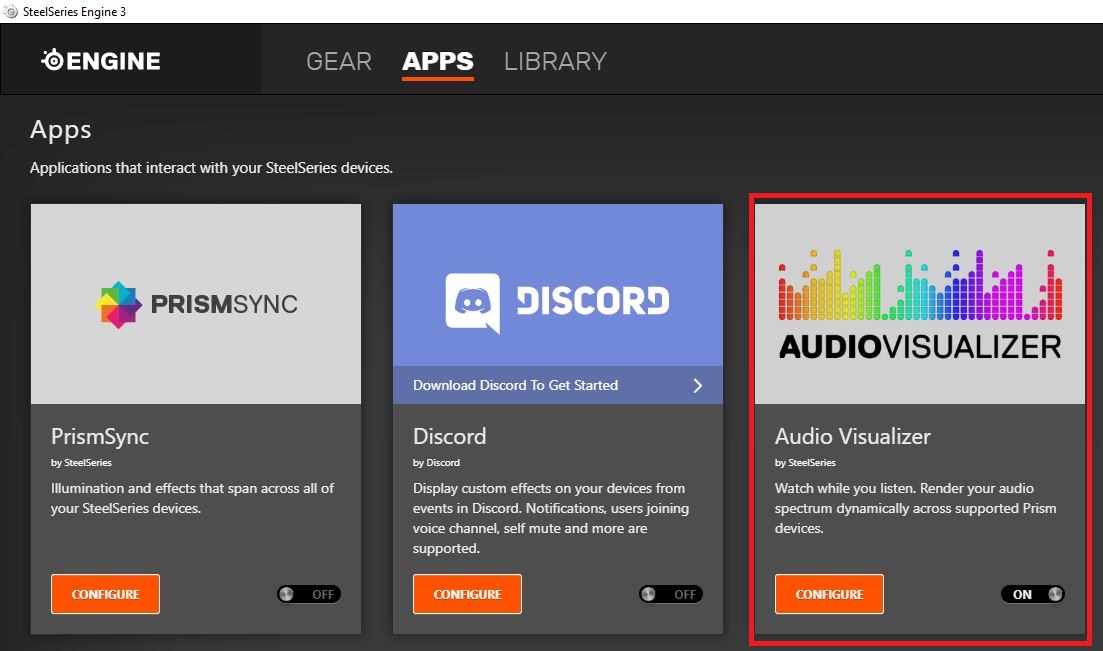
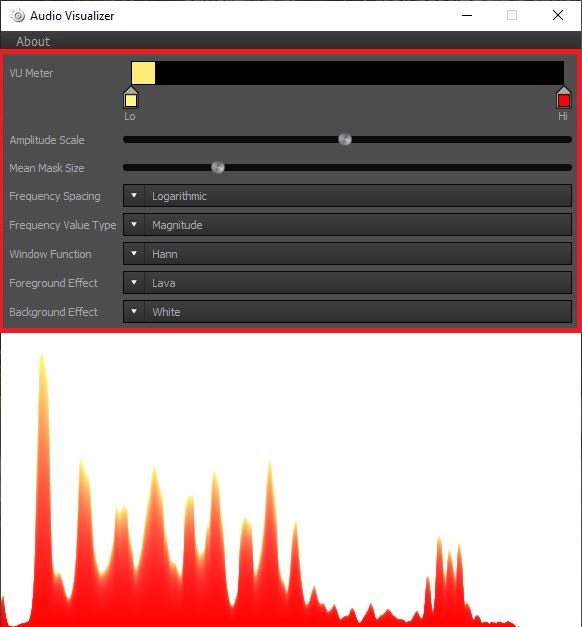
Cum sa activezi functia “AudioVisualizer” din aplicatia SteelSeries Engine 3 Data 08/06/2020 Autor Ionut Pavel Categorie OS - Windows 8 601 Configurare noua (How To) SituatieRedați instantaneu spectrul dvs. audio în mod dinamic prin echipamentele compatibile cu SteelSeries Engine 3 Solutie Pasi de urmat Accesati SteelSeries Engine 3 > selectati APPS > Accesati aplicatia AudioVisualizer. Modificati setarile in functie de preferinte. Tip solutiePermanent Voteaza Up Down (27 din 47 persoane apreciaza acest articol) ShareTweetShare Despre Autor Ionut Pavel Solutii Asemanatoare Shortcut close the current window of Google Chrome -1 Shortcut close the current tab in Google Chrome -1 Shortcut open a new tab and switch to it in Google Chrome 1 Shortcut open a new window in Google Chrome -1 How to install and configure AnduinOS 1 Garuda Linux guide 0 Leave A Comment? × Cancel Reply Save my name, email, and website in this browser for the next time I comment. + seven = twelve
Leave A Comment?