
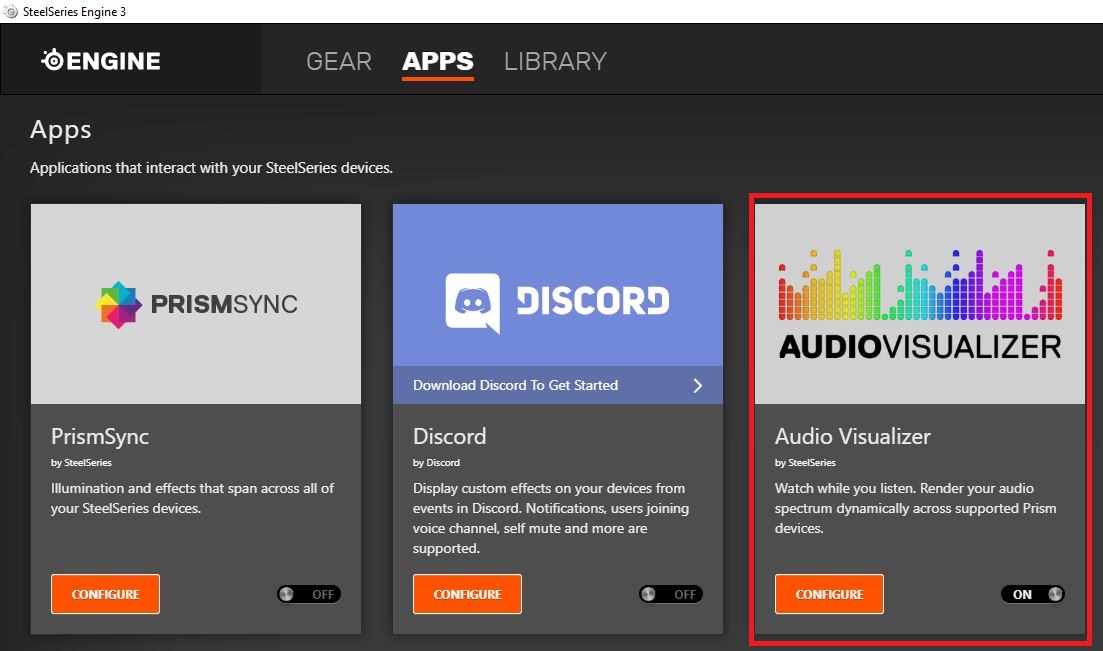
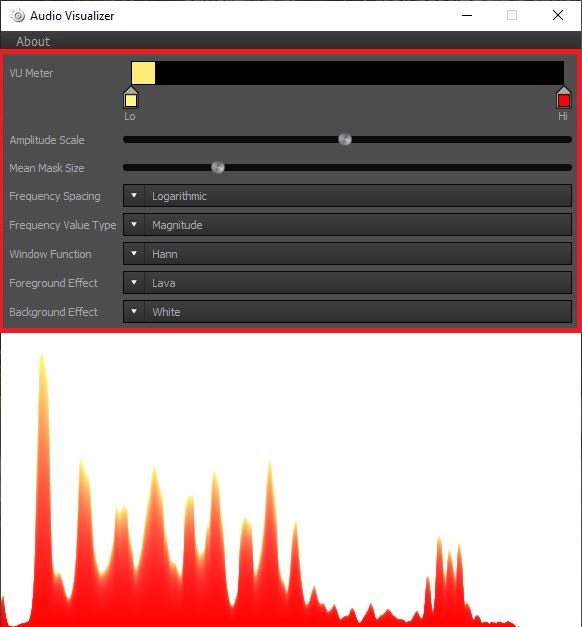
Cum sa activezi functia “AudioVisualizer” din aplicatia SteelSeries Engine 3 Data 08/06/2020 Autor Ionut Pavel Categorie OS - Windows 8 600 Configurare noua (How To) SituatieRedați instantaneu spectrul dvs. audio în mod dinamic prin echipamentele compatibile cu SteelSeries Engine 3 Solutie Pasi de urmat Accesati SteelSeries Engine 3 > selectati APPS > Accesati aplicatia AudioVisualizer. Modificati setarile in functie de preferinte. Tip solutiePermanent Voteaza Up Down (27 din 47 persoane apreciaza acest articol) ShareTweetShare Despre Autor Ionut Pavel Solutii Asemanatoare Funcția UNIQUE nu funcționează în Excel 2 Outlook nu funcționează cu VPN pe PC Windows 3 Bara de volum in Windows 11 apare incontinuu 5 Kubuntu installation guide 1 Cum resetam consumul de date din Windows 1 How to enable new CPU boost feature on Windows 11 1 Leave A Comment? × Cancel Reply Save my name, email, and website in this browser for the next time I comment. six × eight =
Leave A Comment?