
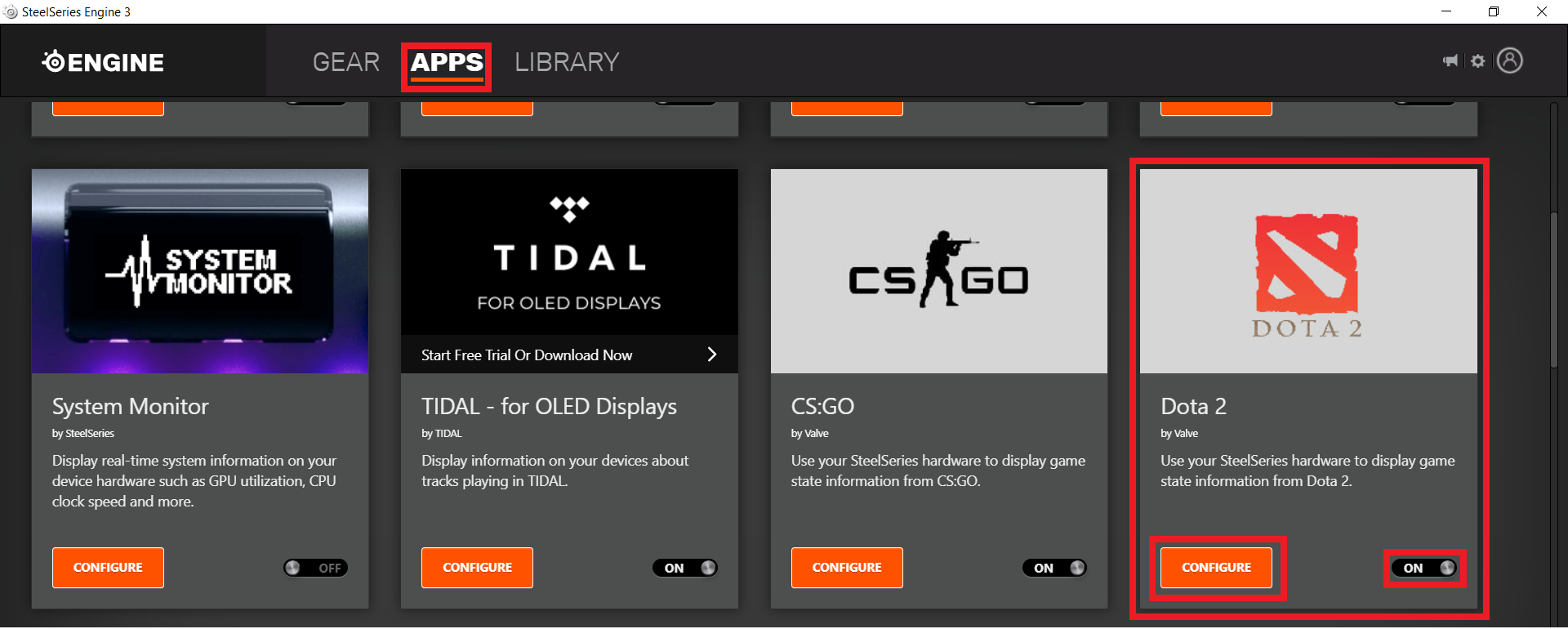
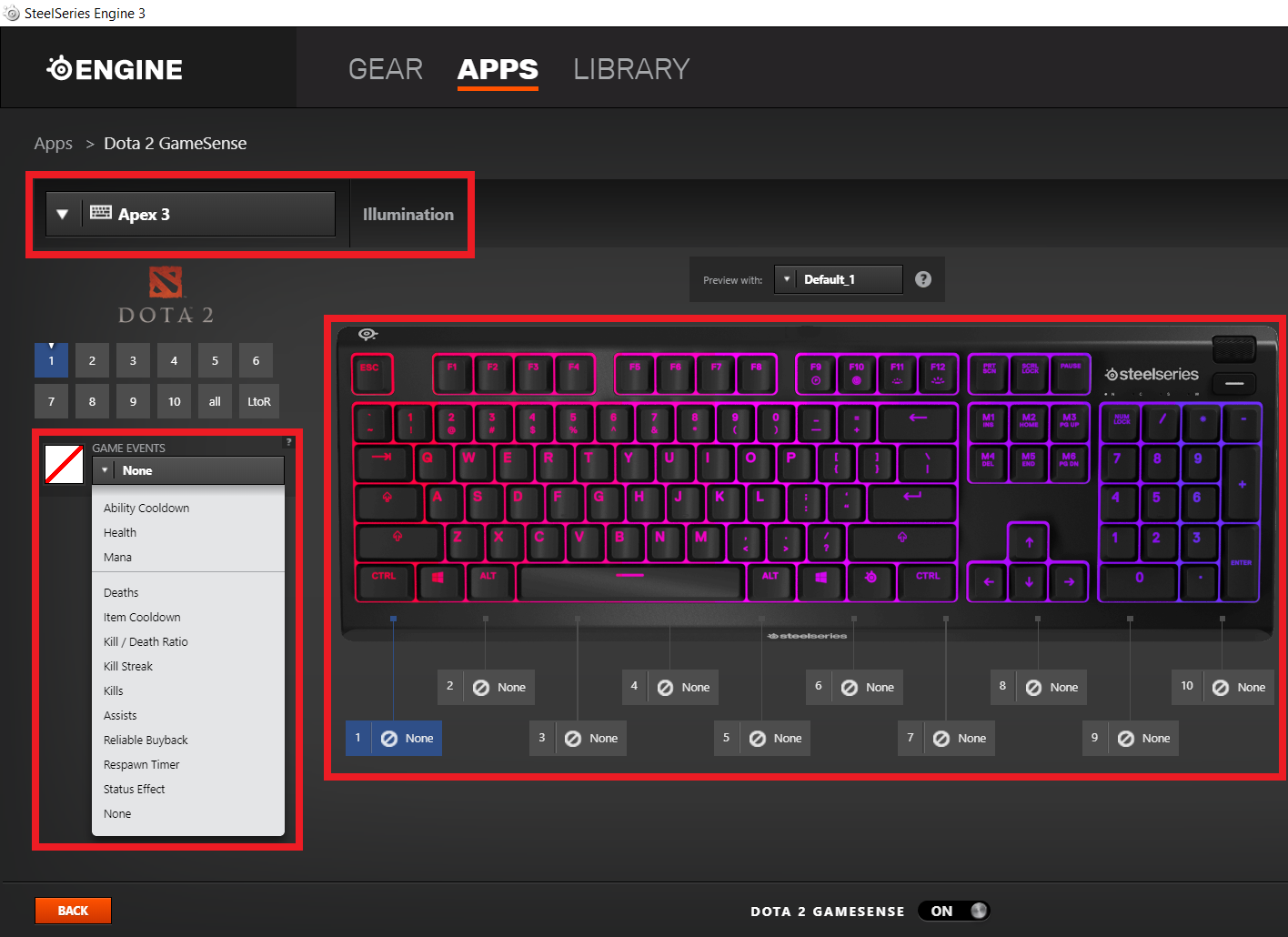
How to activate Dota 2 GameSense from SteelSeries Engine 3 Data 03/08/2020 Autor Ionut Pavel Categorie OS - Windows -8 678 Configurare noua (How To) SituatieHow to activate Dota 2 GameSense from SteelSeries Engine 3 Solutie Pasi de urmat Access SteelSeries Engine 3 > Apps > Dota 2 GameSense > Click ON button to activate it. By clicking “CONFIGURE” button you can edit your SteelSeries peripherals illumination for each game event. Tip solutiePermanent Voteaza Up Down (14 din 36 persoane apreciaza acest articol) ShareTweetShare Despre Autor Ionut Pavel Solutii Asemanatoare How to disable every AI feature on Microsoft Edge for Windows 11 2 Cum rezolvam problema timpului din Windows cand apar decalaje de ora 4 Windows – verificarea și repararea fișierelor de sistem 0 Nu s-a putut crea dispozitivul de randare DX11 în Windows 11 3 How to fix Robotic sound on computer -1 Folosirea AI pentru reclame și automatizarea procesului pe Windows 11 -2 Leave A Comment? × Cancel Reply Save my name, email, and website in this browser for the next time I comment. + four = thirteen
Leave A Comment?