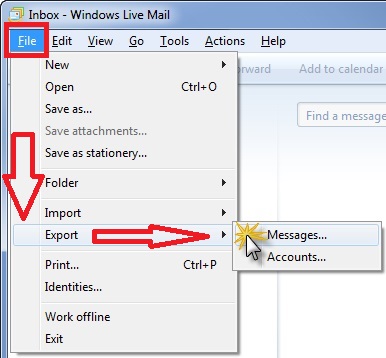
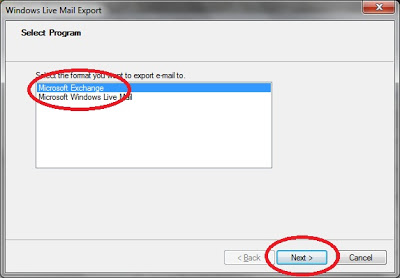
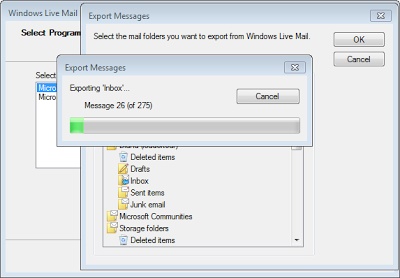
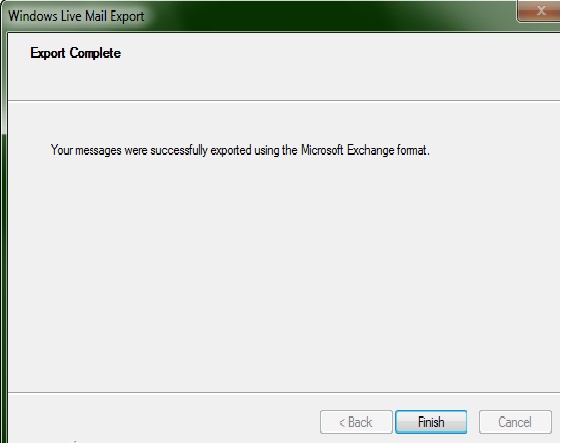
Cum poti migra e-mailurile din Windows Mail in Microsoft Outlook Data 27/01/2016 Autor Razvan Fl. Categorie E-mail, Migrare conturi email, Aplicații, Configurare client Email, Importare / exportare email -8 1940 Configurare noua (How To) SituatieCa sa migram e-mailurile din windows mail in microsoft outlook trebuie sa urmam cativa pasi Solutie Pasi de urmat Deschideti Microsoft Outlook si Windows Live Mail In Windows Live Mail, dam click pe File, apoi pe Export si dupa pe Messages In fereastra de export Live Mail, dam click pe Microsoft Exchange iar apoi dam next Selectam ce vrem sa mutam iar apoi facem click pe OK Dam click pe Finish cand operatiunea este efectuata Tip solutiePermanent Voteaza Up Down (24 din 56 persoane apreciaza acest articol) ShareTweetShare Despre Autor Razvan Fl. Solutii Asemanatoare Arduino Soil Moisture Sensor 4 Arduino Fingerprint Sensor 5 How to fix high CPU usage in Firefox / Chrome 0 Here’s the right way to use Microsoft Word on your phone 6 How to free up disk space on your Mac 2 How to extract audio from a video file on iPhone 9 Leave A Comment? × Cancel Reply Save my name, email, and website in this browser for the next time I comment. 2 + = nine
Leave A Comment?