
Follow Us

Soluții pentru problemele tale IT

Home /Stații de lucru/OS - Windows/Blackscreen after login Windows

Blackscreen after login Windows

  • Data 12/10/2017
  • Autor Ionut Pavel
  • Categorie OS - Windows
  • -4
  • 1451
Rezolvare problema (Fix IT)

Situatie

Black screen

Simptome

Black screen

Solutie

Pasi de urmat

Tastand combinatia ctrl+alt+del ajungem in meniul de unde putem accesa Task Manager
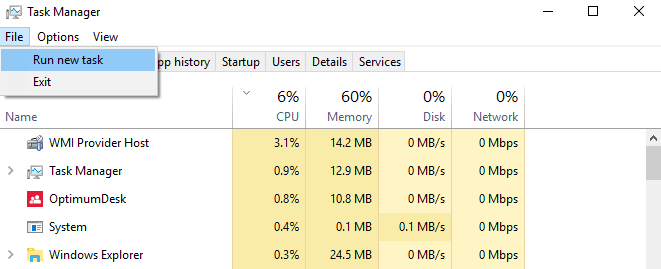
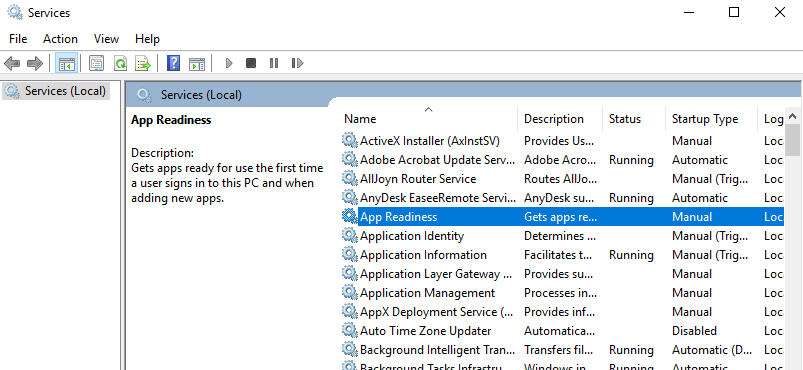
File>Run new task



Tip solutie

Permanent
Etichetare: askitaskit.roBlackscreenBlackscreen after login Windowsloginproblema BlackscreenTask Managerwindows

Voteaza

Up Down
(36 din 76 persoane apreciaza acest articol)
Share
Tweet
Share

Despre Autor

Ionut Pavel

Solutii Asemanatoare

  • After installing Windows 11, the computer boots very slowly and some applications take a long time to open 1
  • Fișierele sunt șterse automat pe Windows 11 4
  • Fișierele de recuperare BIOS nu pot fi găsite sau fișierele sunt corupte 0
  • Remediere cod bitlocker blocat 3
  • How to add Custom Text in Excel Header and Footer in Excel on Windows 10/11 3
  • How to open Headers and Footers from the Insert Tab in Excel on Windows 10/11 0

Leave A Comment? × Cancel Reply

30922

Soluții Disponibile

0 Articole

In ultima saptamana

Cele mai recente soluții

  • Solutia Proxmox pentru business
    • 12
    • 4 hours ago
  • Cum configurati un server privat de chat vocal Mumble pe Windows 11?
    • 8
    • 14/01/2026
  • How to install Discord on Ubuntu 24.04
    • 7
    • 14/01/2026
  • How to enable Windows Sandbox in Windows 11
    • 21
    • 2 days ago
  • Repair commands to run before you reinstall Windows
    • 32
    • 5 days ago
© Askit.ro, 2014 - 2026. All rights reserved. Done by Class IT
Share
Tweet
Share
