
Follow Us

Soluții pentru problemele tale IT

Home /Stații de lucru/OS - Windows/Blackscreen after login Windows

Blackscreen after login Windows

  • Data 12/10/2017
  • Autor Ionut Pavel
  • Categorie OS - Windows
  • -5
  • 1512
Rezolvare problema (Fix IT)

Situatie

Black screen

Simptome

Black screen

Solutie

Pasi de urmat

Tastand combinatia ctrl+alt+del ajungem in meniul de unde putem accesa Task Manager
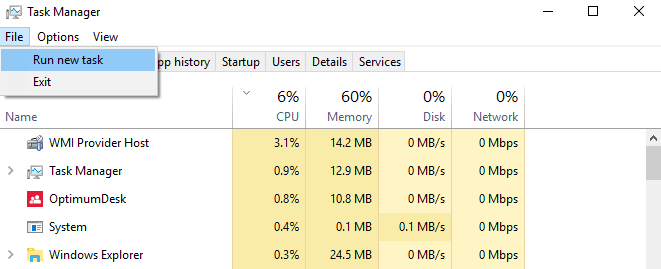
File>Run new task

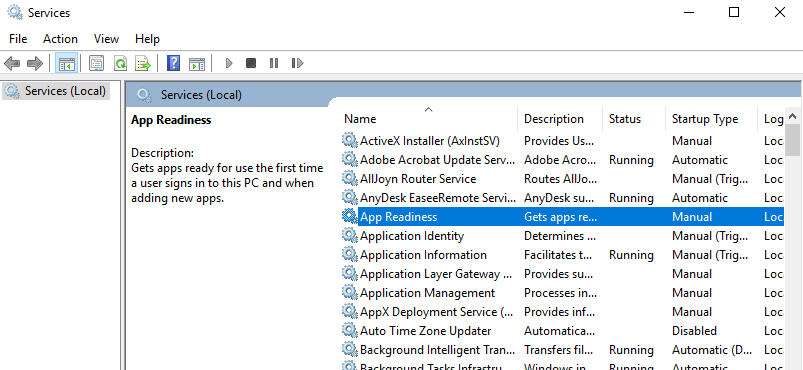


Tip solutie

Permanent
Etichetare: askitaskit.roBlackscreenBlackscreen after login Windowsloginproblema BlackscreenTask Managerwindows

Voteaza

Up Down
(42 din 89 persoane apreciaza acest articol)
Share
Tweet
Share

Despre Autor

Ionut Pavel

Solutii Asemanatoare

  • What is OpenClaw? Reviving a classic through open technology 3
  • How to install and configure Gentoo Linux 1
  • How to create a Windows to go with Rufus to run Windows 11 from USB 2
  • Cum îți faci un raport complet al PC-ului cu PowerShell 7
  • Cum vezi toate procesele care pornesc automat cu Windows 2
  • Cum activezi și configurezi DNS-over-HTTPS (DoH) în Windows 11 1

Leave A Comment? × Cancel Reply

31398

Soluții Disponibile

0 Articole

In ultima saptamana

Cele mai recente soluții

  • What is OpenClaw? Reviving a classic through open technology
    • 34
    • 3 days ago
  • Cum descarcati codurile de backup pentru aplicatia Steam
    • 38
    • 6 days ago
  • Stop your iPhone suppressing background audio in Videos
    • 58
    • 1 week ago
  • How to install and configure Gentoo Linux
    • 68
    • 16/04/2026
  • Cheaper QD-OLED is finally happening
    • 61
    • 1 week ago
© Askit.ro, 2014 - 2026. All rights reserved. Done by Class IT
Share
Tweet
Share
