
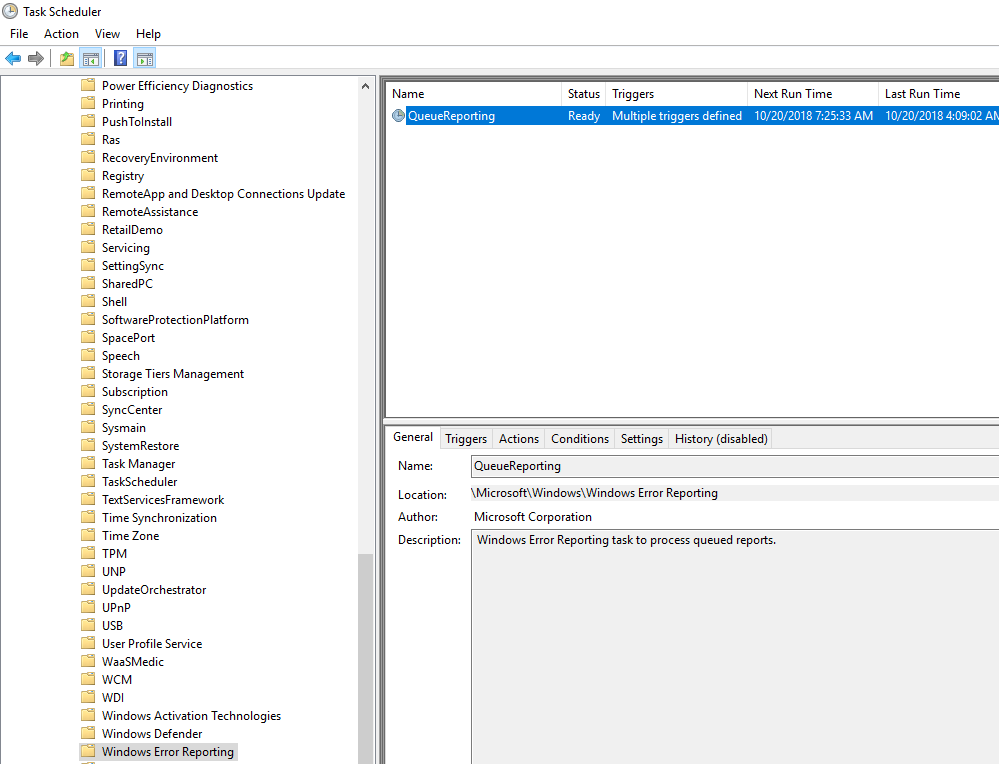
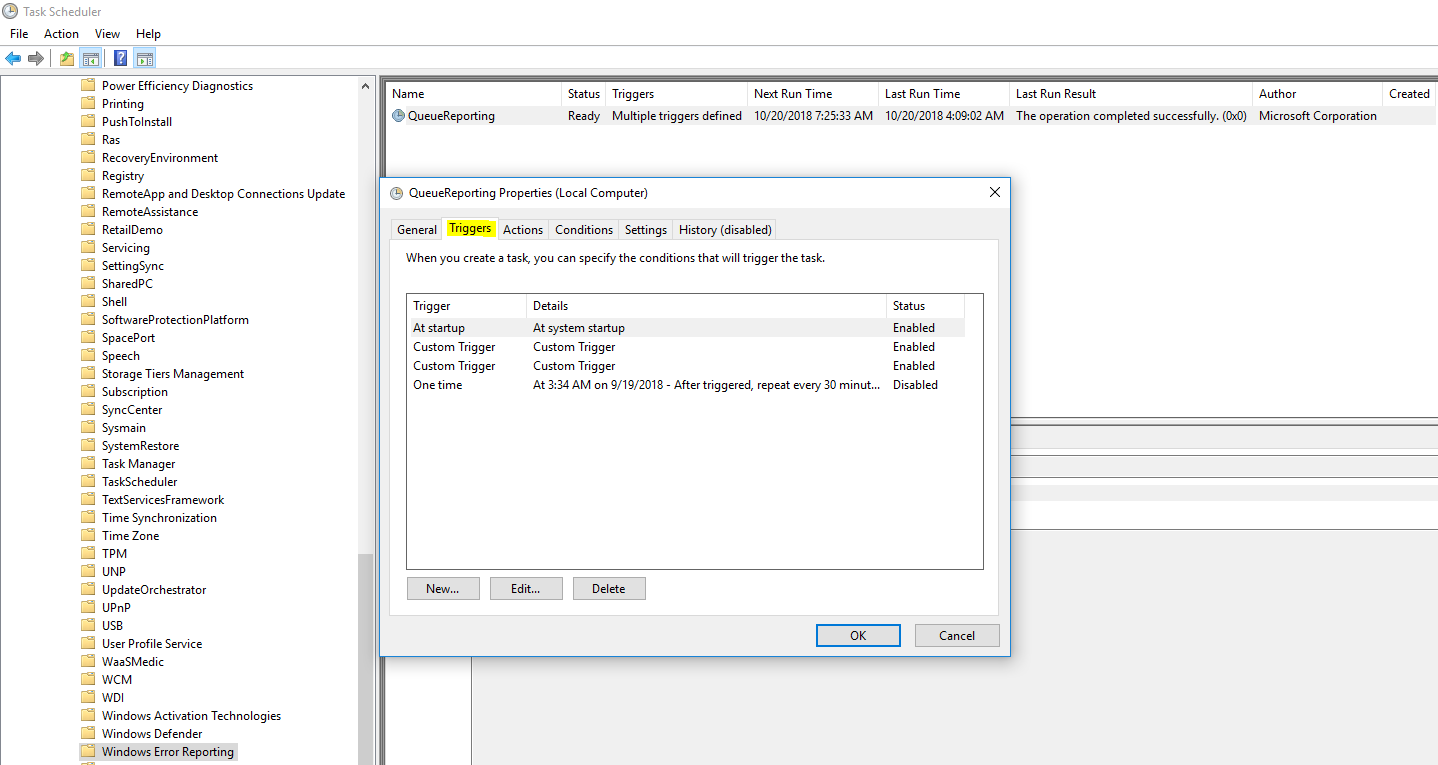
Activarea automata a functiei QueueReporting din Task Scheduler Data 20/10/2018 Autor Daniel Chr Categorie OS - Windows, Configurare program, Stații de lucru, Configurare Sistem de operare -20 951 Configurare noua (How To) SituatieCum activam task-ul QueueReporting din Task Scheduler? Solutie Pasi de urmat Deschidem din start Task Scheduler. Urmam calea Microsoft > Windows > Windows Error Reporting Deschidem QueueReporting si din sectiunea Triggers, setam cand acesta sa ruleze. Tip solutiePermanent Voteaza Up Down (12 din 43 persoane apreciaza acest articol) ShareTweetShare Despre Autor Daniel Chr Solutii Asemanatoare Recuperarea unui document Word nesalvat 1 How to use Winhance to debloat Windows 11 1 Cum oprim monitorul doar cu un simplu click -1 How to enable or Disable Font Smoothing in Windows 11 0 How to fix 0x800f0983 error on Windows 10/11 6 How to enable Windows 11 24H2 updates in WSUS -1 Leave A Comment? × Cancel Reply Save my name, email, and website in this browser for the next time I comment. nine − = 8
Leave A Comment?