Situatie
Vrei sa dezactivezi webcam-ul pentru a putea preveni folosirea acesteia fara acordul dvs.
Solutie
Pasi de urmat
Click dreapta My Computer -> Manage
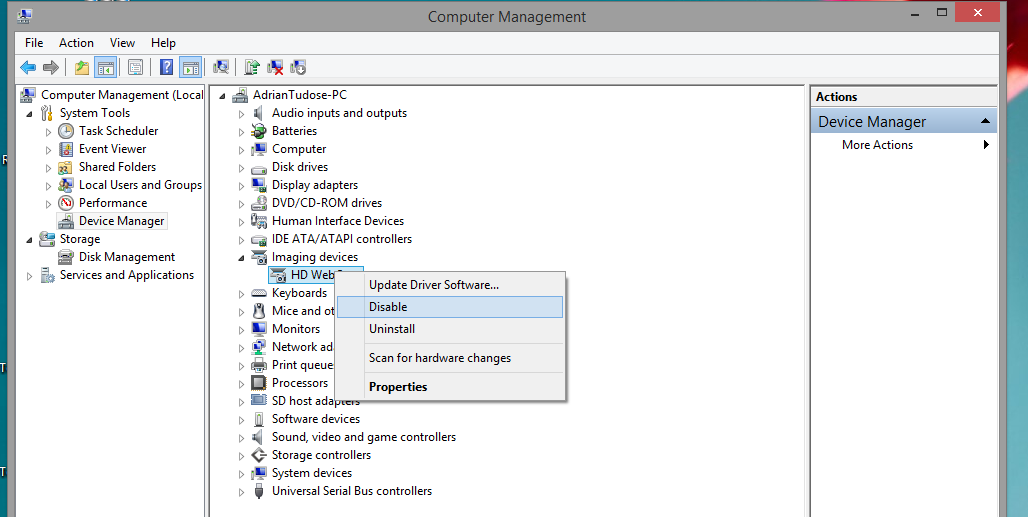
Se alege Device Manager -> Imaging devices si se dezactiveaza.

Soluții pentru problemele tale IT
Vrei sa dezactivezi webcam-ul pentru a putea preveni folosirea acesteia fara acordul dvs.
Click dreapta My Computer -> Manage
Se alege Device Manager -> Imaging devices si se dezactiveaza.
Leave A Comment?