Cum instalam Adblock pe Microsoft Edge?
Ne aflam in situatia in care o persoana doreste sa foloseasca exclusiv browser-ul Microsoft Edge, dar nu poate sa reuseasca sa scape de reclame/ads.
[mai mult...]
Soluții pentru problemele tale IT

Ne aflam in situatia in care o persoana doreste sa foloseasca exclusiv browser-ul Microsoft Edge, dar nu poate sa reuseasca sa scape de reclame/ads.
[mai mult...]The system files, installed applications, and personal data can easily eat up your M.2 SSD space and slow down your PC, especially when you are using an M.2 SSD with small storage capacity. When the low disk space appears, you need to clone an M.2 SSD to a larger M.2 SSD to upgrade the disk for better performance.
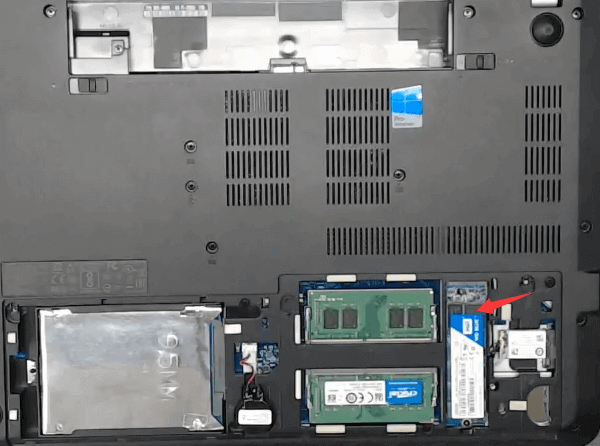
Before you install the SSD drive though, first make sure that the SSD drive you bought is compatible with your laptop motherboard.
On a laptop
On a desktop computer
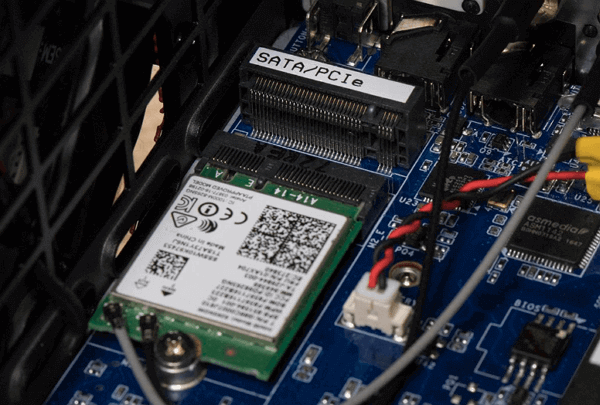
Make sure that both the SSDs are recognized by your computer. Download and install the essential disk cloning software, or you may treat it as an M.2 SSD to M.2 SSD duplicator
To clone one M.2 SSD to another larger M.2 SSD, follow these steps:
Step 1. Launch EaseUS SSD cloning software and choose “Clone” to start cloning one SSD to the other larger SSD.
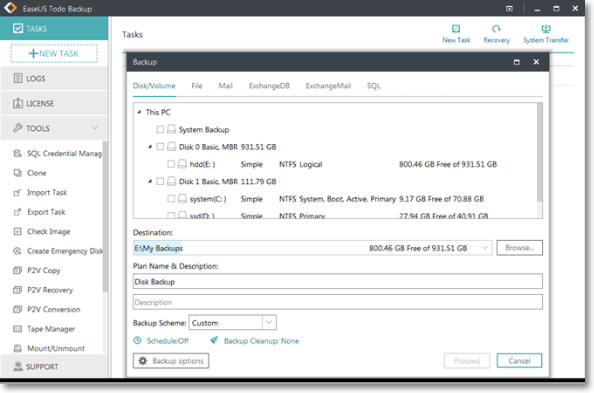
Step 2. Choose the smaller SSD as the source disk and click “Next”.
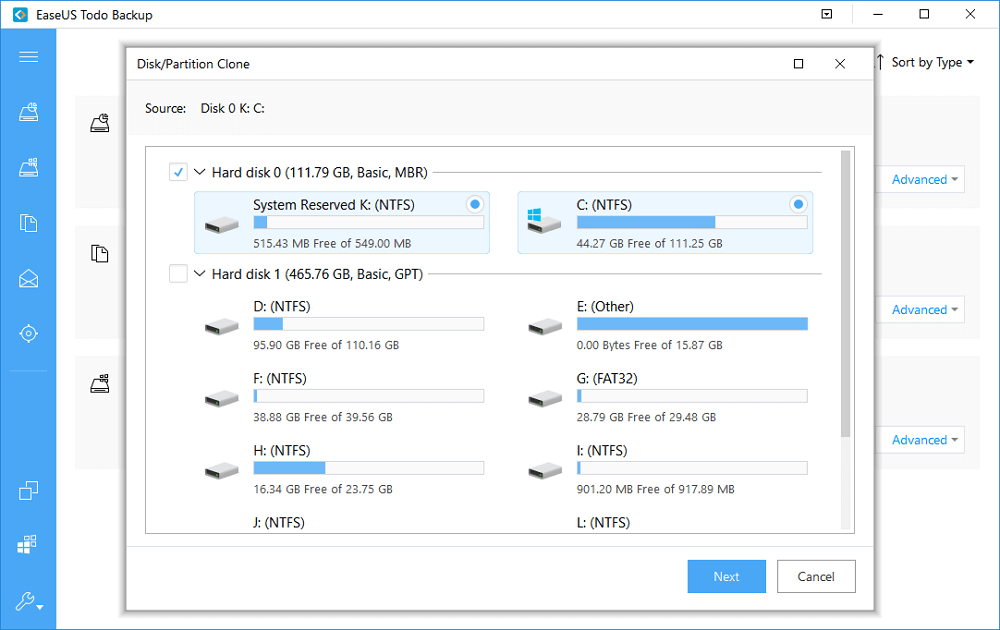
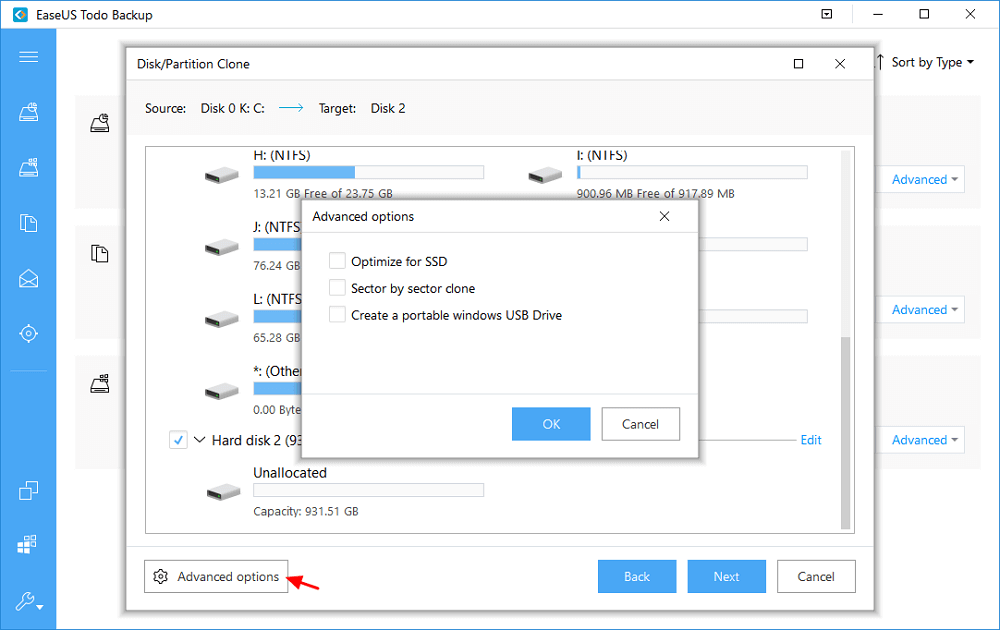
Step 3. Choose the larger SSD as the destination disk. Here, we highly suggest you tick the option “Optimize for SSD” within “Advanced options” in the bottom left corner. Click “OK” and then click “Next”.
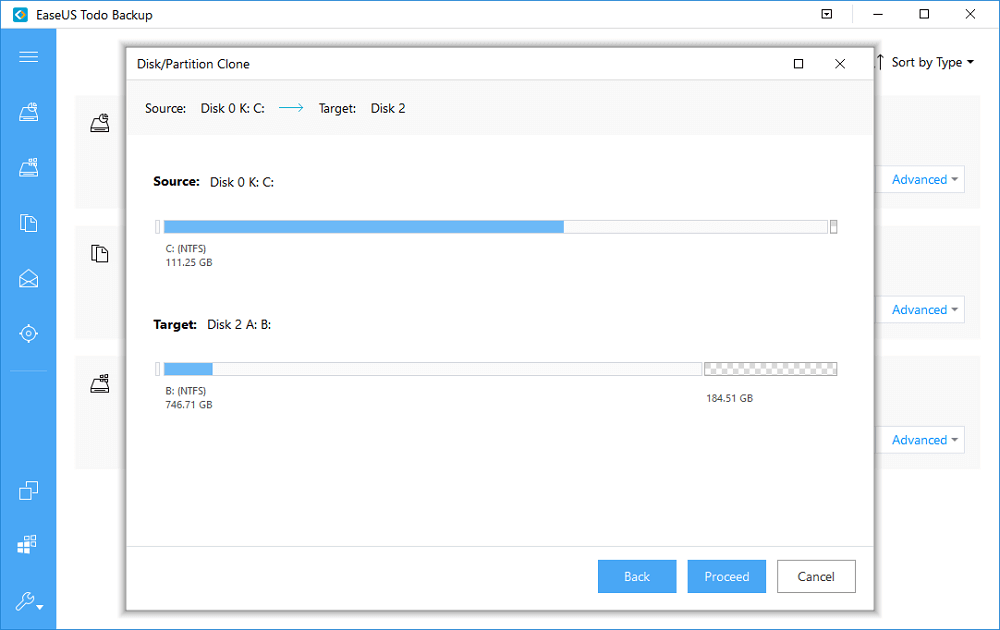
Step 4. If nothing’s wrong on the disk layout, click “Proceed”. It won’t take long to clone a smaller SSD to a larger SSD.
At last, if you cloned the operating system to the new SSD and wish to boot Windows from it, try to disconnect the old SSD from your computer.
[mai mult...]Ne aflam in situatia in care dorim sa folosim un joc sau o aplicatie de editare ce necesita resurse ale placii video dedicate, pe un laptop ce are un GPU, dar care, din diverse motive, nu o ruleaza by default.
[mai mult...]Ne aflam in situatia in care dorim sa inversam culorile unei imagini, folosind Adobe Photoshop.
[mai mult...]Filtrarea web este o tehnologie care impiedica utilizatorii sa vizualizeze anumite adrese URL sau site-uri web impiedicand browserele lor sa incarce pagini de pe aceste site-uri.
[mai mult...]You can send and receive text messages, photos, voice messages, and video using Android Messages on your smartphone and desktop. To link the mobile app and the web version:
[mai mult...]