
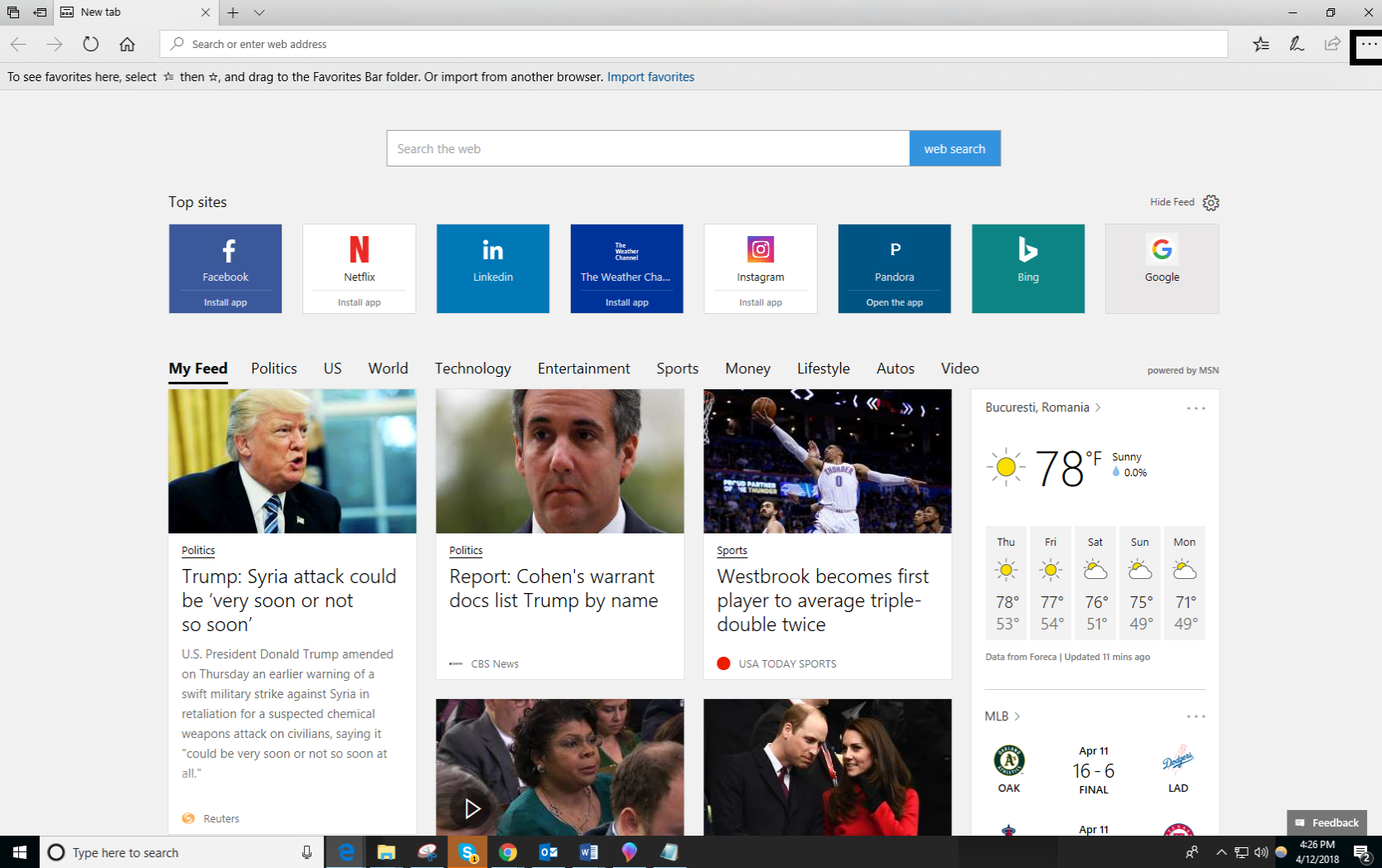
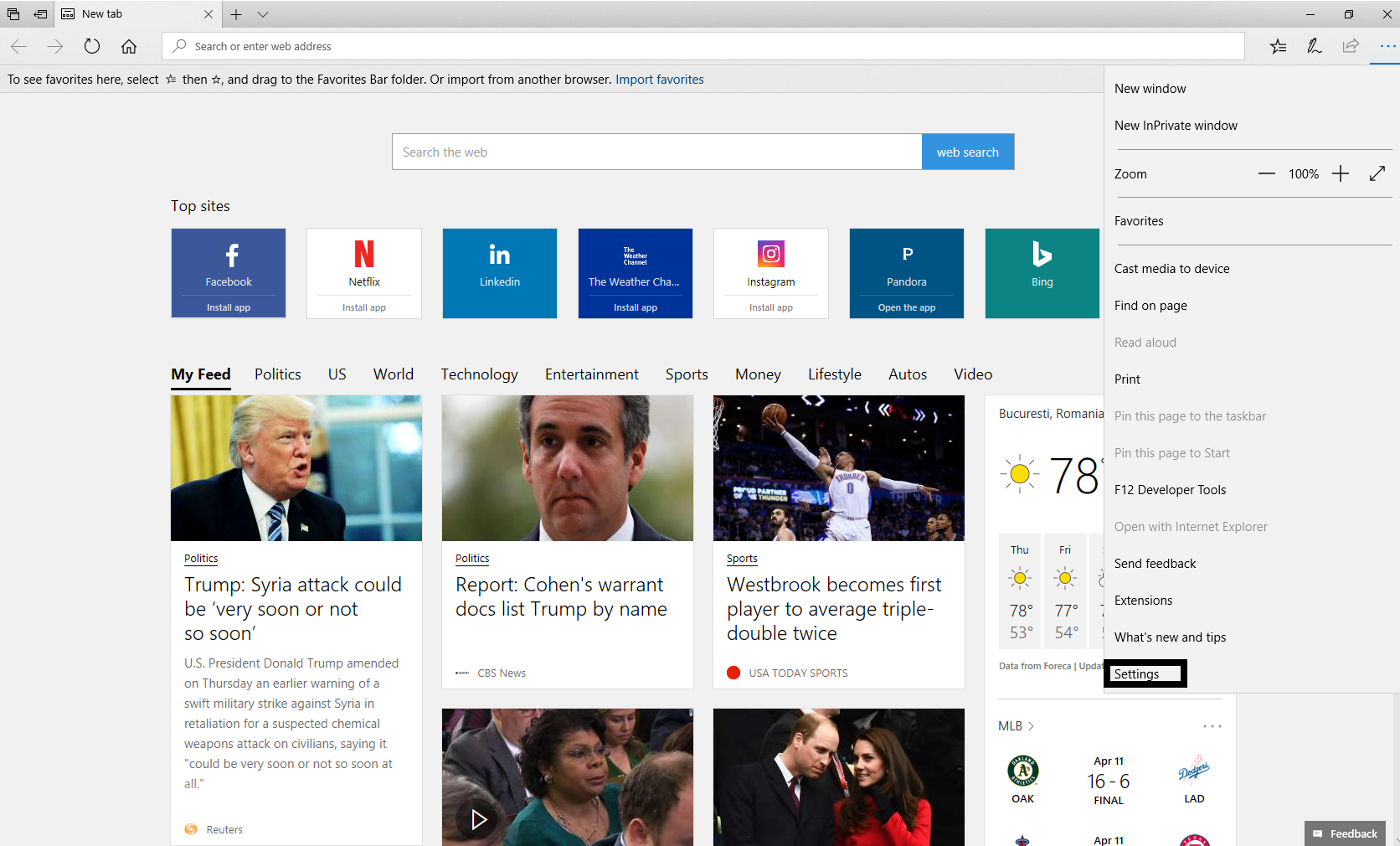
Activare FAVORIT TAB in Edge Data 12/04/2018 Autor Cristian Anghel Categorie Aplicații 3 1106 Configurare noua (How To) SituatieIn cazul in care folosim Microsoft Edge si vrem sa ne apara Favorites Bar, trebuie sa urmam pasii urmatori: Solutie Pasi de urmat Deschidem Microsoft Edge Click pe Settings and more Intram la Settings Sub sectiunea “Favorites Bar”, comutati de pe OFF pe ON. Tip solutiePermanent Etichetare: Activare FAVORIT TAB in Edgeaskitaskit.roedge favorites tabFavorites Barfavorites tabmicrosoft edgesettings Voteaza Up Down (38 din 74 persoane apreciaza acest articol) ShareTweetShare Despre Autor Cristian Anghel Solutii Asemanatoare Cum se instalează sistemul de gestionare a fotografiilor Lychee pe Debian 12 6 How I automatically back up my Home Assistant setup to the cloud without paying 4 Reinstalarea sau actualizarea firmware-ului pe un dispozitiv FortiGate 4 How to install Transmission on Ubuntu 24.04? 0 Remediere probleme generate de update firmware la routere D-Link 1 Cum setam Dashboard-uri si raportare in ClickUp? 4 Leave A Comment? × Cancel Reply Save my name, email, and website in this browser for the next time I comment. 5 × = 30
Leave A Comment?